OVO
5 min

OVO
Payment Number Information
Assure you make the payment before 58 seconds.
Cellular Number | 082-1851-XXX-XX |
|---|---|
E-Wallet Partner | OVO |
Nominal | Rp10,000 |
Recipient's Name | billingNm |
Order Number | Invoice-1234 |
Validity Period | 16-06-2016 / 17:15:00 |
Payment
Payment steps with OVO:
- Select payment via OVO.
- Enter your OVO number, then choose your payment process. Kindly check notification from the OVO application on your mobile phone.
- Please press the notification, and you will entered the payment confirmation page.
- If you didn't get the notification, please check the bell icon on the top-right side.
- On the payment confirmation page, please press Bayar button.
- After the payment is successful, you will redirect to the Payment Result page.
Please download the OVO Payment Guide's JSON file format for your system operation.
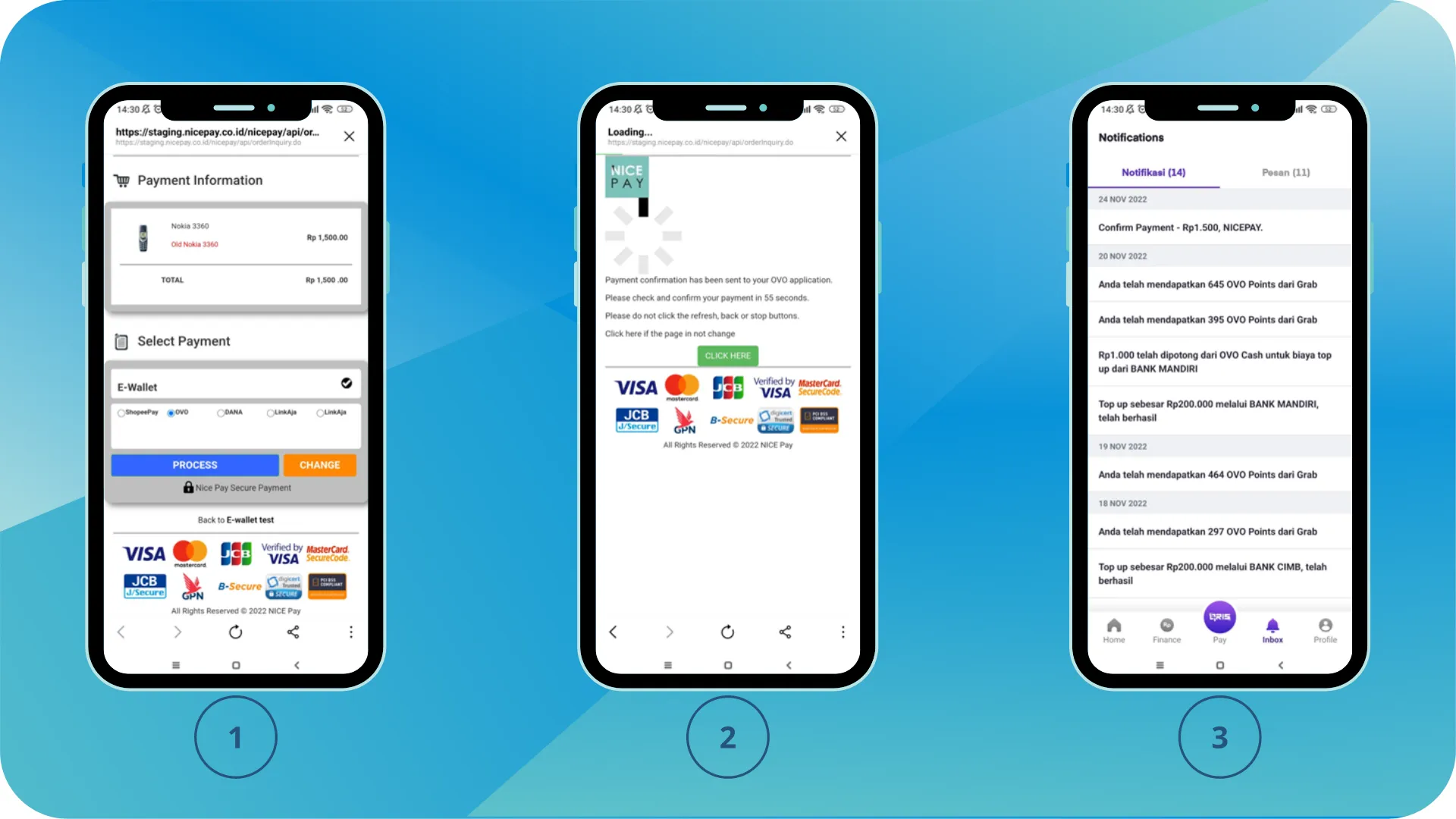
Payment Guide - OVO 1
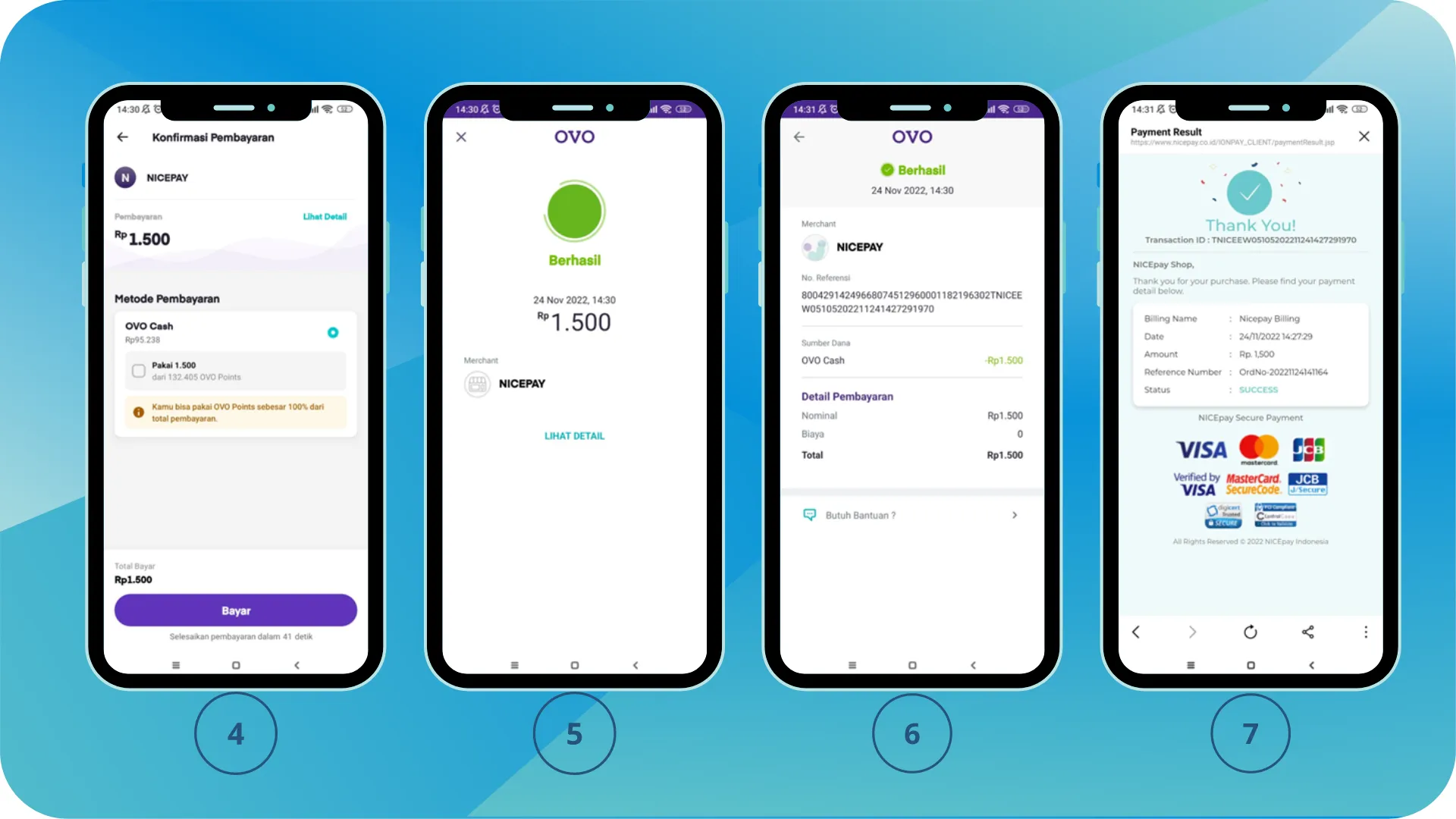
Payment Guide - OVO 2