Magento
5 min

Magento
Magento version 1.9
Please download the plugin through the button below.
Integration Step
- Copy the extension module of NICEPAY Magento to the Merchant folder.
- Please check the folder structure that will copy thoroughly!
- Confirm NICEPAY module already appear on the payment method list.
- Open Magento/admin Merchant page.
- Click System > Configuration menu.
- Click Sales > Payment Methods menu.
- Input MID dan API (Merchant) Key from NICEPAY.
- Click Save Config.
- Click System > Cache Management menu.
- Click Select All > Submit.
- Wait until page refreshes automatically.
- Click Flush Cache Storage.
- Wait until page refresh automatically.
- Click Flush Magento Cache.
- Wait until page refresh automatically.
- Open System > Index Management menu.
- Click Select All , then Submit.
- Open the front page to check the payment installation.
- Select Checkout.
- Select the NICEPAY payment method recently added.
- Follow the payment process until finish.
- Access admin/Magento > menu Sales > Order page to view transaction data received newly.
- Payment using NICEPAY is ready to use.
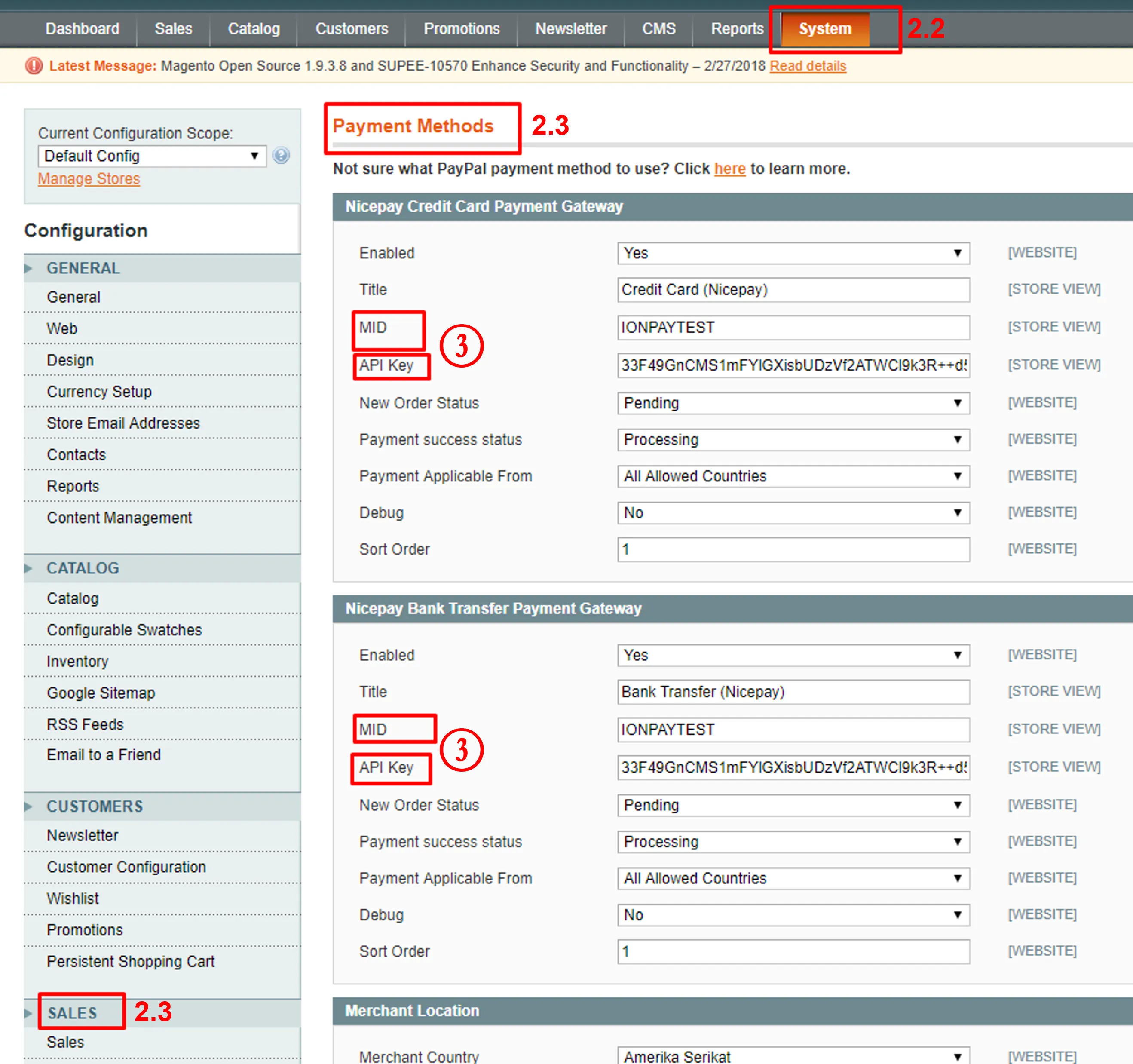
Payment Method Configuration
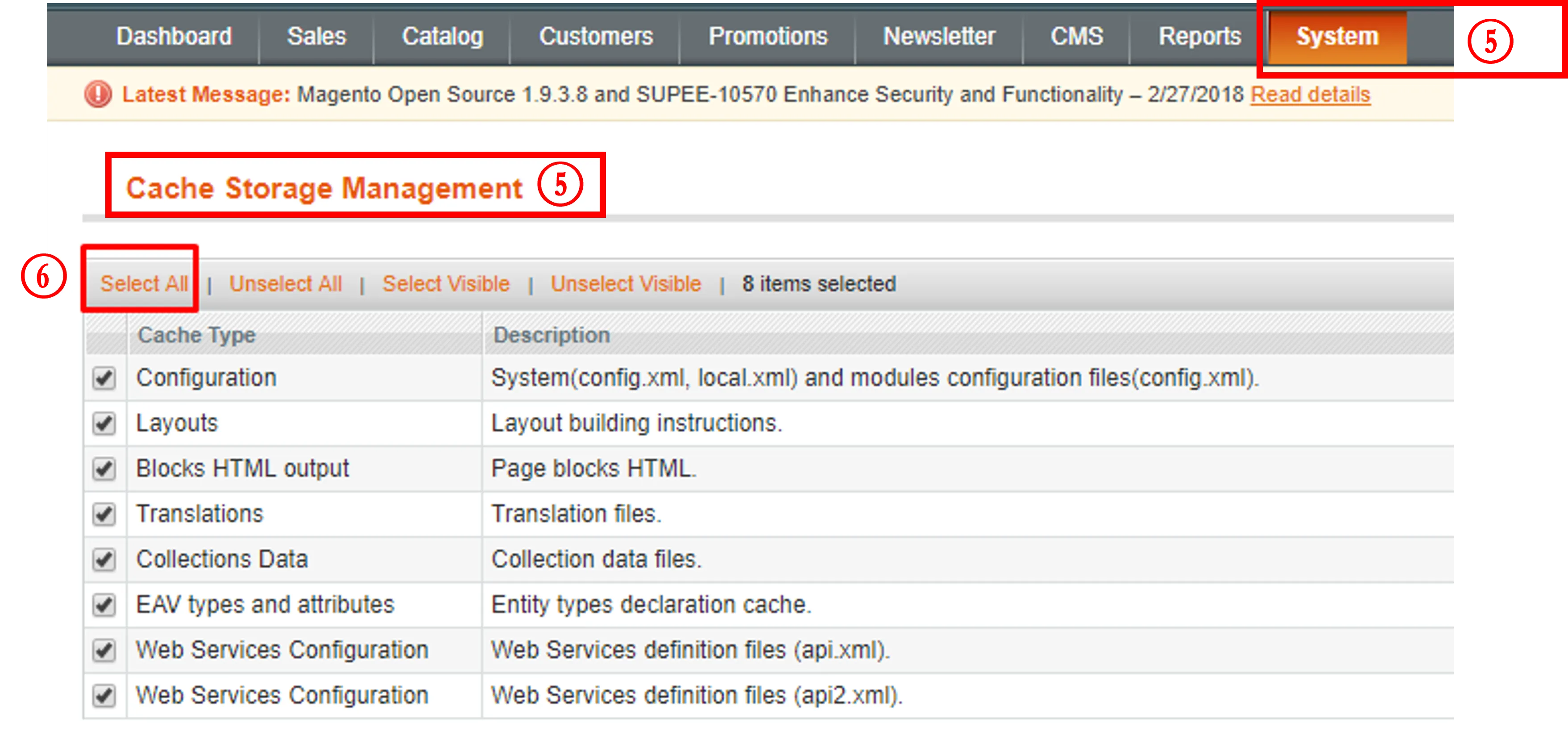
Cache Storage Management
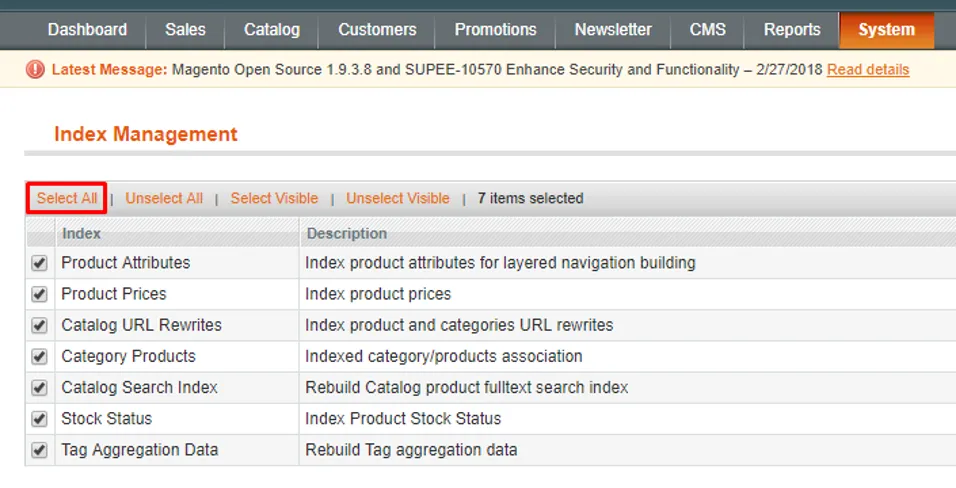
Index Management
See also
Visit the OpenCart page to find out integration process with another platform.
Visit the PrestaShop page to find out integration process with another platform.