Reconcile
Reconcile
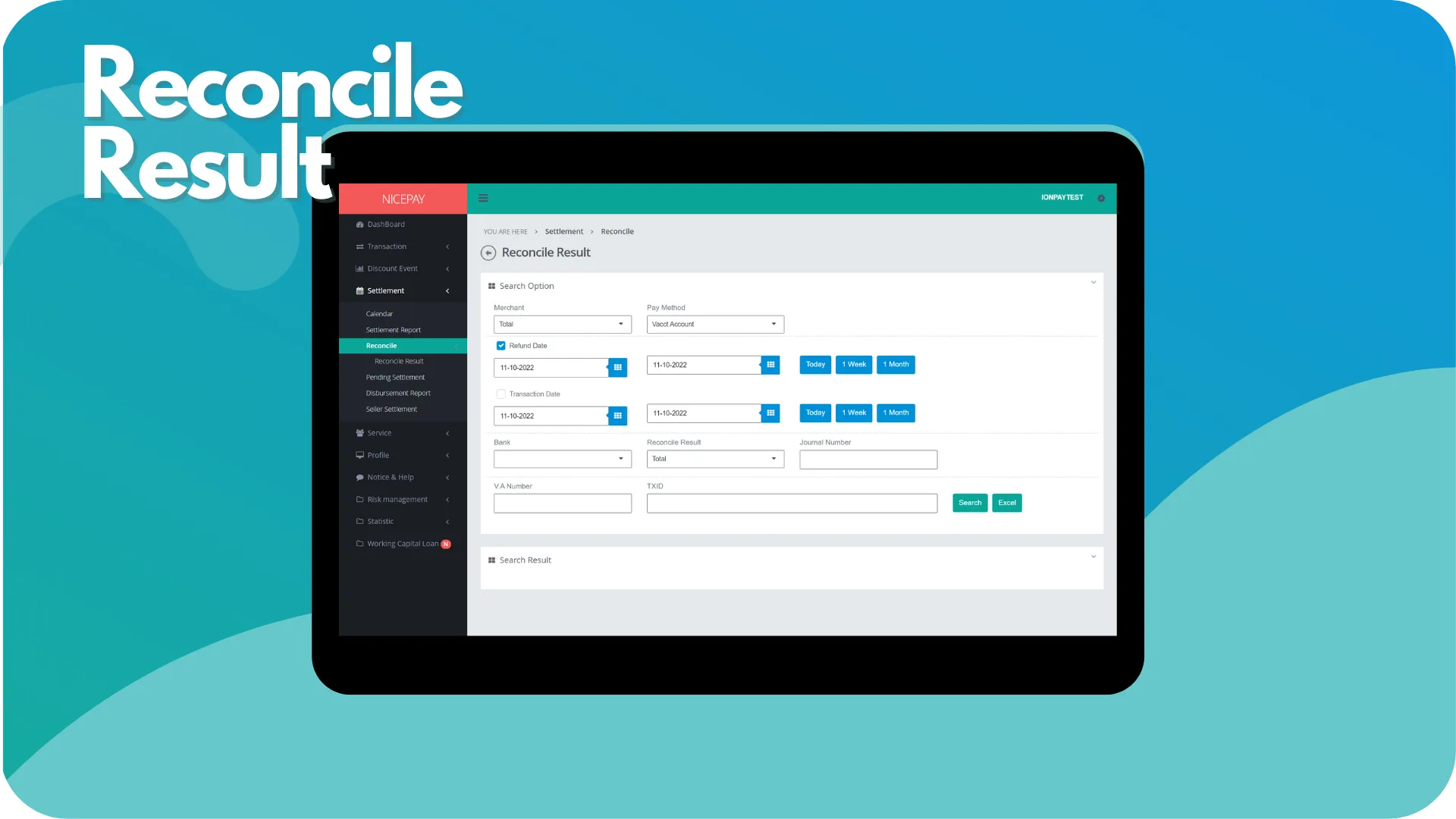
This sub-menu assists Merchant can view transaction reconciliation history. This sub-menu page is divided into 2 sections; Search Option dan Search Result.
The Search Option section is a form section used to input the search criteria of transaction data. All fields on the form are optional. However, the search results are dependent on the chosen payment method. There are 3 options for payment methods; Virtual Account, E-Wallet, and QRIS. Merchant can perform data searches to show in the Search Result section or download data in Excel format.
The Search Result section is a section that displays data search results based on the inputted criteria from the Search Option section. Data from this section will appear after Merchant confirms the data searching process by pressing the Search button. The search results are displayed differently based on the chosen payment method from the Search Option section.
Vacct Account
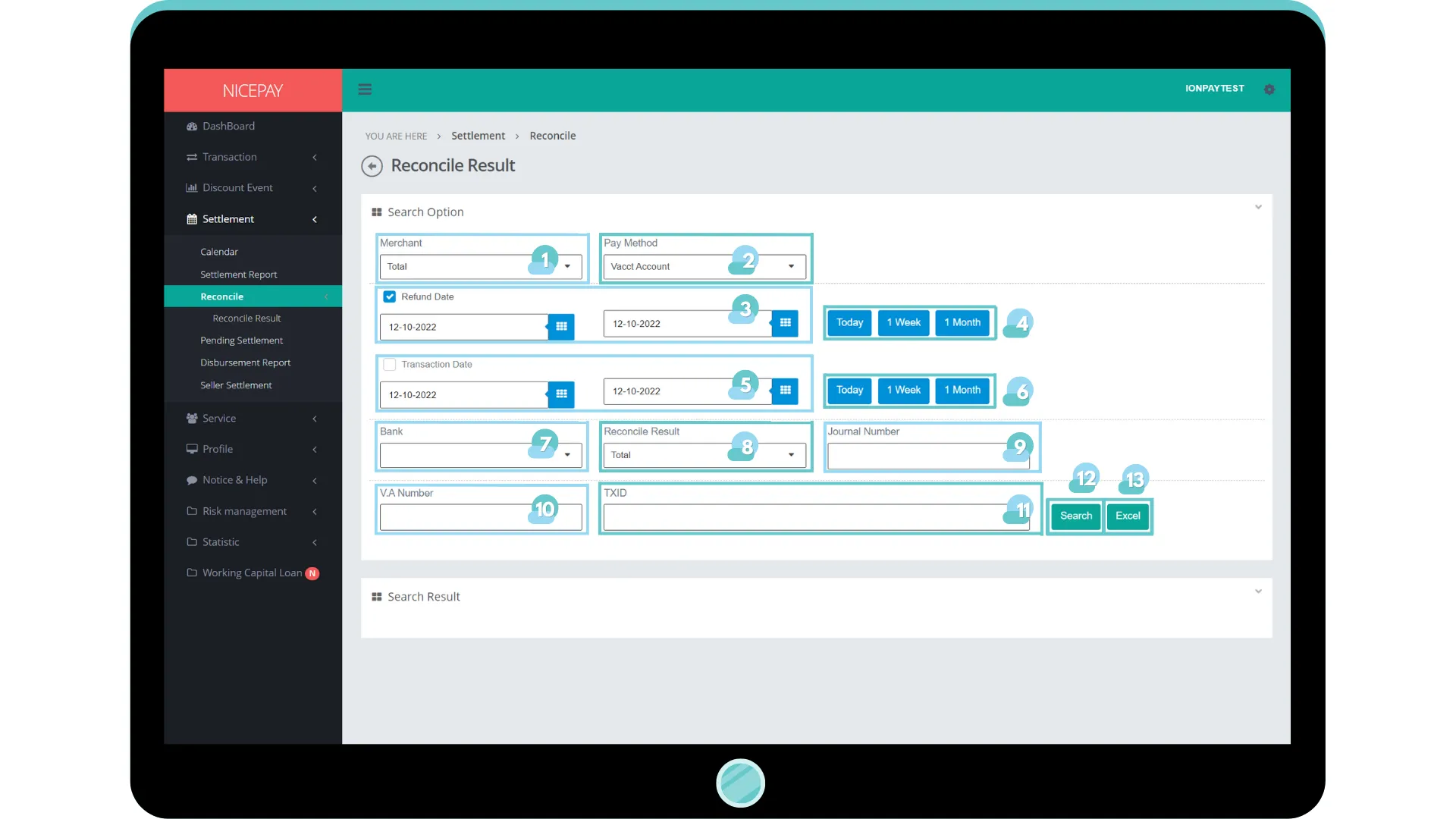
The Search Option section on the payment method: Virtual Account consists of the specific search form specially used to search Virtual Account transaction data. The form consists of:
Name | Description | Remark |
|---|---|---|
Merchant | List of registered Merchant in NICEPAY system Default: Total -> all Merchant | Default: Total -> all Merchant |
Pay Method | List of payment method that available on NICEPAY system | Default: Vacct Account Dropdown option:
|
Refund Date | Time balance successfully refund in date and hour format | Default selection: Today Default setting: today's date and 24 hour time interval |
Refund Date (Within) | Time settings can be directly determined between today, 1 week, or 1 month | Default: Today |
Transaction Date | Transaction time in date and hour format | Optional Default selection Default setting: today's date and 24 hour time interval |
Transaction Date (Within) | Time settings can be directly determined between today, 1 week, or 1 month | Default: Today |
Bank | List of Bank name | Default: Total -> all Bank name |
Reconcile Result | Transaction reconcile result | Default: Total Dropdown option:
|
Journal Number | Transaction journal number | Optional |
V.A. Number | Virtual Account number | Optional |
TXID | Transaction ID | Optional |
Search | Button to process the keywords entered by the Merchant to search for data | Data search results will be displayed in the Search Result section |
Excel | Button to process the keywords entered by the Merchant for the file to be downloaded | The file format will be downloaded in Excel format |
The Search Result section on payment method: Virtual Account is divided into two tables. The first table displays the statistical data from all Virtual Account transaction. The second table shows each Merchant data transaction.
E-Wallet
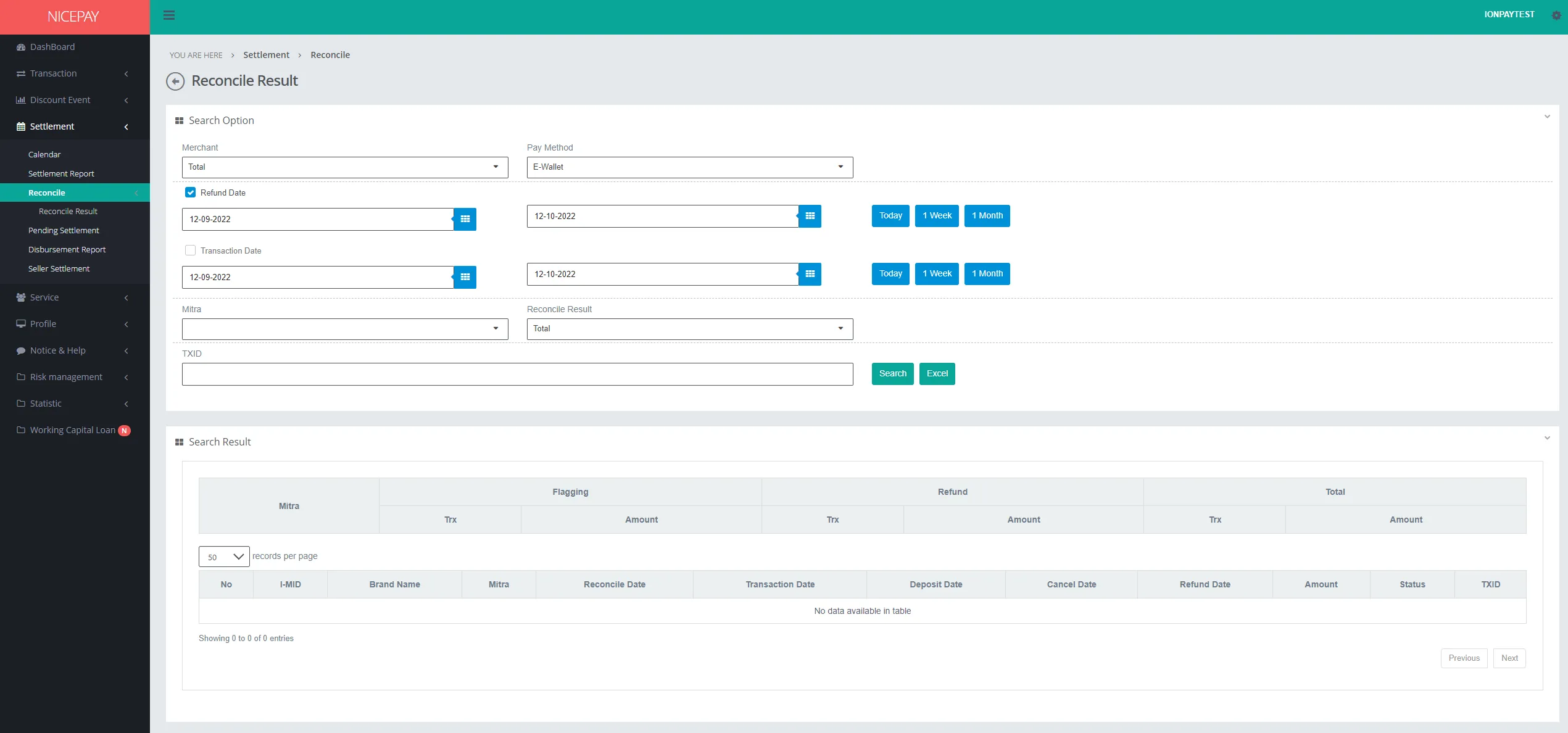
The Search Option section on payment method: e-Wallet consists of the specific search form specially use to search E-Wallet transaction data. The form consists of:
Name | Description | Remark |
|---|---|---|
Merchant | List of registered Merchant in NICEPAY system Default: Total -> all Merchant | Default: Total -> all Merchant |
Pay Method | List of payment method that available on NICEPAY system | Default: E-Wallet Dropdown option:
|
Refund Date | Time balance successfully refund in date and hour format Time settings can be directly determined between today, 1 week, or 1 month | Default selection Default setting: today's date and 24 hour time interval |
Transaction Date | Transaction time in date and hour format Time settings can be directly determined between today, 1 week, or 1 month | Optional Default selection Default setting: today's date and 24 hour time interval |
Mitra | Merchant's Mitra name | Optional |
Reconcile Result | Transaction reconcile result | Default: Total Dropdown option:
|
TXID | Transaction ID | Optional |
Search | Button to process the keywords entered by the Merchant to search for data | Data search results will be displayed in the Search Result section |
Excel | Button to process the keywords entered by the Merchant for the file to be downloaded | The file format will be downloaded in Excel format |
The Search Result section on payment method: E-Wallet is divided into two tables. The first table displays the statistical data from all E-Wallet transaction. The second table shows each Merchant data transaction.
QRIS
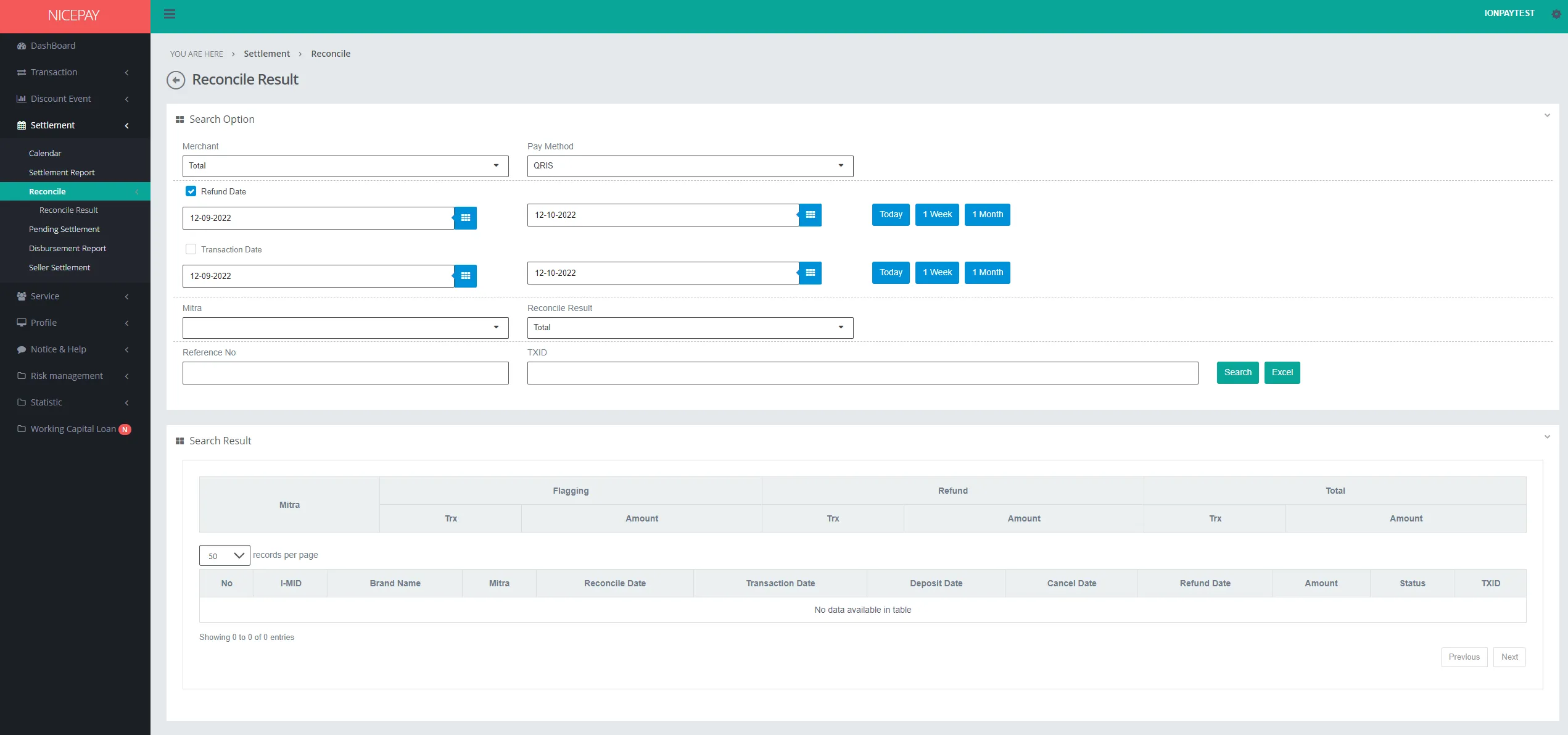
The Search Option section in the payment method: QRIS consists of the specific search form specially used to search QRIS transaction data. The form consists of:
Name | Description | Remark |
|---|---|---|
Merchant | List of registered Merchant in NICEPAY system Default: Total -> all Merchant | Default: Total -> all Merchant |
Pay Method | List of payment method that available on NICEPAY system | Default: QRIS Dropdown option:
|
Refund Date | Time balance successfully refund in date and hour format Time settings can be directly determined between today, 1 week, or 1 month | Default selection Default setting: today's date and 24 hour time interval |
Transaction Date | Transaction time in date and hour format Time settings can be directly determined between today, 1 week, or 1 month | Optional Default selection Default setting: today's date and 24 hour time interval |
Mitra | Merchant's Mitra name | Optional |
Reconcile Result | Transaction reconcile result | Default: Total Dropdown option:
|
TXID | Transaction ID | Optional |
Search | Button to process the keywords entered by the Merchant to search for data | Data search results will be displayed in the Search Result section |
Excel | Button to process the keywords entered by the Merchant for the file to be downloaded | The file format will be downloaded in Excel format |
The Search Result section on payment method: QRIS divided into 2 tables. The first table displays the statistical data from all QRIS transaction. The second table shows the detail of each Merchant data transaction.
Tutorial
Search Reconcile Data
Here’s guidance for searching reconcile data.
- Open sidebar.
- Select the Reconcile menu.
- Select the Reconcile Result sub-menu.
- Input the search term in the Search Option section.
- Press the Search button to perform the data searching process.
- The searched data will appear in the Search Result section.
Download Reconcile Data
Here’s guidance for downloading reconcile data.
- Open sidebar.
- .Select the Reconcile menu.
- Select the Reconcile Result sub-menu.
- Input the search term in the Search Option section.
- Press the Excel button to download data in Excel format.
- The searched data will download automatically.
See also
Visit the Calendar page to find out how to check Calendar for Settlement process.
Visit the Disbursement Report page to find out how to view Disbursement history.