SMS History Log
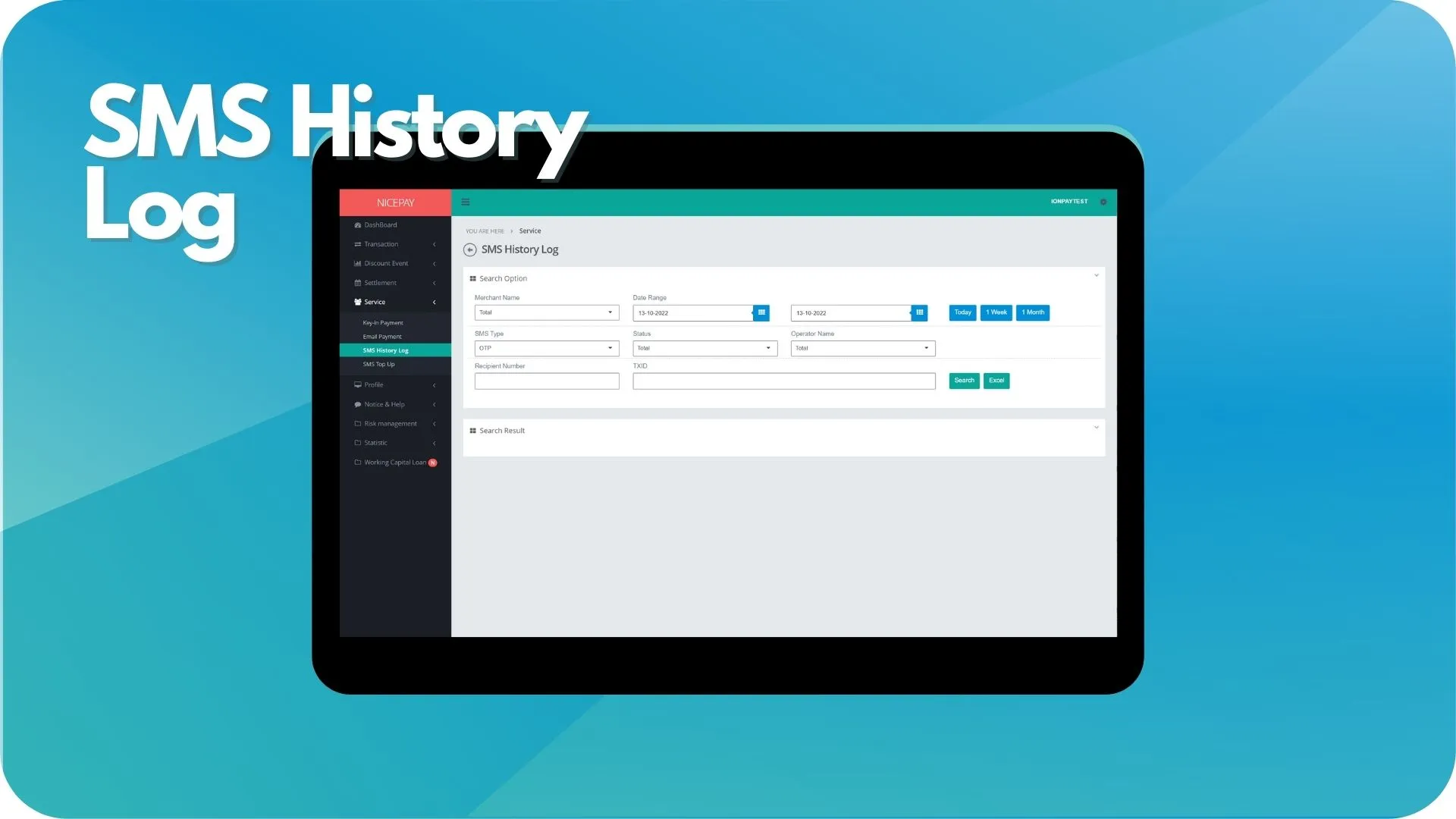
The SMS History Log sub-menu assists Merchant to view the SMS sending history to the Customer's number, either as OTP or other notification (promo or transaction). Merchant also can download the SMS History Log report, later downloaded in XLS format.
The SMS History Log sub-menu is divided into 2 sections; Search Option section and Search Result section. The Search Option section uses to input the search criteria of search data. The Search Result section display data search results based on the inputted searching criteria data.
SMS History Log
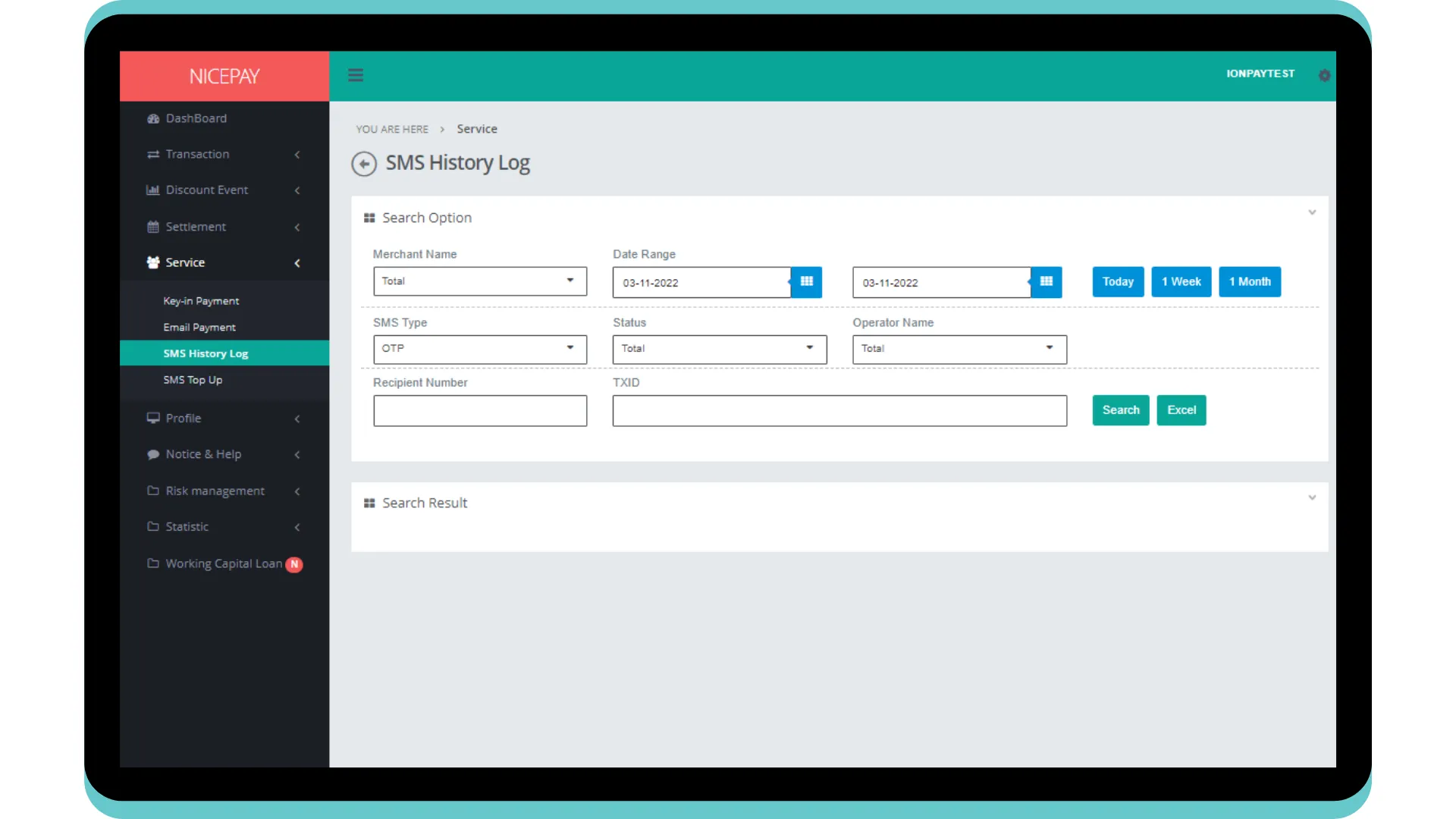
The Search Option section consists of the search form used to search SMS Log History data based on specific criteria. The form consists of:
Name | Description | Remark |
|---|---|---|
Merchant Name | Merchant name | |
Date Range | SMS sent time period Time settings can be directly determined between today, 1 week, or 1 month | Default Selection: today's date and 24 hour time interval |
SMS Type | SMS service type | Default: OTP Dropdown option:
|
Status | SMS status | Default: Total -> all SMS status Dropdown option:
|
Operator Name | Operator name | Default: Total -> all operator name Dropdown option:
|
Recipient Number | Recipient phone number | Optional |
TXID | Transaction number | Optional |
Search | Button to process the keywords entered by the Merchant to search for data | Data search results will be displayed in the Search Result section |
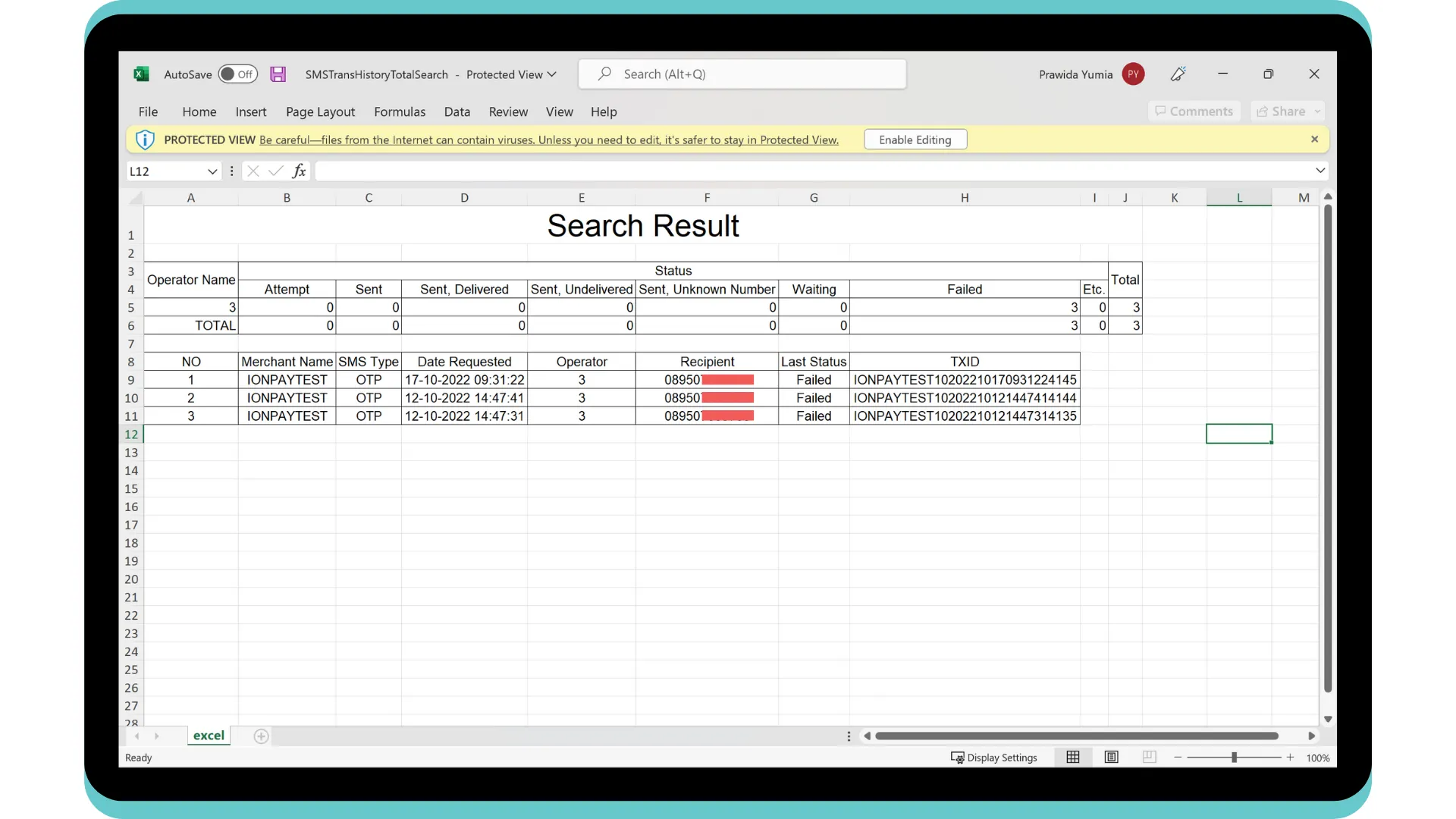
Excel | Button to process the keywords entered by the Merchant for the file to be downloaded | The file format will be downloaded in Excel format (.XLS) |
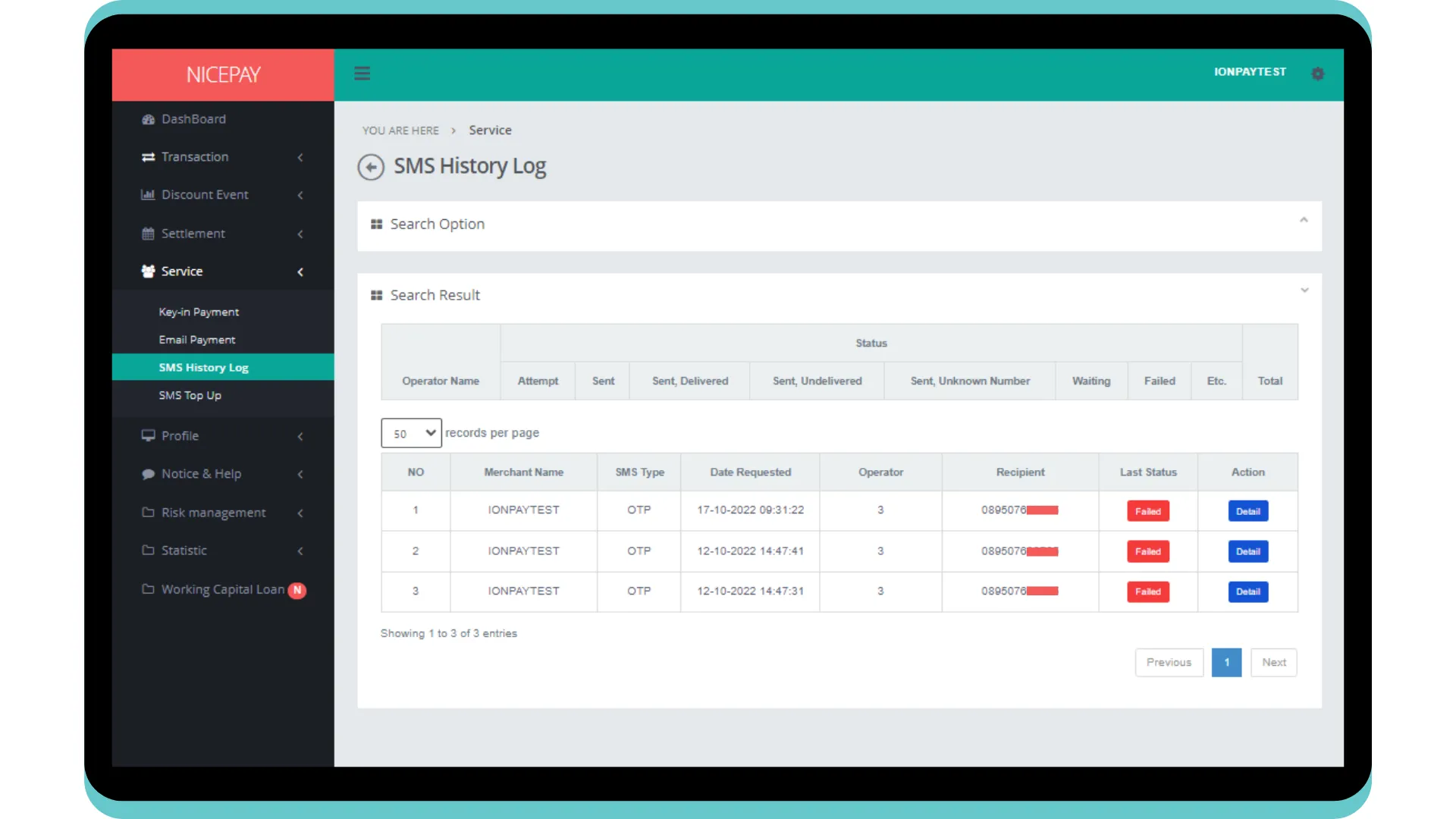
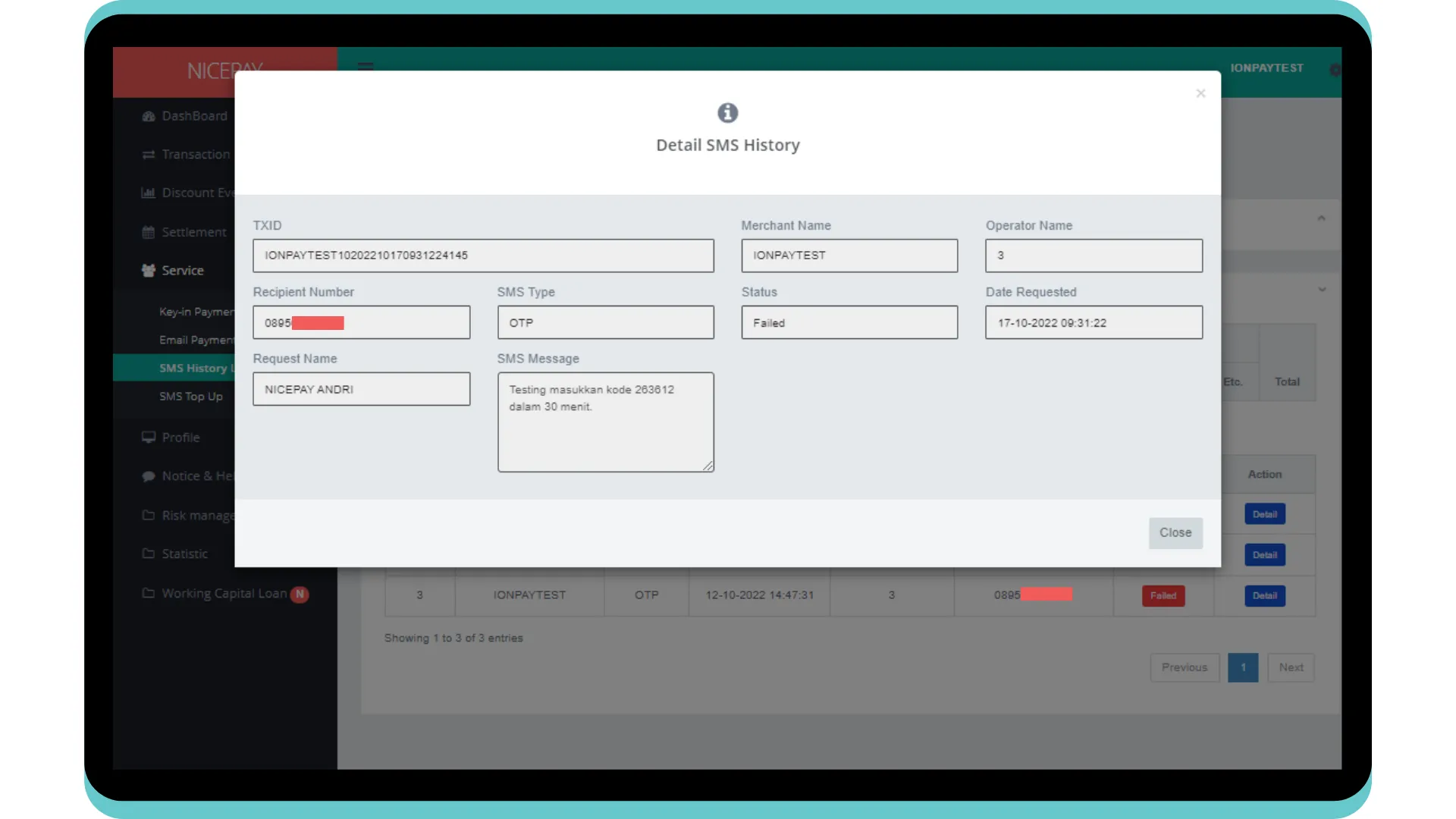
The Search Result section displays data SMS History Log based on search criteria. Merchant can view the status and detailed information from the SMS sent.
Tutorial
Search SMS History Log Data
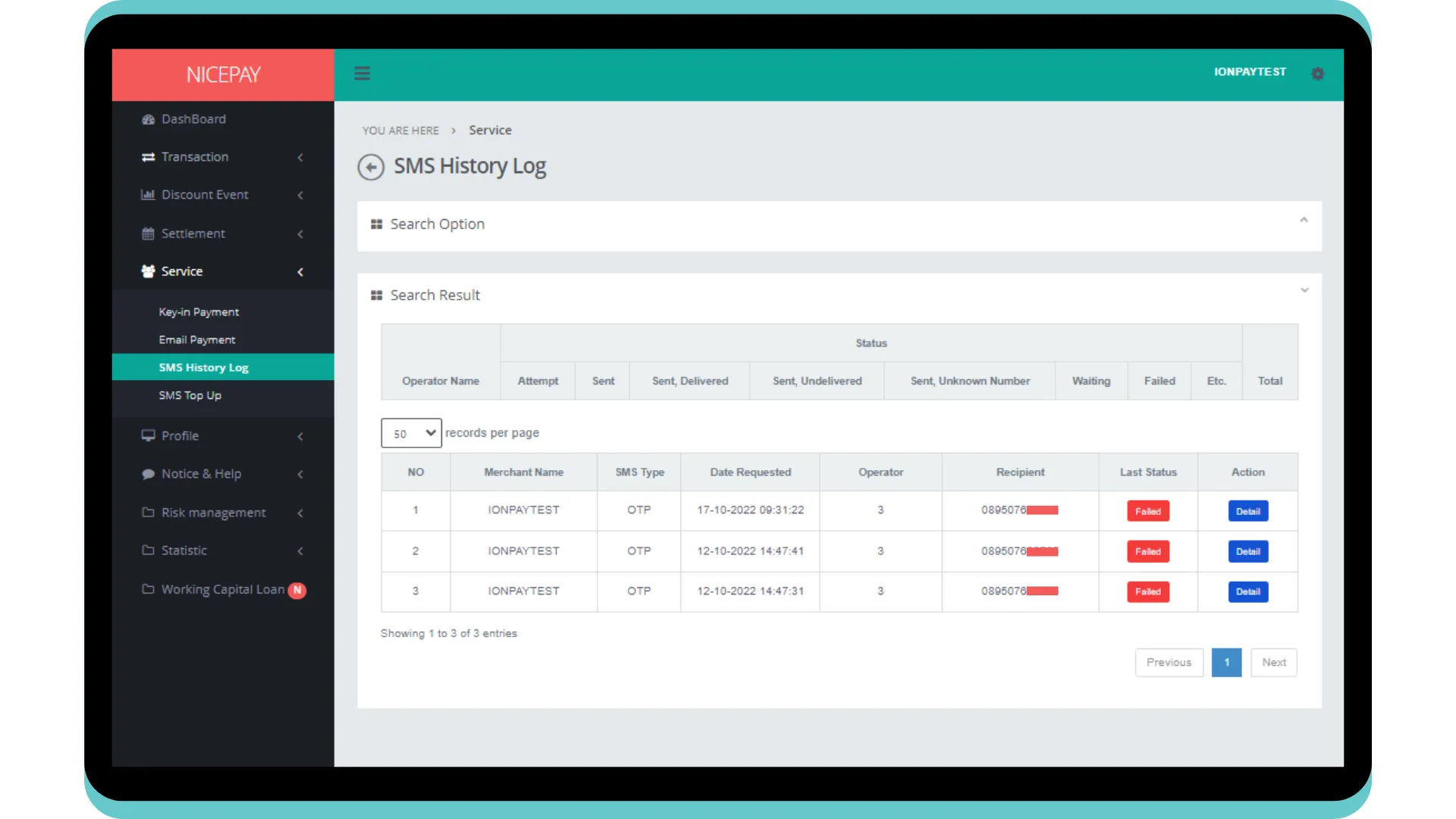
Here’s guidance for searching transaction data.
- Open sidebar.
- Select the Service menu.
- Select the SMS History Log sub-menu.
- Input the search term in the Search Option section.
- Press the Search button to perform the data searching process.
- The searched data will appear in the Search Result section.
Download SMS History Log Data
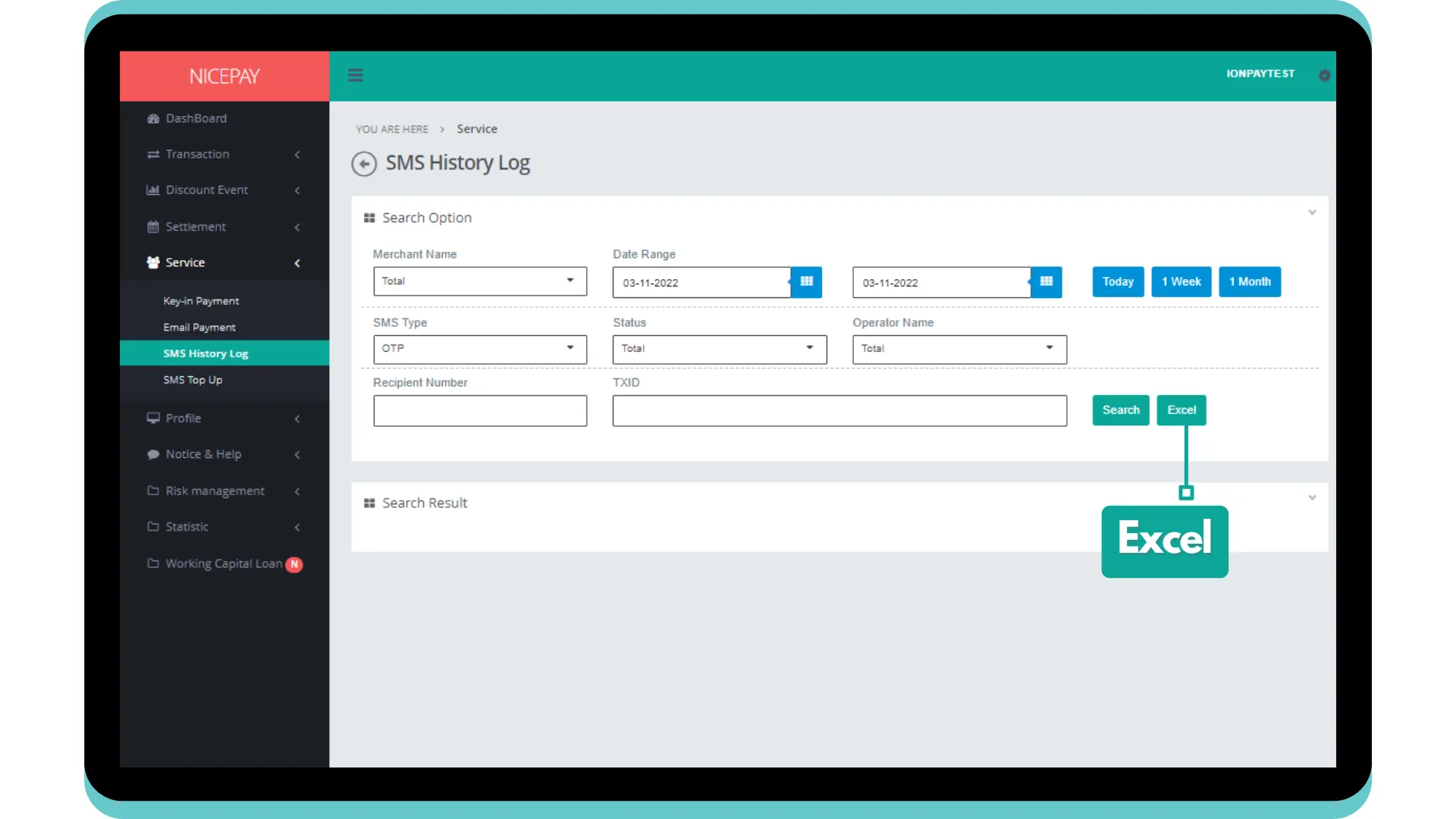
Here’s guidance for downloading transaction data.
- Open sidebar.
- Select the Service menu.
- Select the SMS History Log sub-menu.
- Input the search term in the Search Option section.
- Press the Excel button to download data in Excel format.
- The searched data will download automatically.
See also
Find out information related to NICEPAY messaging product on SMS page.
Visit the SMS Top Up page to find out how to manage SMS credit.