Convenience Store - API Checkout
About Convenience Store - API Checkout
This API uses by the Merchant to request payment to NICEPAY for the Convenience Store payment method using Checkout API.
Flow Process

Description of registration steps on CVS:
- The Customer does checkout.
- The Customer sends checkout data to the Merchant.
- The Merchant registers checkout via API Registration with NICEPAY.
- NICEPAY validates and generates the payment number.
- NICEPAY sends the number that needs to be paid to the Merchant.
- The Merchant sends the number that needs to be paid to the Customer.
- The Customer receives the CVS payment number.
- The Customer sends the CVS payment number to CVS.
- CVS sends inquiry data to NICEPAY.
- NICEPAY proceed with the inquiry request.
- NICEPAY sends inquiry information to CVS.
- The Customer makes a payment.
- The Customer proceeds with a payment at CVS.
- CVS proceed with the proof of payment.
- CVS sends payment proof to the Customer.
- CVS sends a notification to NICEPAY.
- NICEPAY updated the status.
- NICEPAY sends the notifications to Merchants.
- The Merchant submits a status check to NICEPAY.
- NICEPAY accepts applications.
- NICEPAY sends a response to the Merchant.
- The Merchant receives the final status.
- The Merchant sends the results of the order to the Customer.
NICEPAY Secure Payment Page Convenience Store
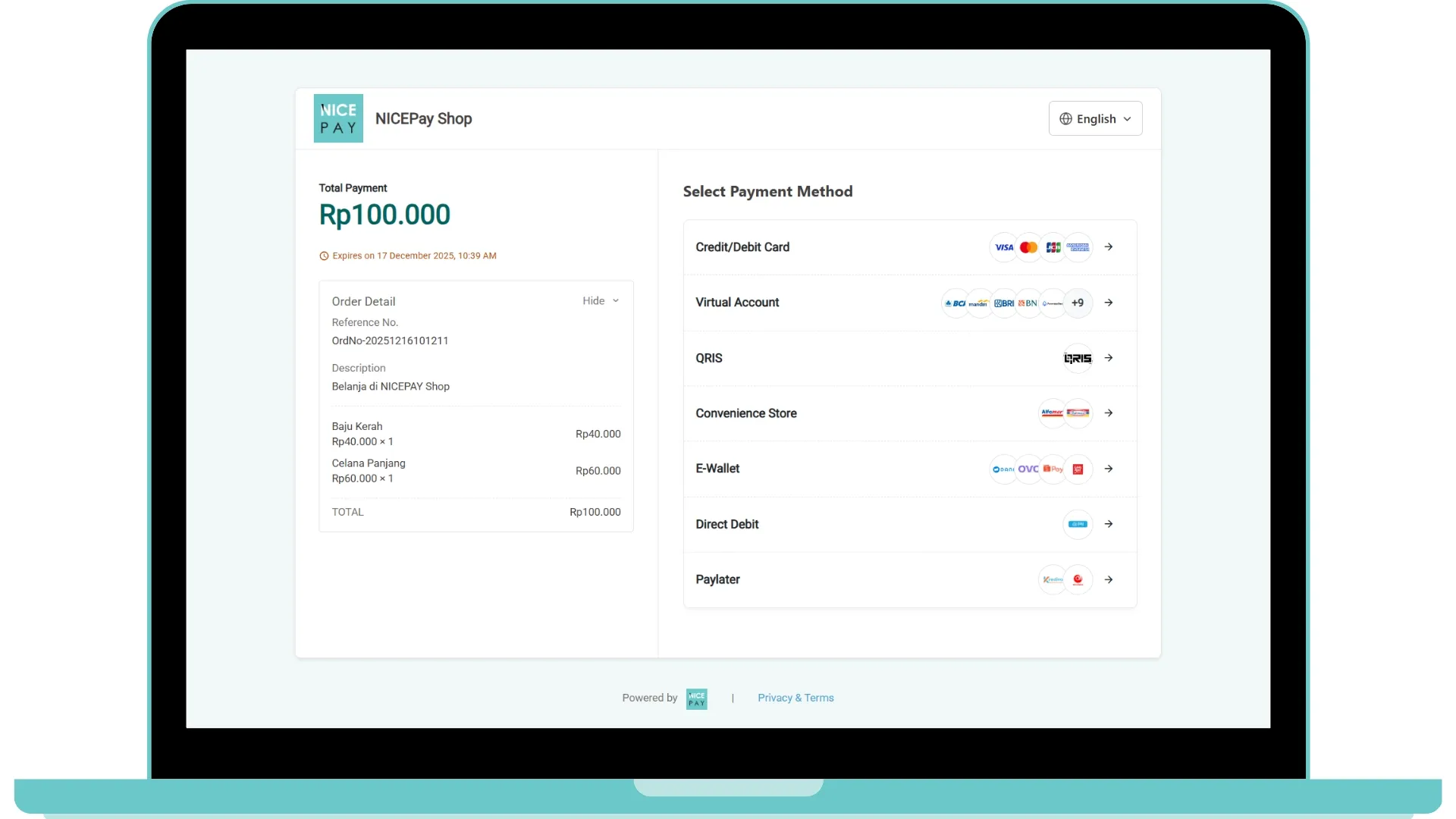
The image above is a payment sample with the Convenience Store method using NICEPAY Secure Payment Page.
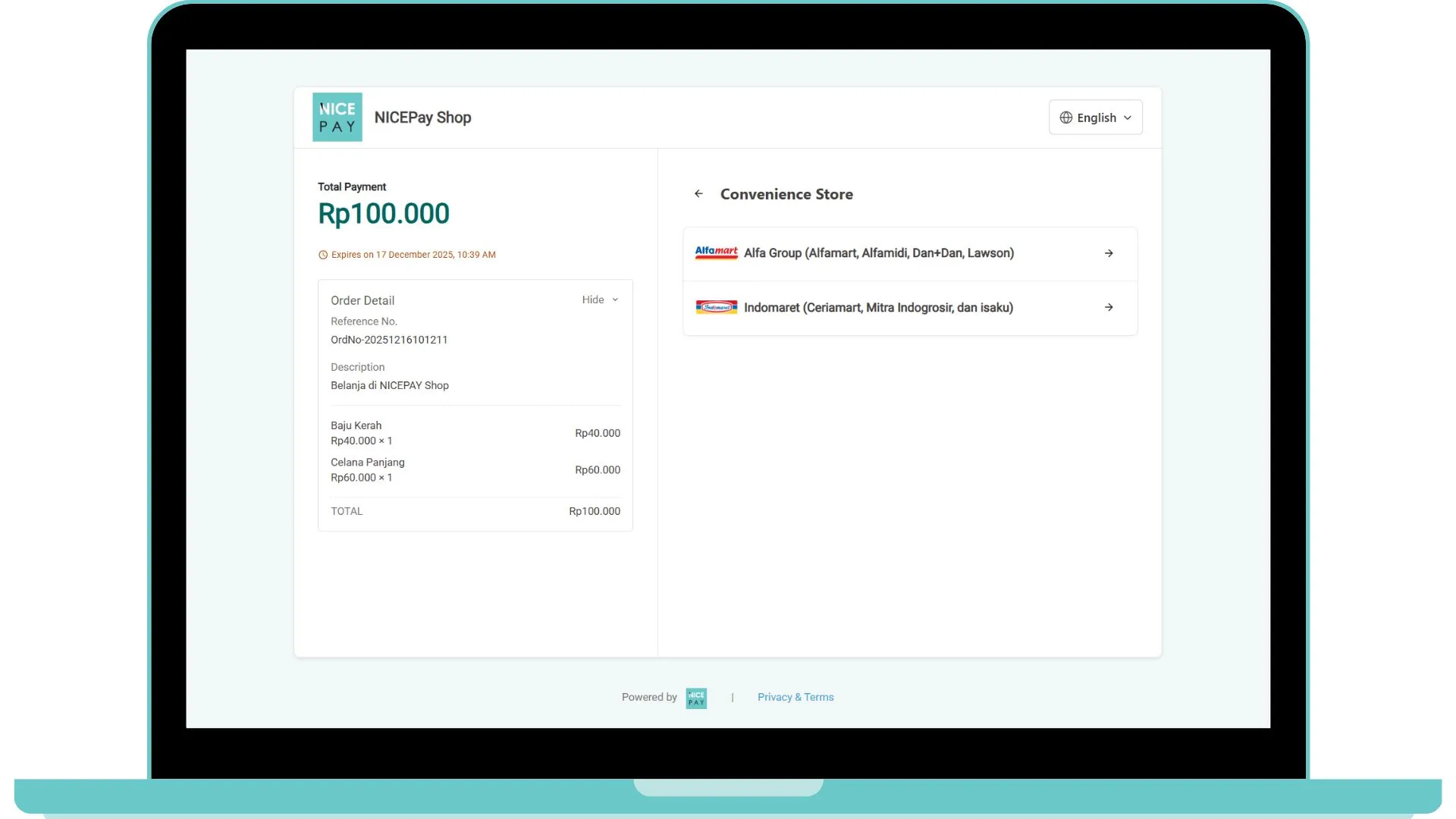
After choosing the Convenience Store method, you will provide with Convenience Store (Indomaret & Alfamart) lists that can choose whether to continue the payment process.
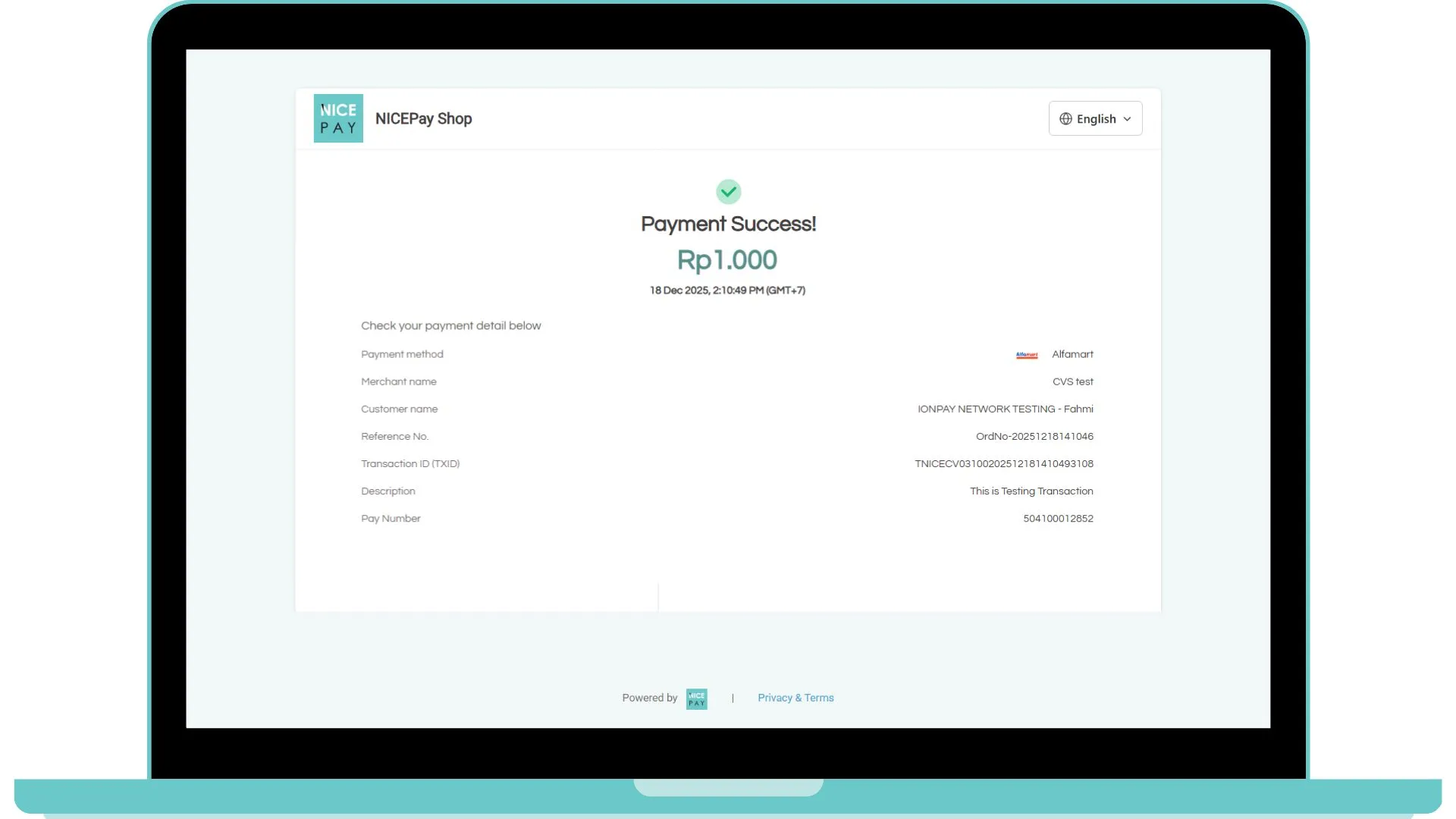
The process of the payment registration request completes, you can continue the transaction process until settlement by following the guidelines on CVS Payment Guide.
API Checkout Transaction Payment
API URL | /nicepay/redirect/v2/payment |
|---|---|
Request Method | Redirect-GET |
Header | Content-Type: application/Form-UrlEncoded |
Request Parameters for Convenience Store - API Checkout (CallbackUrl)
Parameter | Type | Size | Description | Remark |
|---|---|---|---|---|
paymentURL Required | ANS | 14 | Payment URL Required | https://dev.nicepay.co.id/nicepay/redirect/v2/payment |
tXid Required | AN | 30 | Transaction ID | IONPAYTEST00202212231106386098 |
Response Parameters for Convenience Store - API Checkout (CallbackUrl)
Parameter | Type | Size | Description | Remark |
|---|---|---|---|---|
resultCd | N | 4 | 0000 | |
resultMsg | AN | 255 | Result Message: Error Code | SUCCESS |
tXid | AN | 30 | Transaction ID | IONPAYTEST00202212231106386098 When Success |
referenceNo | ANS | 40 | Order Number | ordNo20221223111252 When Success |
amt | N | 12 | Transaction Amount | 10000 When Success |
payNo CVS | N | 20 | Payment Number | 9041231106386098 When Success |
mitraCd | AN | 4 | ALMA When Success | |
transDt | N | 8 | Transaction Date (YYYYMMDD) | 20221223 When Success |
transTm | N | 6 | Transaction Time (HH24MISS) | 110638 When Success |
Note: Response parameter will be sent through callBackurl with Content-type: application/json and method: POST Parameter.
Sample Parameter for Convenience Store - API Checkout (CallbackUrl)
On the payment when Checkout, response from the request that got hit is Callback URL.
Request Parameter
curl -X GET "https://www.merchant.com/callbackUrl?tXid=IONPAYTEST00202212231106386098&referenceNo=ordNo20221223111252&amount=10000&transDt=20221223&transTm=110638&payNo=9041231106386098&mitraCd=ALMA&resultCd=0000&resultMsg=SUCCESS"Callback Parameter
tXid=IONPAYTEST00202212231106386098
referenceNo=ordNo20221223111252
amount=10000
transDt=20221223
transTm=110638
payNo=9041231106386098
mitraCd=ALMA
resultCd=0000
resultMsg=SUCCESS
CallBack Handling API Checkout Payment
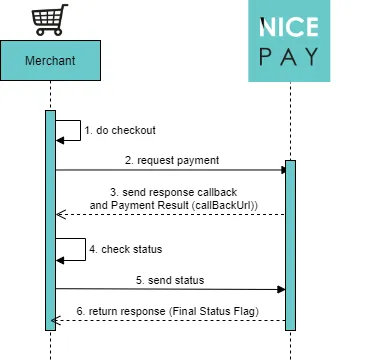
When Callback received to your callbackUrl, we strongly recommend Merchant to verify the Status by using Status Inquiry - API Checkout.
Callback Handling is necessary to minimize Fraud actions. We strongly recommend Merchant to verify using Callback parameter.
"callbackUrl" : "https://www.merchant.com/callbackUrl/"