DANA Recurring - E-Wallet API Advance
About API DANA Recurring
API DANA Recurring uses by Merchant so Customer can proceed transaction repetitively between the designated time using E-Wallet payment method specifically DANA.
Process on API DANA Recurring
API DANA Recurring Process Flow
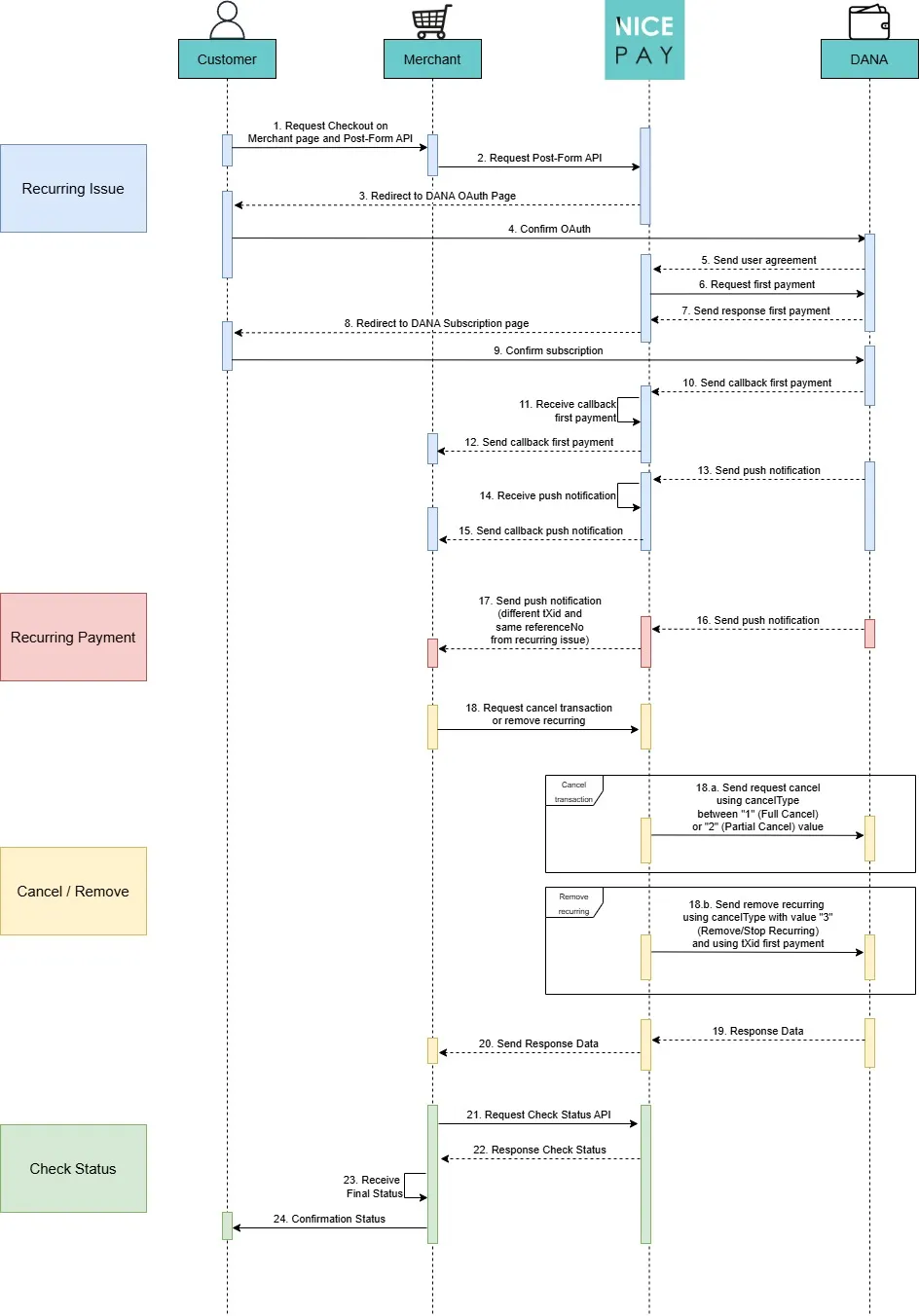
Steps description:
- The Customer requests checkout on Merchant's page and Post-Form API to the Merchant to initiate the Recurring Issue.
- The Merchant requests a Post-Form API to NICEPAY.
- NICEPAY redirects the Customer to the DANA OAuth page.
- The Customer confirms OAuth authorization with DANA.
- DANA sends a user agreement to NICEPAY.
- NICEPAY requests the first payment to DANA.
- DANA sends a response for the first payment to NICEPAY.
- DANA redirects the Customer to the DANA page to complete recurring (subscription) setup.
- The Customer confirms recurring (subscription) setup with DANA.
- DANA sends a callback for the first payment to NICEPAY.
- NICEPAY receives the callback for the first payment.
- NICEPAY sends a callback for the first payment to the Merchant.
- DANA sends push notification kepada NICEPAY.
- NICEPAY receives push notification.
- NICEPAY sends push notification callback to the Merchant.
- DANA sends a push notification to NICEPAY on Recurring Payment phase.
- NICEPAY sends a push notification (with a different tXid and the same referenceNo as the Recurring Issue) to the Merchant.
- If the Merchant requests Cancel Transaction/Remove Recurring to NICEPAY, then:
- For the Cancel Transaction process, NICEPAY requests a transaction cancellation to DANA using the cancelType value; 1 for Full Cancellation or 2 for Partial Cancellation.
- For the Remove Recurring process, NICEPAY requests a recurring removal from DANA using the cancelType value; 3 Remove Subscription / Stop Recurring, along with the tXid from the first payment.
- DANA sends a response data to NICEPAY.
- NICEPAY sends a response data to the Merchant.
- The Merchant requests a transaction status check using the Check Status API to NICEPAY.
- NICEPAY sends a transaction status check response to the Merchant.
- The Merchant receives the final transaction status.
- The Merchant sends a transaction status confirmation to the Customer.
Notes for Recurring Issue phase:
- Please stores the recurring issuetXid after received the callback or notification. The recurring issue tXid uses to remove the recurring (unsubscription).
- referenceNo is the recurring transaction ID.
Notes for Recurring Payment phase:
- NICEPAY will send a different tXid from the recurring issue.
- NICEPAY will send the same referenceNo with the recurring issue.
DANA Recurring Flow from Customer's Side
The following are the process steps that Customers follow to perform account binding using DANA Recurring.
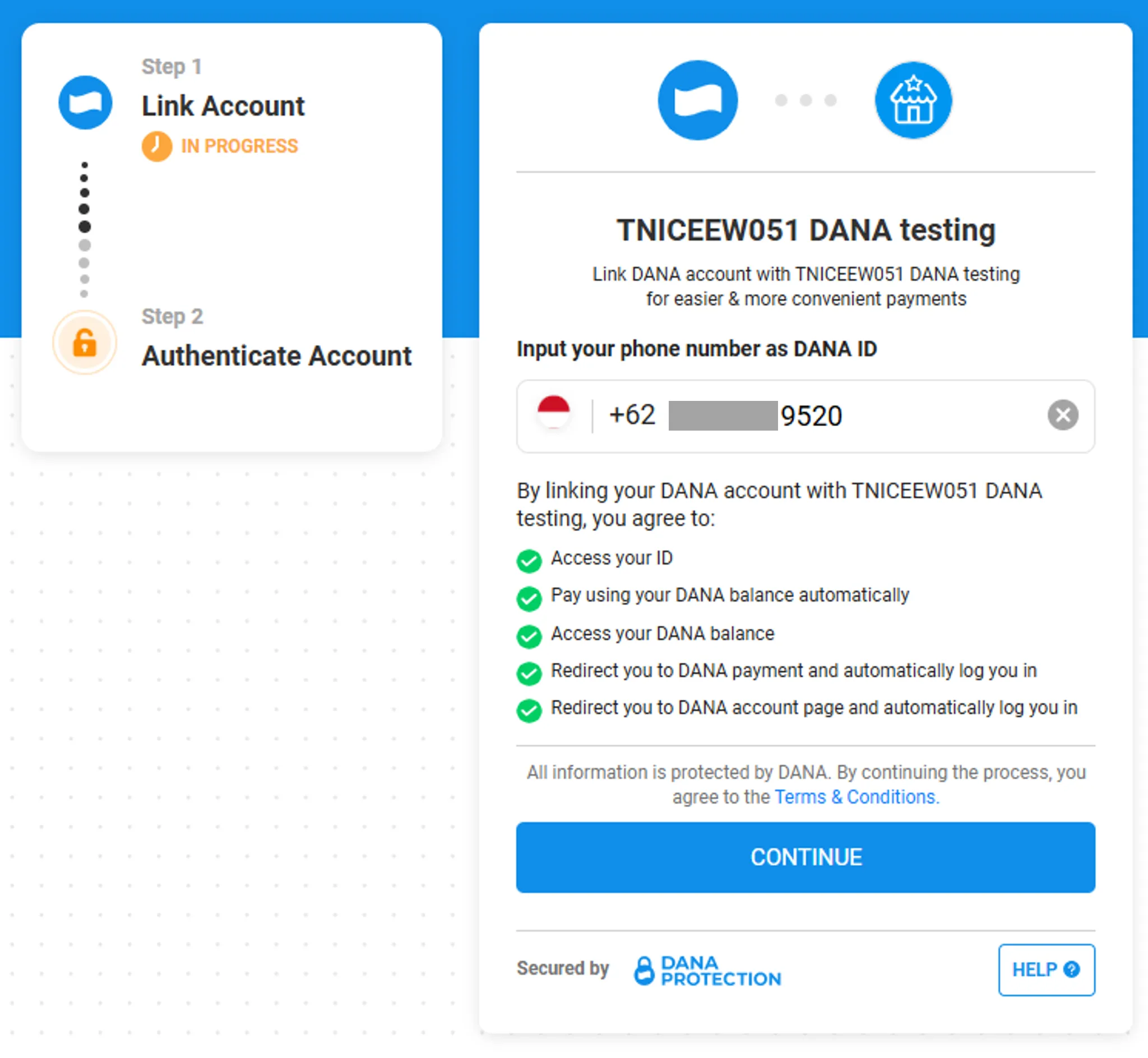
1. The Customer login into DANA account to initiate the account binding process.
2. The Customer do authentication by enter a PIN to allow DANA account binding access.
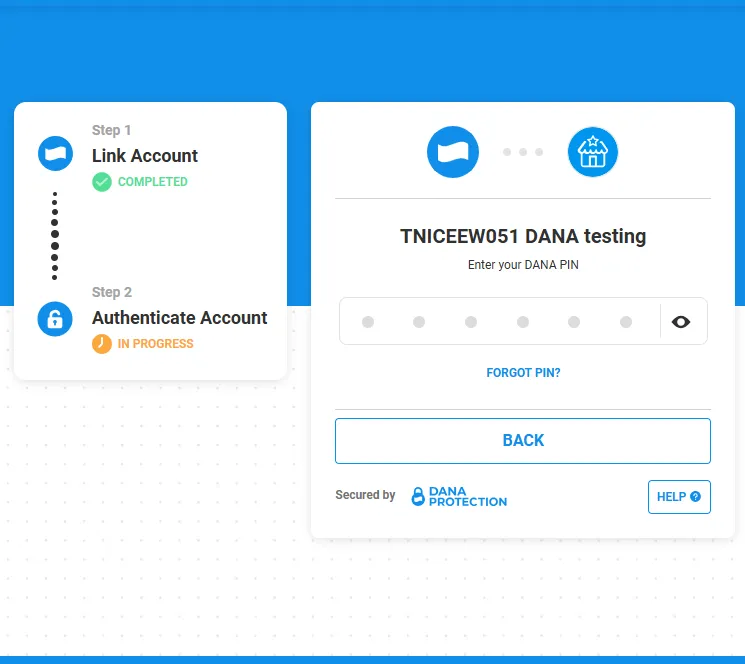
3. After the Account Binding completed. The Customer will be redirected to DANA's page which will displays the subscription detail to the Customer.
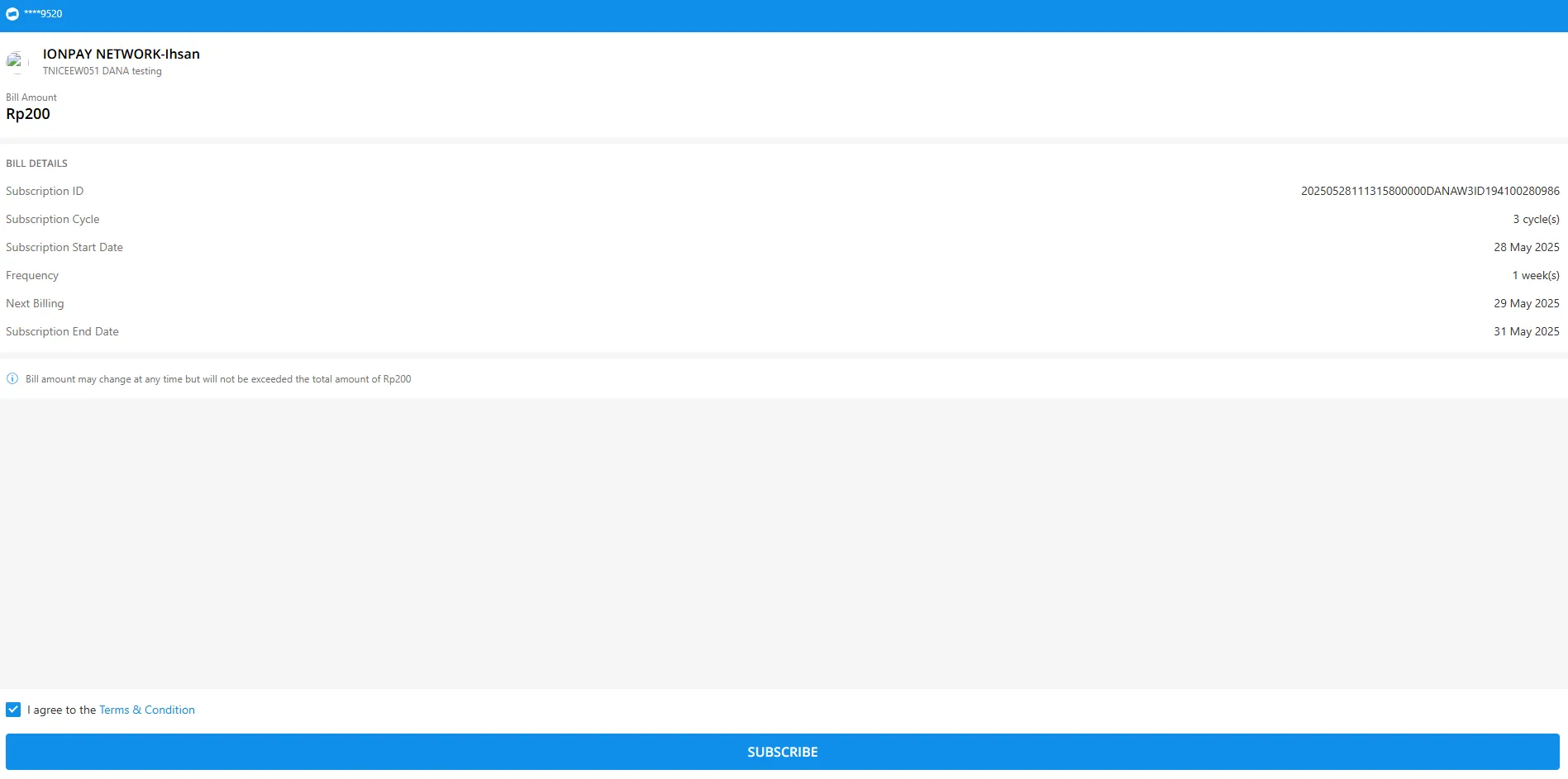
4. The Customer will be requested to confirm the first payment with recurring issue.
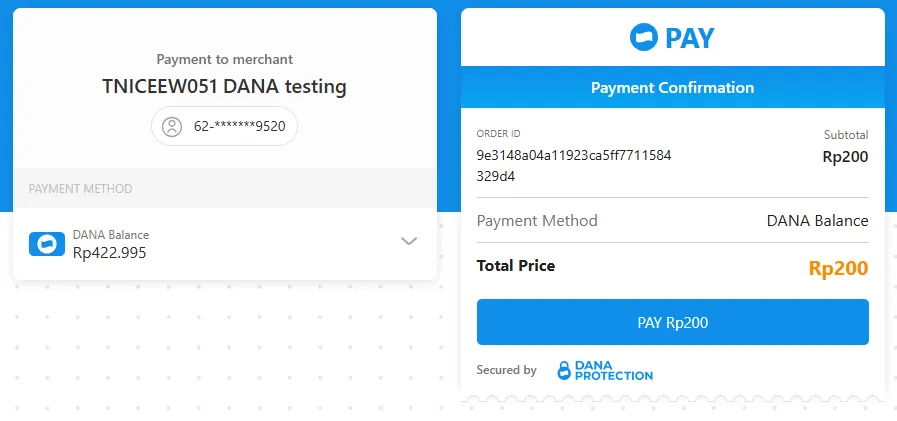
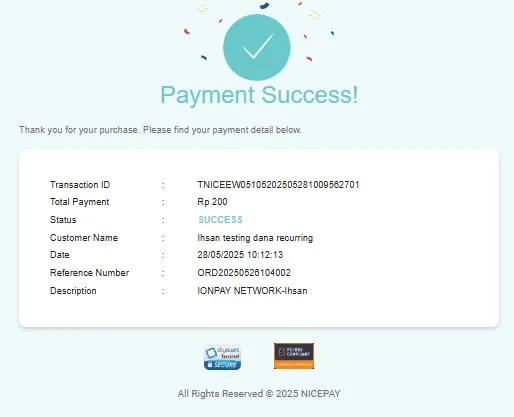
5. DANA displays the recurring issue payment status result to the Customer.
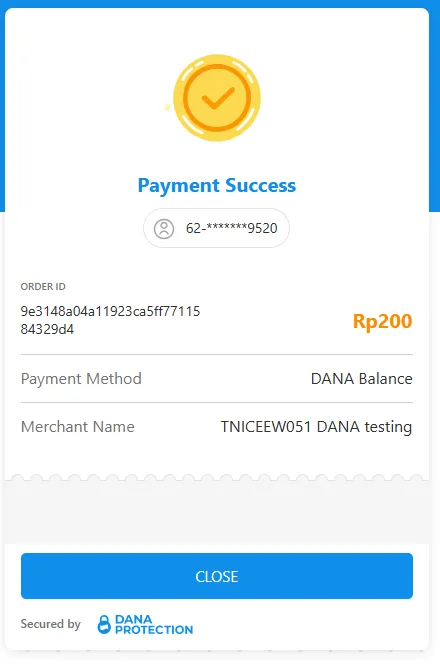
6. NICEPAY displays the payment status result to the Customer through payment page.