Postman Collection
4 min
Postman
NICEPAY provides a collection of payment testing APIs that can be accessed directly using the Postman application. This feature is provided to make it easier before continuing the testing process or during integration with the NICEPAY system.
How to Get NICEPAY Public API Collection
Here are the steps to get the NICEPAY Public API collection when using Postman:
- Download the Postman Collection file above.
- Select the platform to use for testing.
- Enter access on the Postman platform.
- Choose a place to store the collection NICEPAY Public API.
- Select a Collection menu on the left sidebar.
- Use the API on the folder NICEPAY API V2 Payment and NICEPAY API V2 Checkout to try NICEPAY's newest API.
How to Test With NICEPAY Checkout API
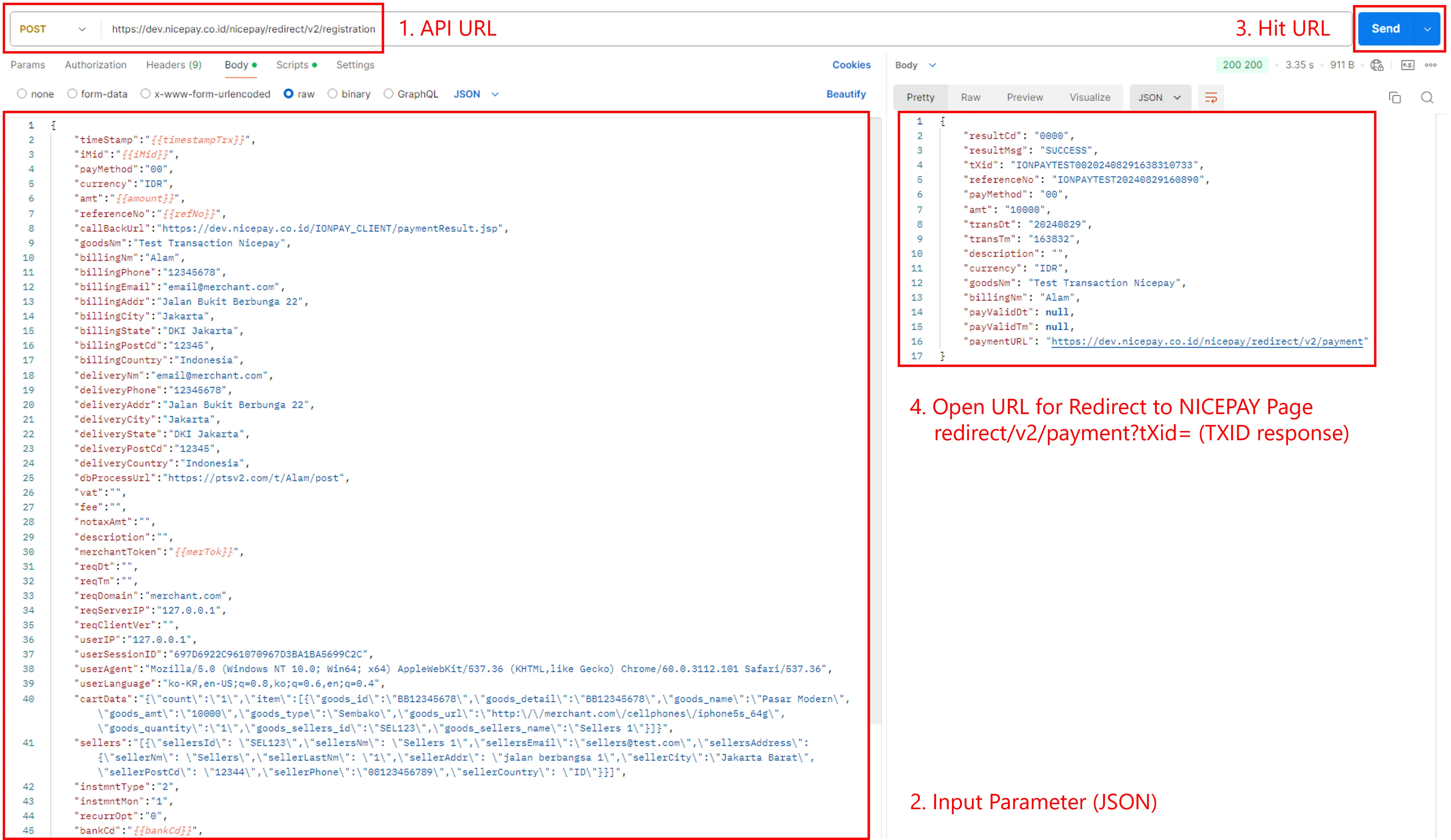
Testing Checkout API
The following are the steps for testing using API Checkout (Redirect) in the Postman application:
- Select the URL name that you want to test.
- Check API URL conformance.
- Enter JSON parameters on tab Body on the left of the screen.
- Press the Send button.
- Response API will appear on tab Body on the right side of the screen.
- Press the paymentUrl to complete the payment process.
How to Test With the NICEPAY Payment API
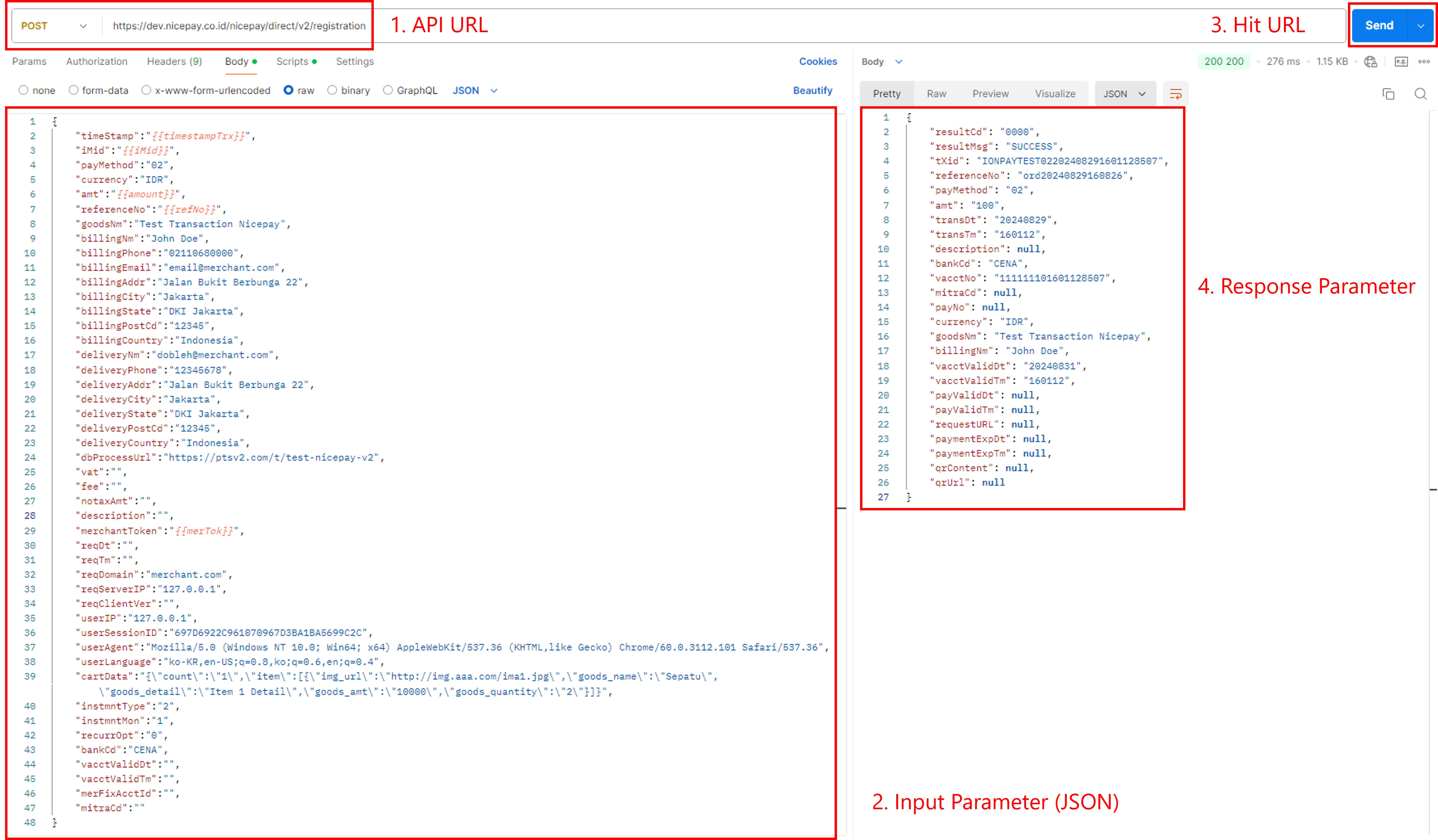
Testing Payment API
The following are the steps for testing using the Direct Payment API on the Postman application:
- Select the API URL to test.
- Check API URL conformance.
- Insert JSON parameters in the Body tag on the left of the screen.
- Click Send button.
- The Response API will appear on the Body tab on the right.
See also
Visit the Authentication page to find out the credential used during testing.
Visit the NICEPAY Library page to find out the used SDK on NICEPAY .