OpenCart
5 min

Opencart
OPENCART version 3.0
Please download the plugin through the button below.
Integration Step
- Copy the extension module OpenCart 3.0 NICEPAY to the Merchant folder.
- Please check the folder structure that will copy thoroughly!
- Access Admin OpenCart page.
- Select Extensions > Extensions menu.
- Select Payment on the combo box menu.
- Screen will show payment method list.
- Click Enable.
- Download the NICEPAY payment method.
- Click Edit (pencil icon).
- Click General tab.
- Input MID and NICEPAY Merchant Key
- NICEPAY Payment is ready to use.
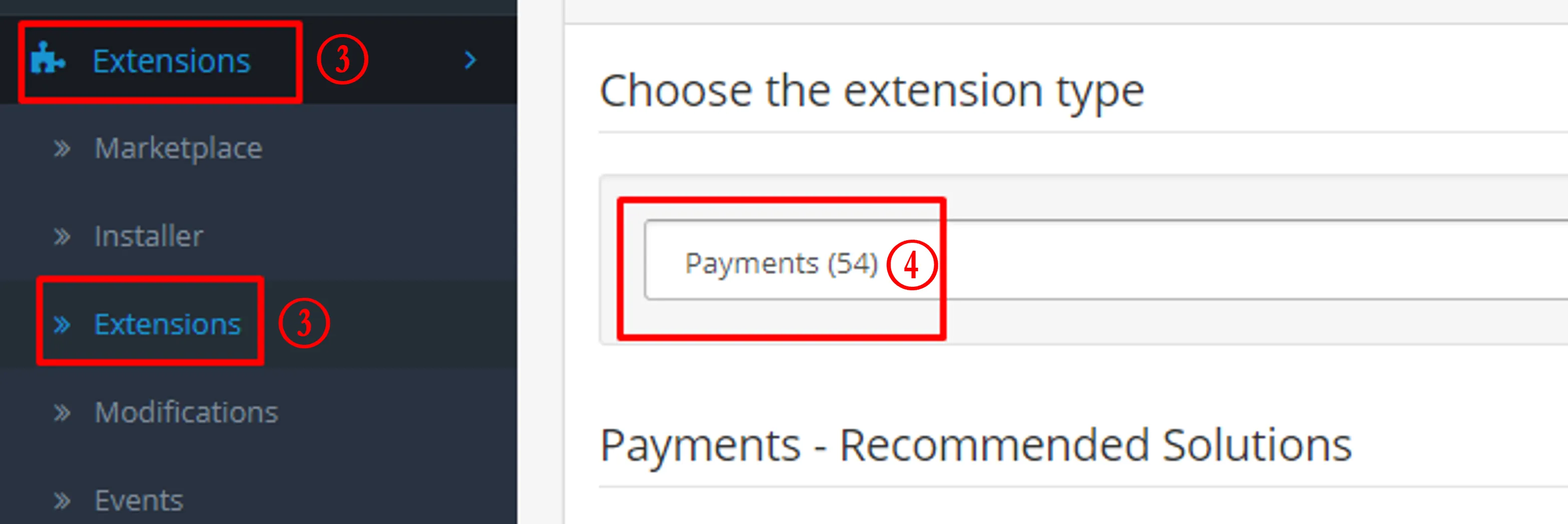
Extensions > Payments
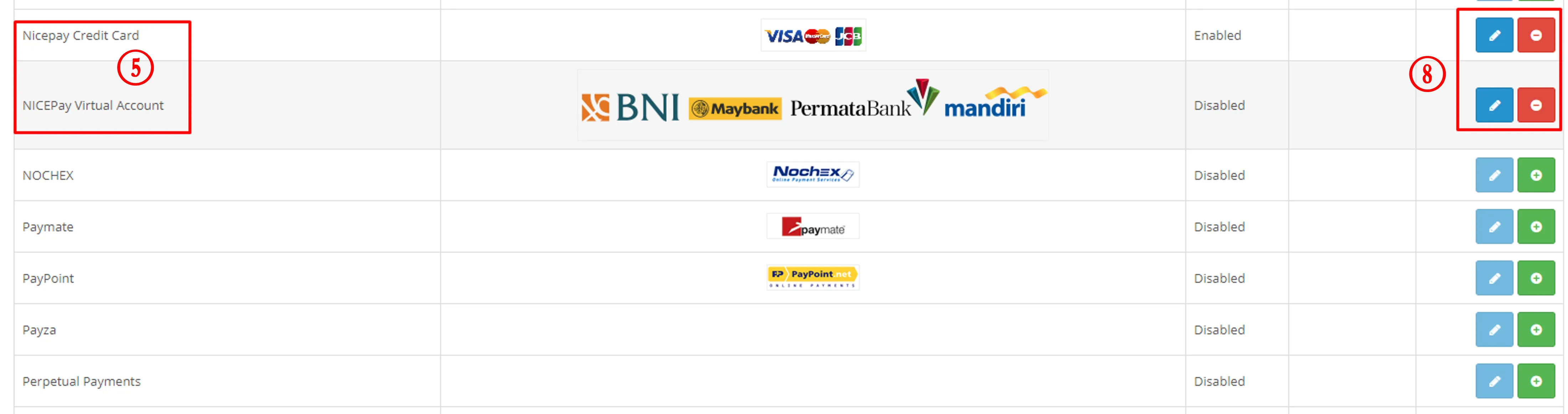
Daftar Metode Pembayaran

MID dan NICEPAY Merchant Key
See also
Visit the Magento page to find out integration process with another platform.
Visit the PrestaShop page to find out integration process with another platform.