Payment Link
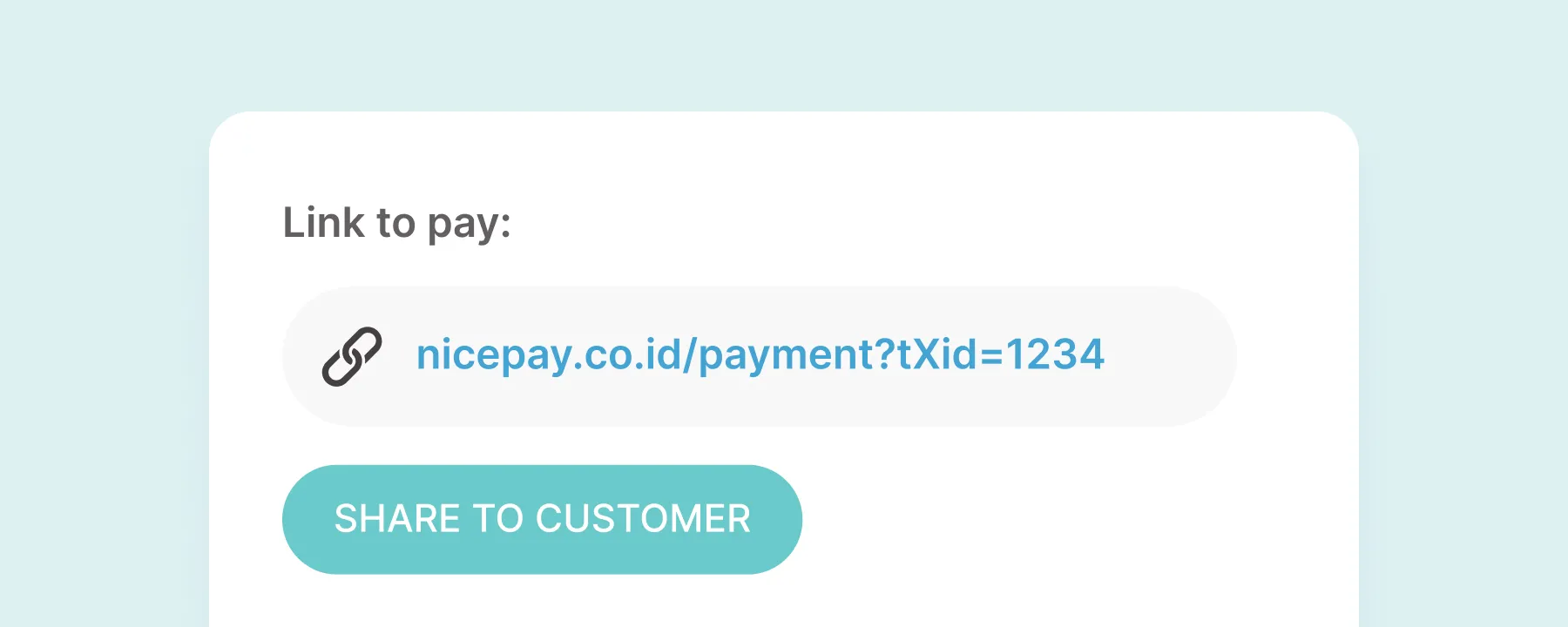
Payment Link is a payment feature from NICEPAY that eases Customer to choose their preferred payment method when shopping in secure and comfortable conditions only by using the link.
Merchant only makes the payment link and shares it through e-mail or any other communication media they choose with the Customer. Your Customer will redirect to the NICEPAY payment page, and the total shopping amount bill are ready to be paid on the payment page.
The advantage of this feature is there is no technical integration with NICEPAY because it require no code. Only by signing up as the Merchant, you can access this feature. Moreover, this process doesn’t consume much time, more than one minute.
Process on Merchant Side
- Access Back Office.
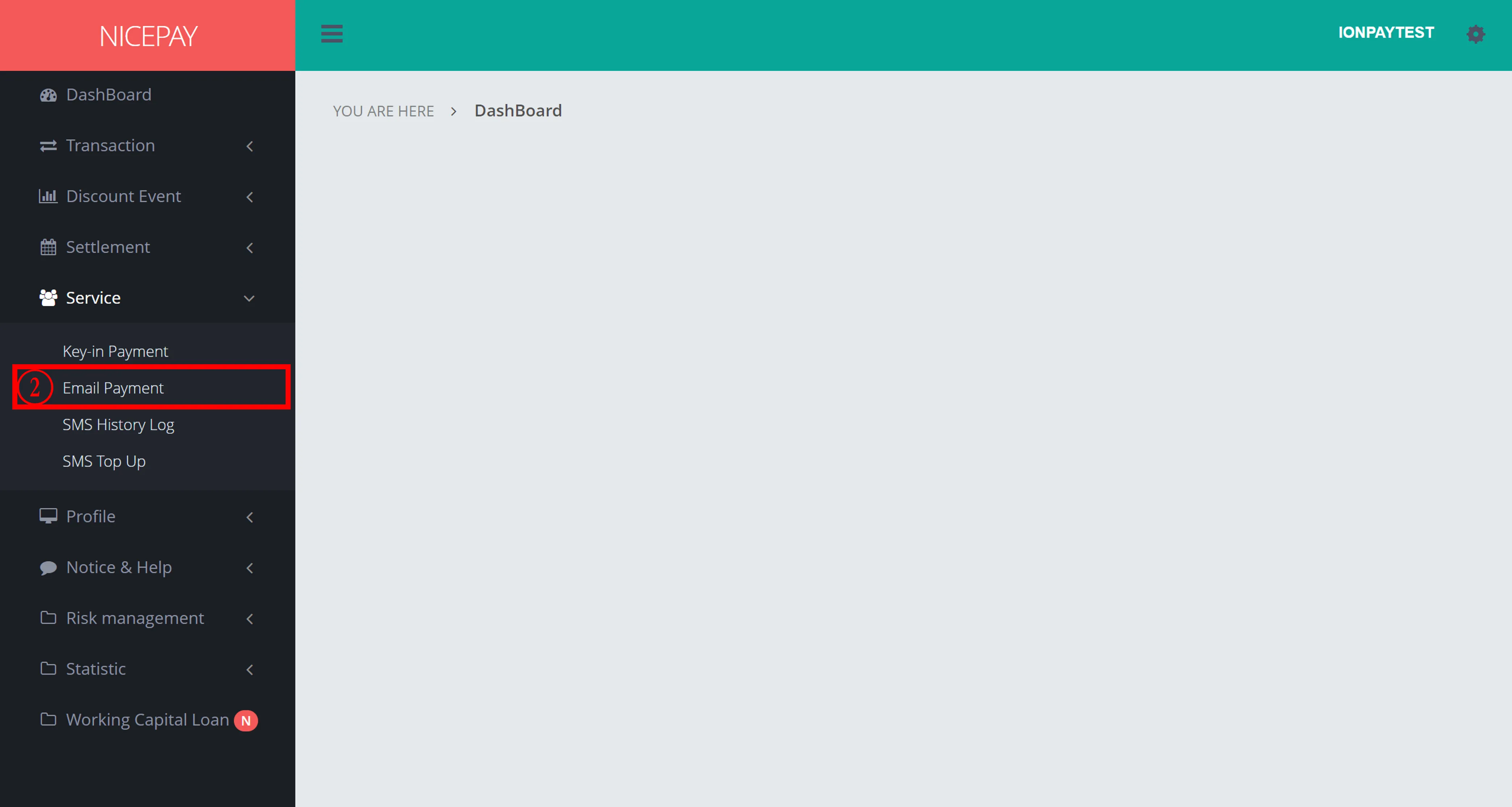
- Select Service > Email Payment.
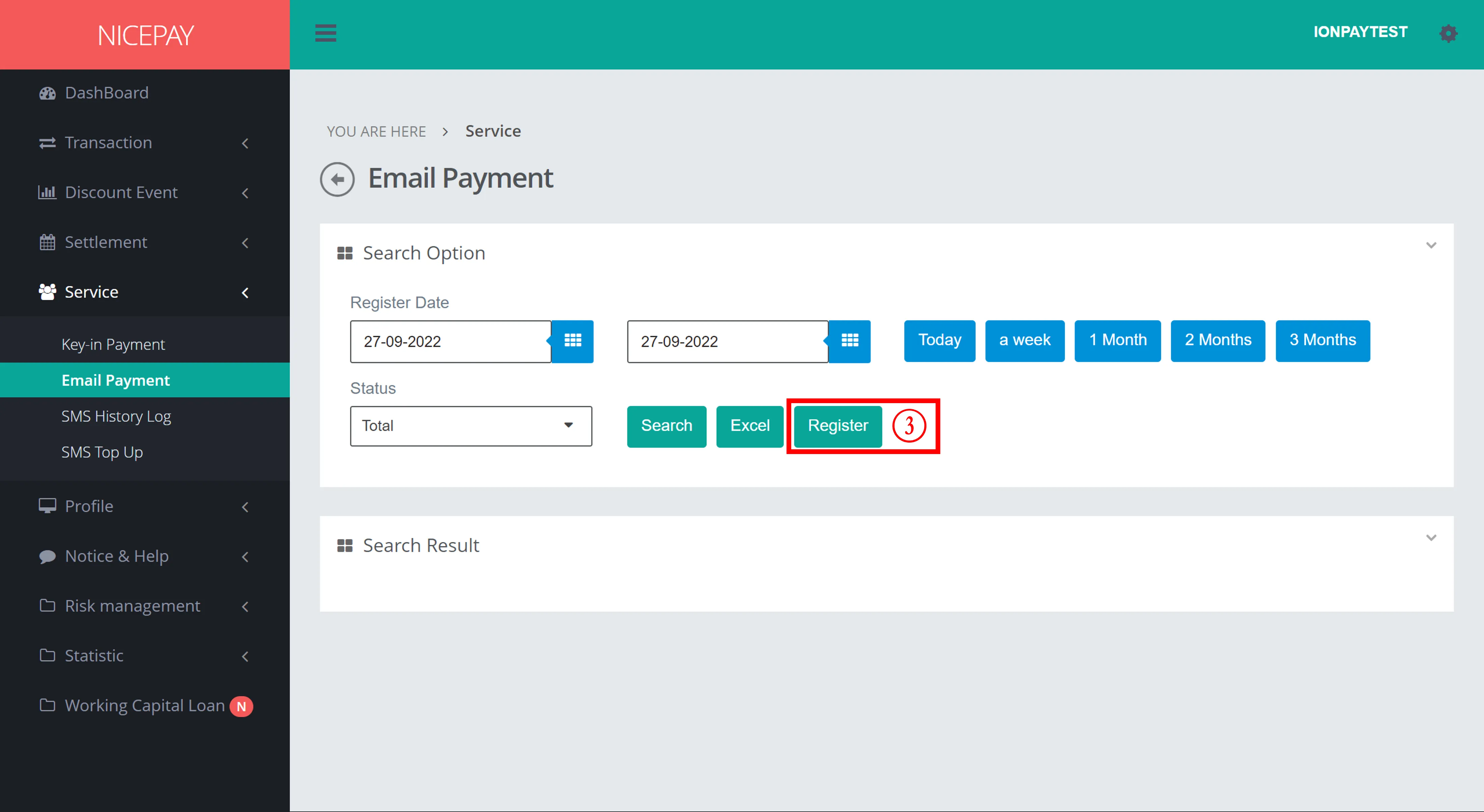
- Click the Register button on the Search Option section.
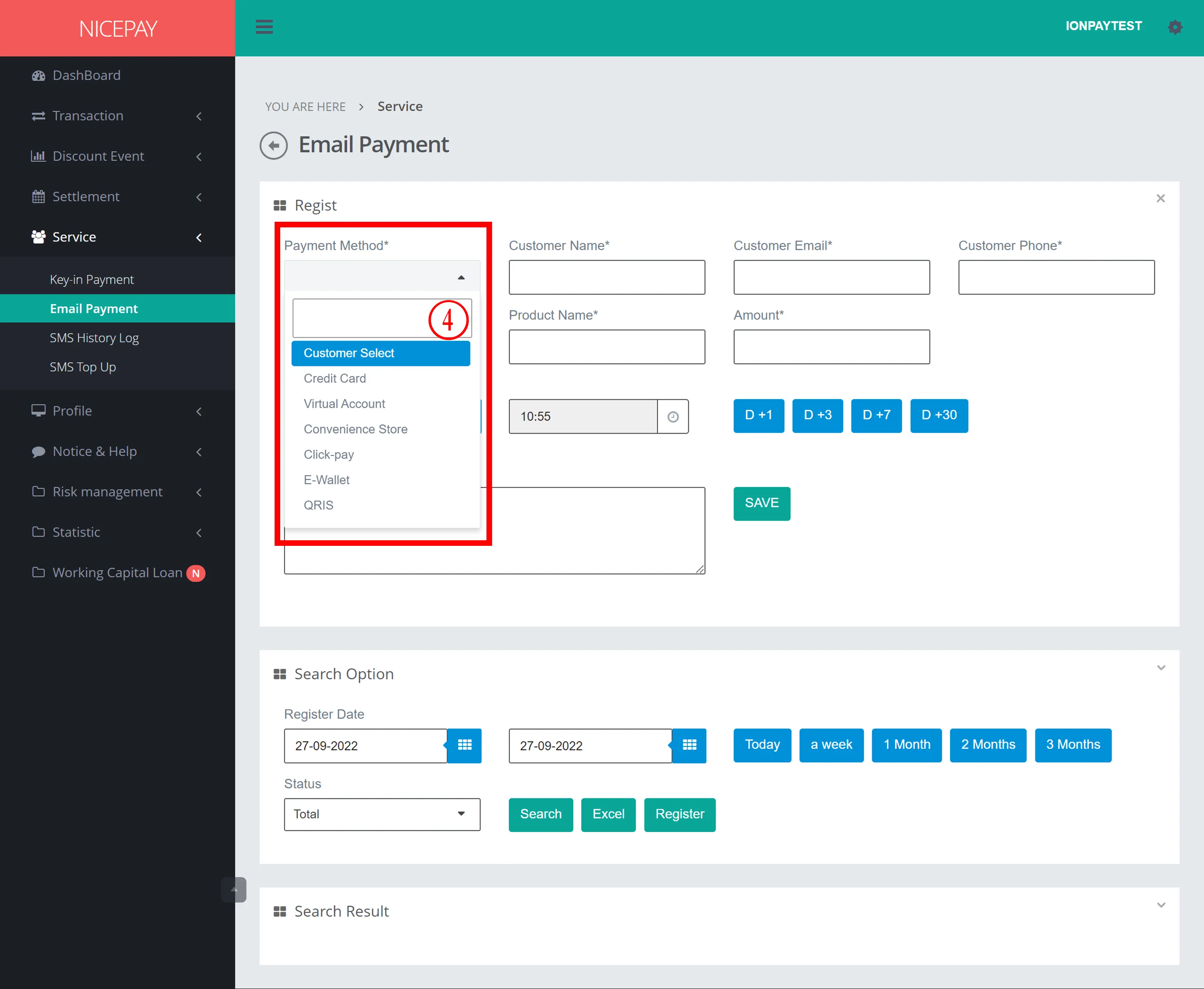
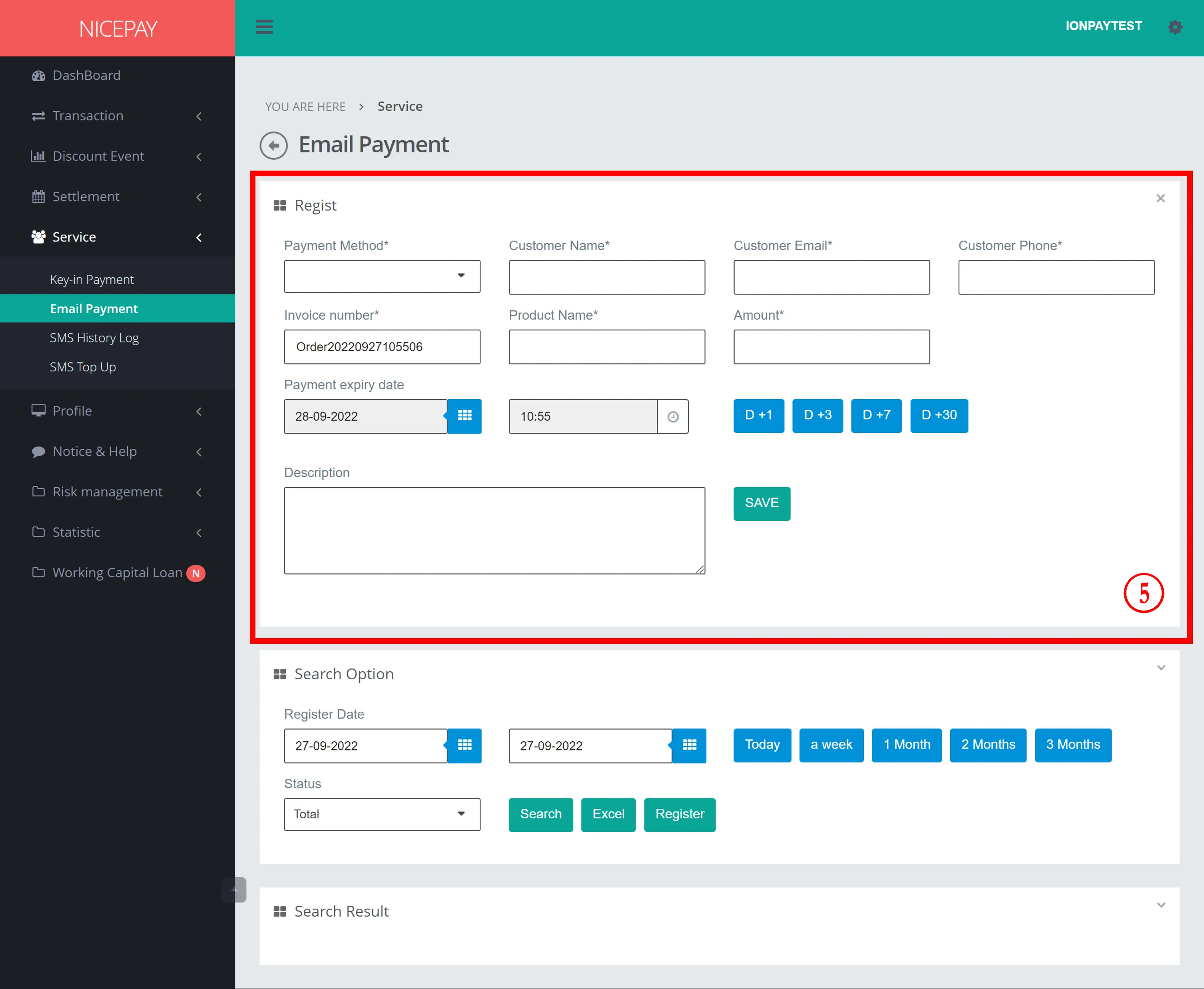
- Select Payment Method: Customer Select.
- Input detail that will be processed.
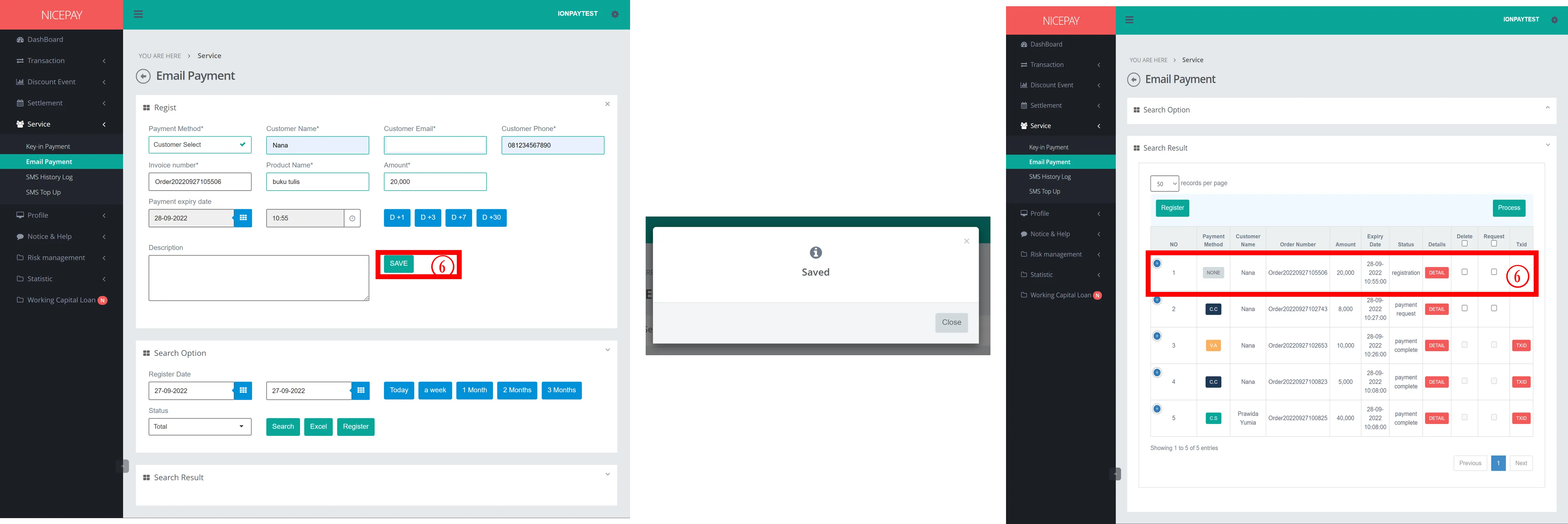
- Click the Save button to store data and create an order.
- Pop-Up Saved will appear after successfully created.
- Order data appear on Search Result table.
- Payment status changes to Registration.
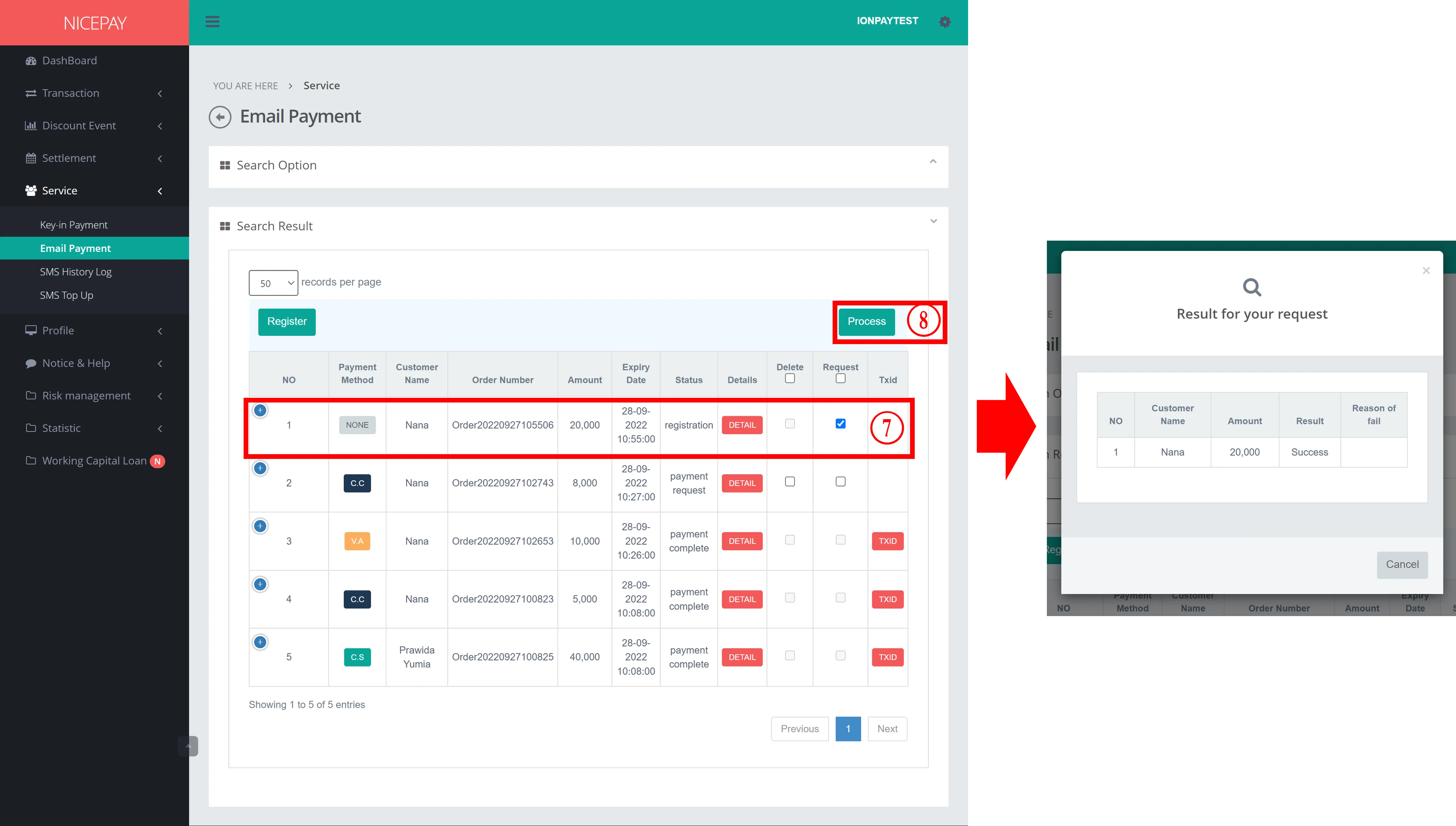
- Checkmark the Request part on the order column that wants to proceed through Search Result section.
- Click the Process button to proceed the payment.
- A pop-up appears able to view payment process status.
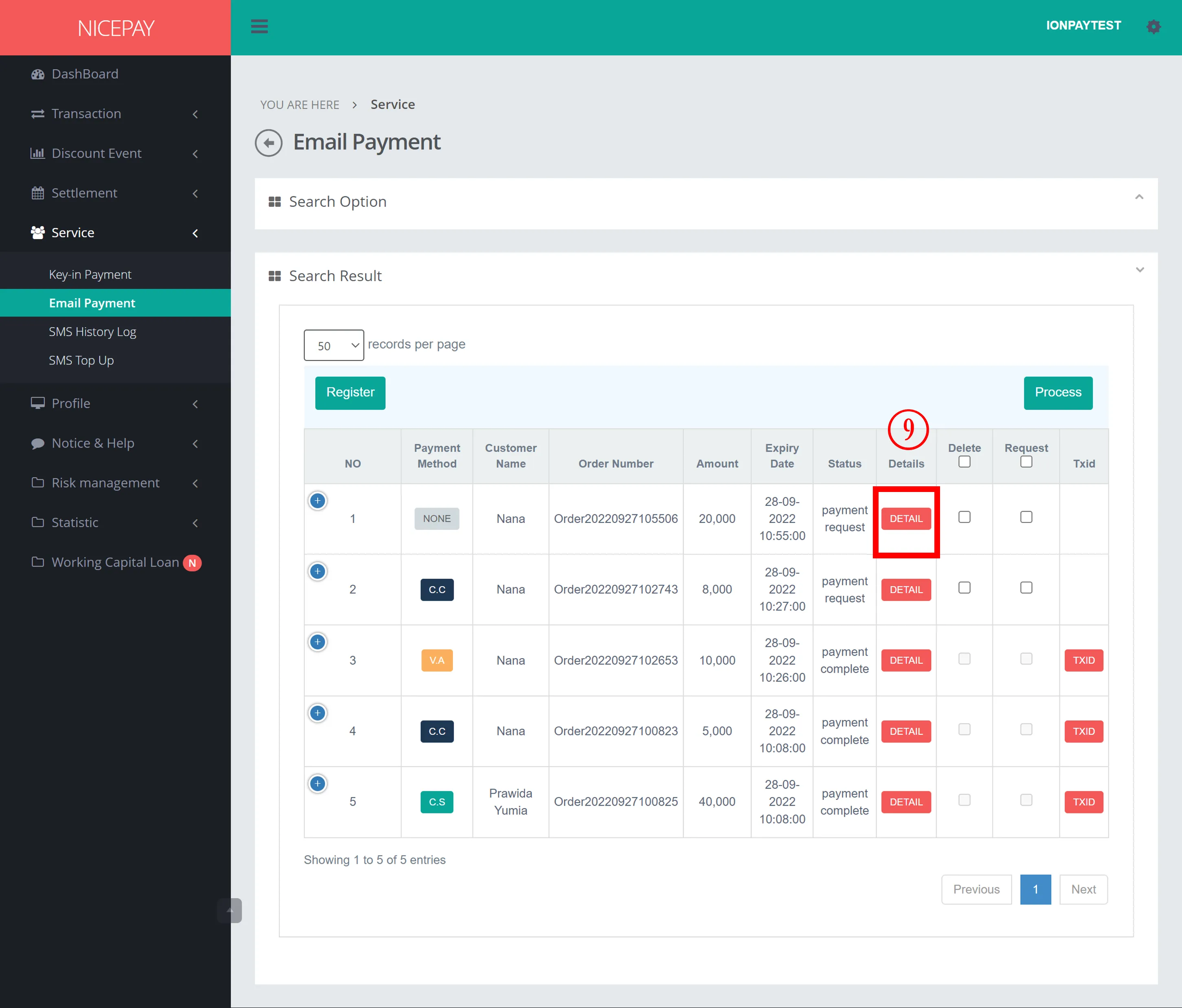
- If the process is done successfully, the payment status will change to Payment Request.
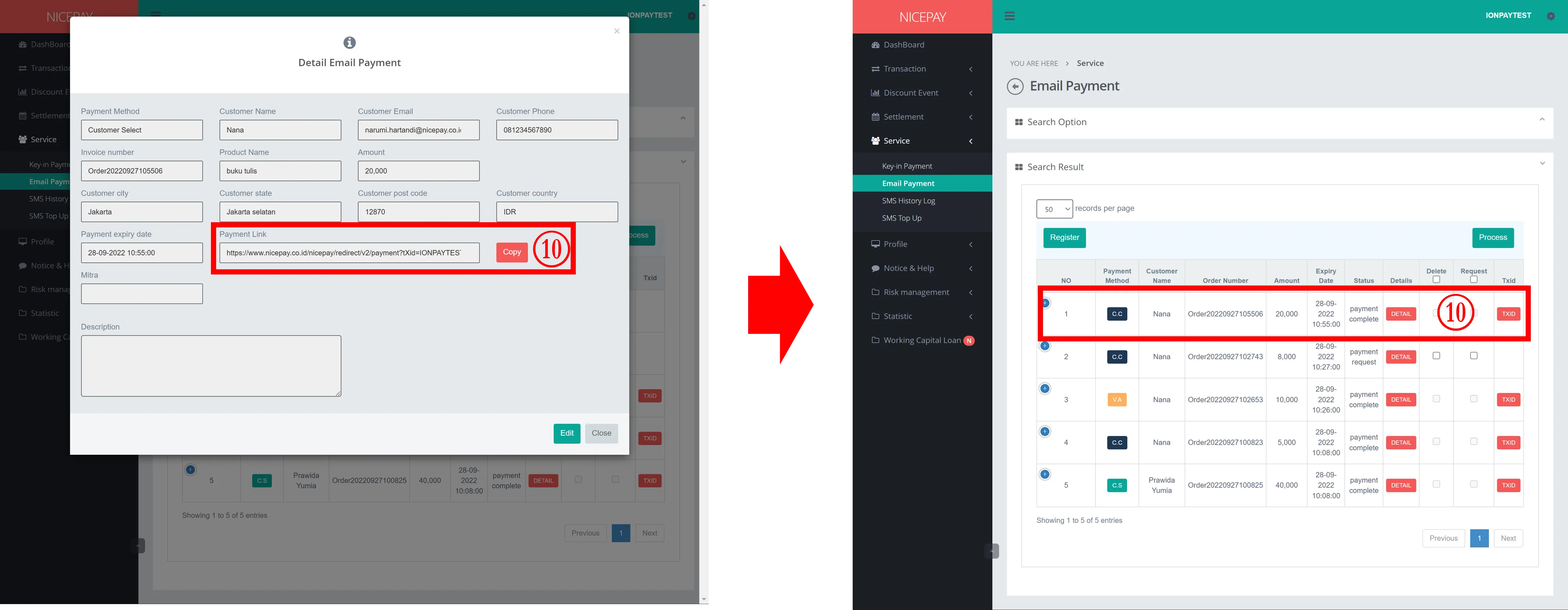
- Click the Detail button on order column.
- Copy the Payment Link from the Detail Email Payment pop-up to your browser to proceed with the payment process.
- If the payment process is done successfully, payment status will change to Payment Complete , and TXID successfully created.
Payment Method on Payment Link
Payment methods on Payment Link already cover all methods available in the NICEPAY system. Here is a sample of our payment page:

Payment Guidelines
Payment Method | Reference |
|---|---|
Credit Card | |
Virtual Account | |
Convenience Store | |
Direct Debit | |
E-Wallet | |
Paylater / Paylater | |
QRIS |
See also
Visit Payout page to learn the latest NICEPAY product.
Visit NICEPAY API page to find out detail information about API.