Payout Fund Transfer Flow
4 min
Disbursement
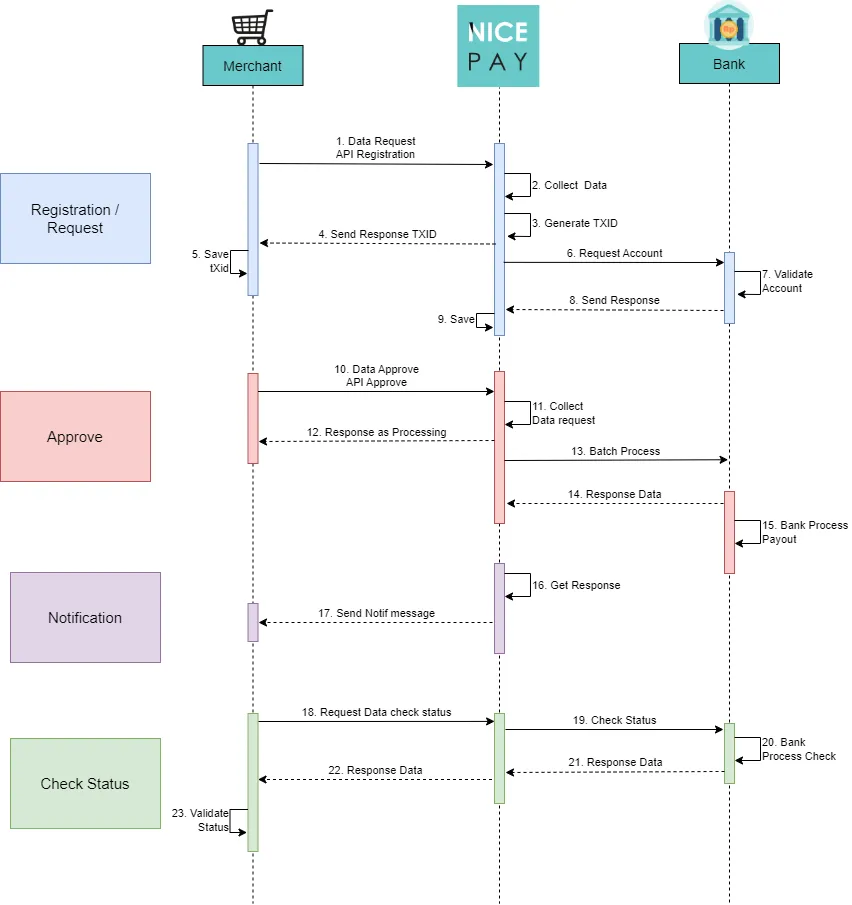
Disbursement - Payout Fund Transfer Flow
Steps description:
- Merchant requests data by using Registration API to NICEPAY.
- NICEPAY collects the data.
- NICEPAY generates the TXID.
- NICEPAY sends the response in the form of TXID to Merchant.
- Merchant saves the TXID.
- NICEPAY requests the account to the Bank.
- Bank performs account validation.
- Bank sends the response to NICEPAY.
- NICEPAY saves the response.
- Merchant sends data that need approval using Approve API to NICEPAY.
- NICEPAY collects the requested data.
- NICEPAY sends the response as processing to Merchant.
- NICEPAY sends the batch process to Bank.
- Bank performs the Bank Process Payroll.
- Bank sends the data response to NICEPAY.
- NICEPAY receives the response.
- NICEPAY sends the notification message to Merchant.
- Merchant requests data check status to NICEPAY.
- NICEPAY sends check status to Bank.
- Bank performs the checking process.
- Bank sends the response data to NICEPAY.
- NICEPAY sends the response data to Merchant.
- Merchant performs status validation.
Cashout
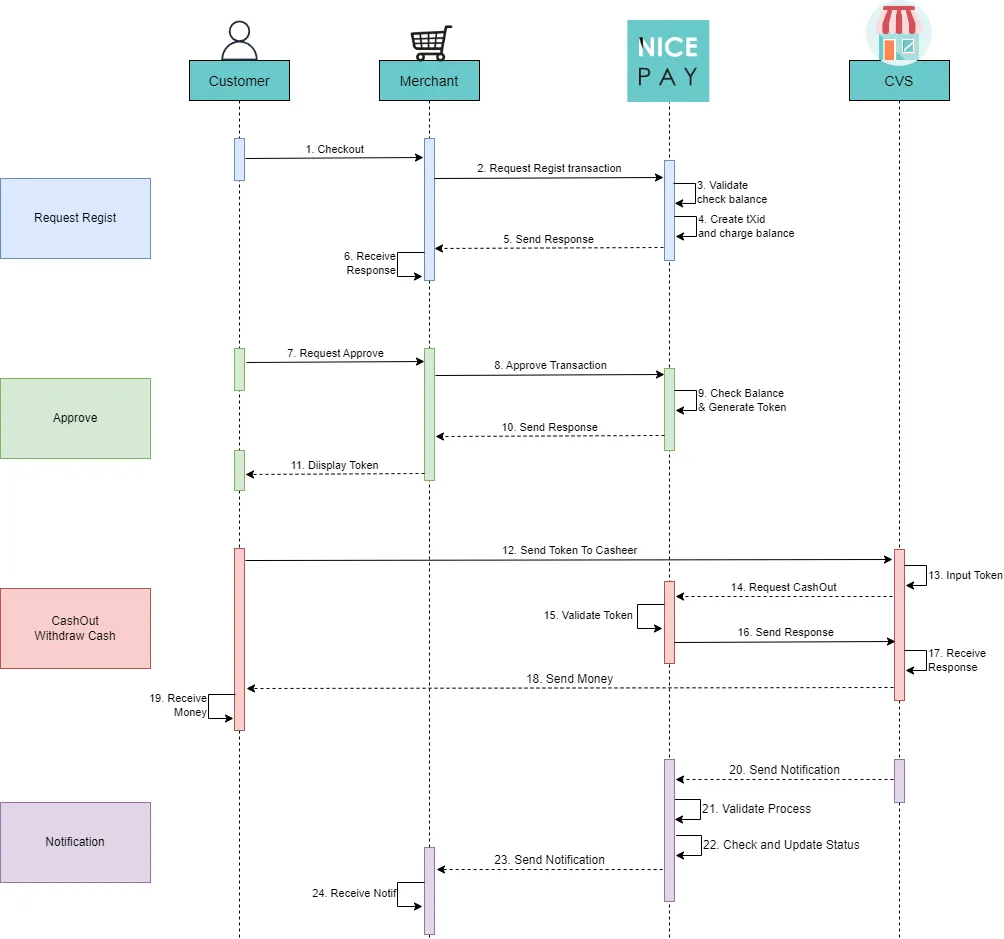
Cashout - Payout Fund Transfer Flow
Steps description:
- The Customer does checkout to Merchant.
- Merchant requests transaction registration to NICEPAY.
- NICEPAY validates to check balance.
- NICEPAY creates TXID and charge balance.
- NICEPAY sends response to Merchant.
- Merchant receive response.
- The Customer request transaction approval to Merchant.
- Merchant approve transaction to NICEPAY.
- NICEPAY checks balance and generates token.
- NICEPAY sends response to Merchant.
- Merchant displays token to the Customer.
- The Customer sends token to CVS Cashier.
- CVS Cashier inputs token.
- CVS requests Cashout to NICEPAY.
- NICEPAY validates token.
- NICEPAY sends response to CVS.
- CVS sends response.
- CVS sends money to the Customer.
- The Customer receives money.
- CVS sends notification to NICEPAY.
- NICEPAY validates process.
- NICEPAY checks and updates status.
- NICEPAY sends notification to Merchant.
- Merchant receives notification.
See also
Visit the Payout Method page to find out the fund sending method available on Payout.
Visit the Payout Integration & Testing page to find out how to perform integration and testing of the NICEPAY Payout system.