PrestaShop
4 min

PrestaShop
- PrestaShop version 1.6
- Please contact NICEPAY IT team to get help to PrestaShop integration.
Integration Step
- Copy the Prestashop 1.6 NICEPAY module to the modules folder in Merchant Prestashop.
- Access to Admin Prestashop page.
- Select the Modules and Services menu.
- Click Payment sub-menu.
- If NICEPAY Payment has not appeared, click View All Available Payments Solutions.
- Select NICEPAY Payment.
- Click Install.
- Input MID and Merchant Key.
- Save added data.
- NICEPAY Payment is ready to use.
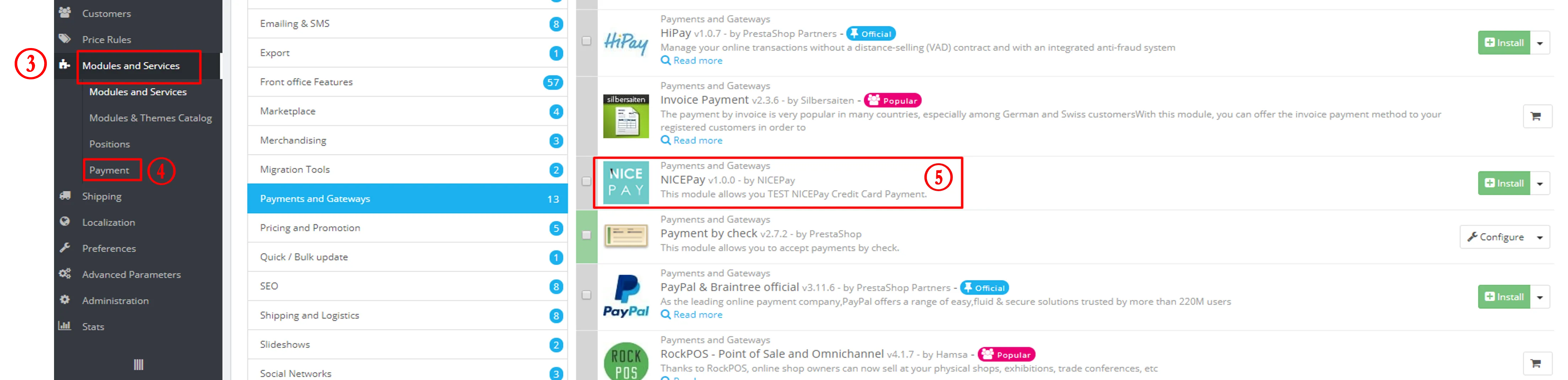
Modules and Services
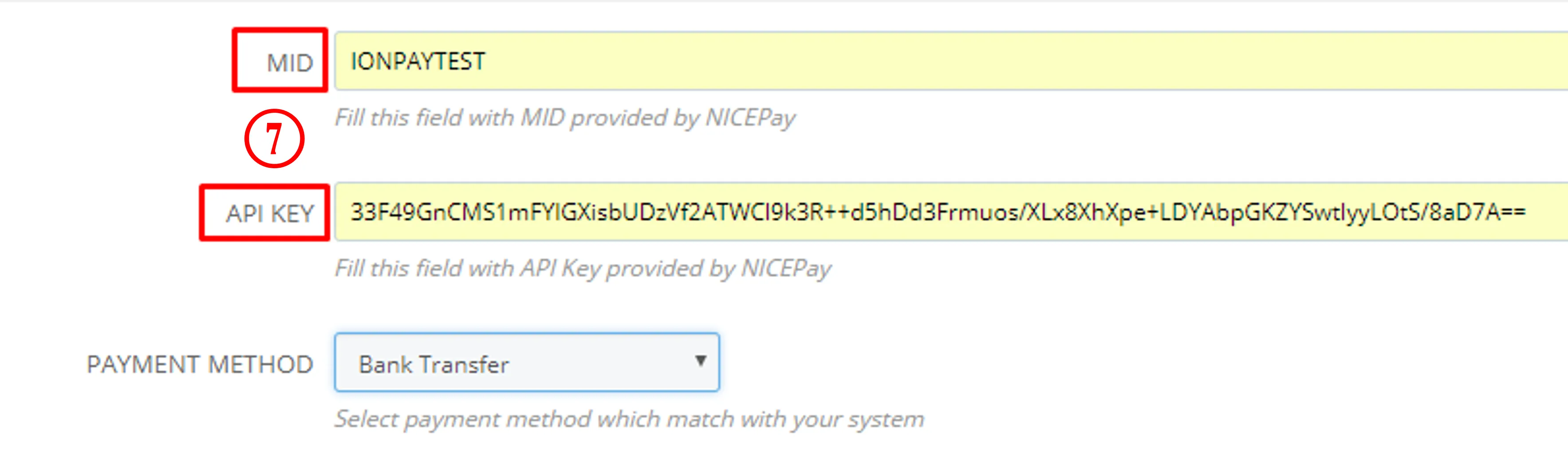
MID and API Key