WHMCS
4 min

WHMC
- WHMCS version 6.3.1
- Please contact the NICEPAY IT team to get help related to WHMCS integration
Integration Step
- Copy the WHMCS NICEPAY module to the Merchant folder.
- Please check the folder structure that will copy thoroughly, copy files one by one for each folder
- Access to the WHMCS Admin page.
- Click Setup menu.
- Click Payment > Payment Gateways.
- Search and click the NICEPAY VA payment module.
- Input MID and NICEPAY Merchant Key.
- Click Setup > Product & Services menu to add NICEPAY Payment on the payment method selection.
- Click Edit on the group name to which NICEPAY Payment will be added.
- Click the checkmark on the NICEPAY Payment checkbox.
- Click Save Changes.
- NICEPAY Payment is ready to use.
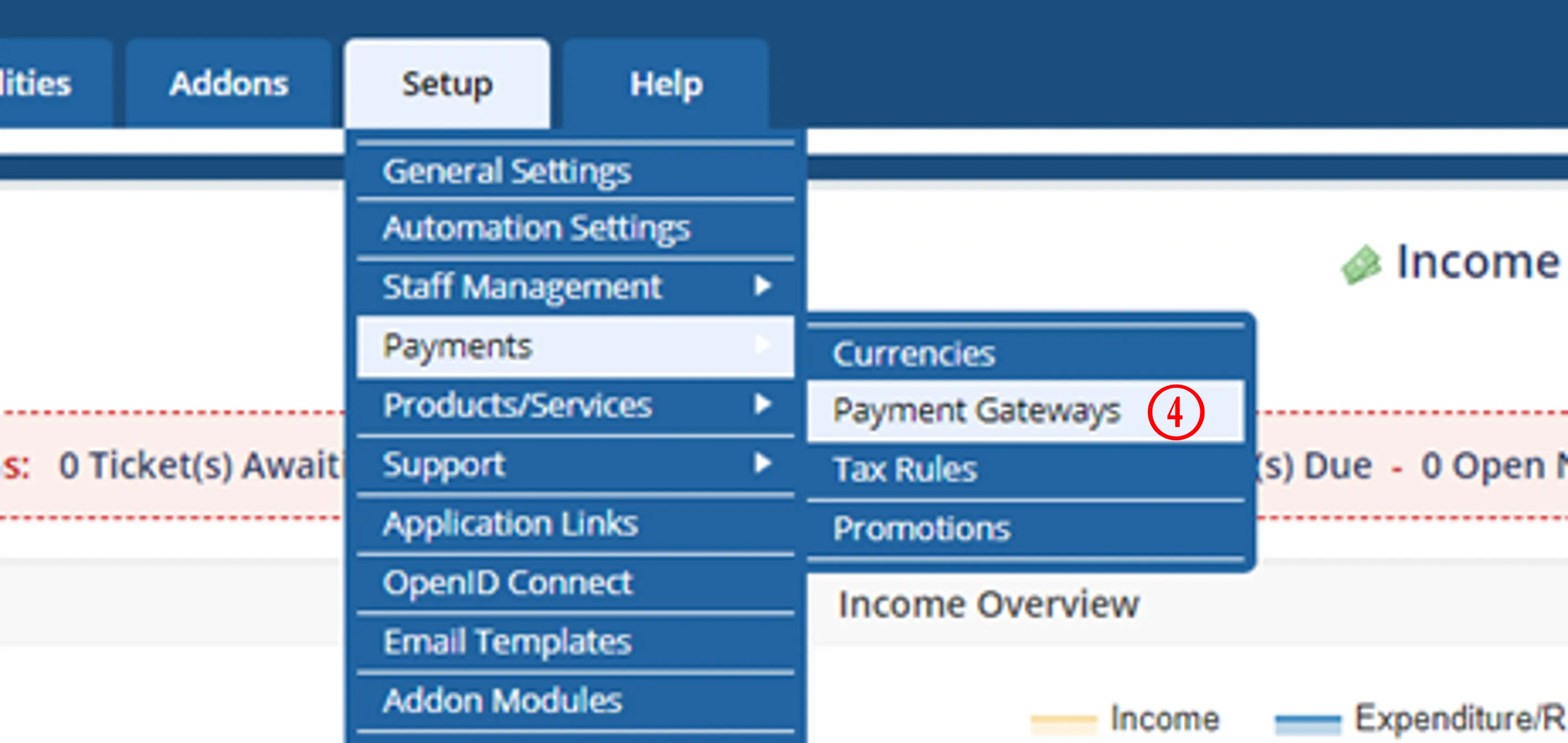
Payment > Payment Gateways
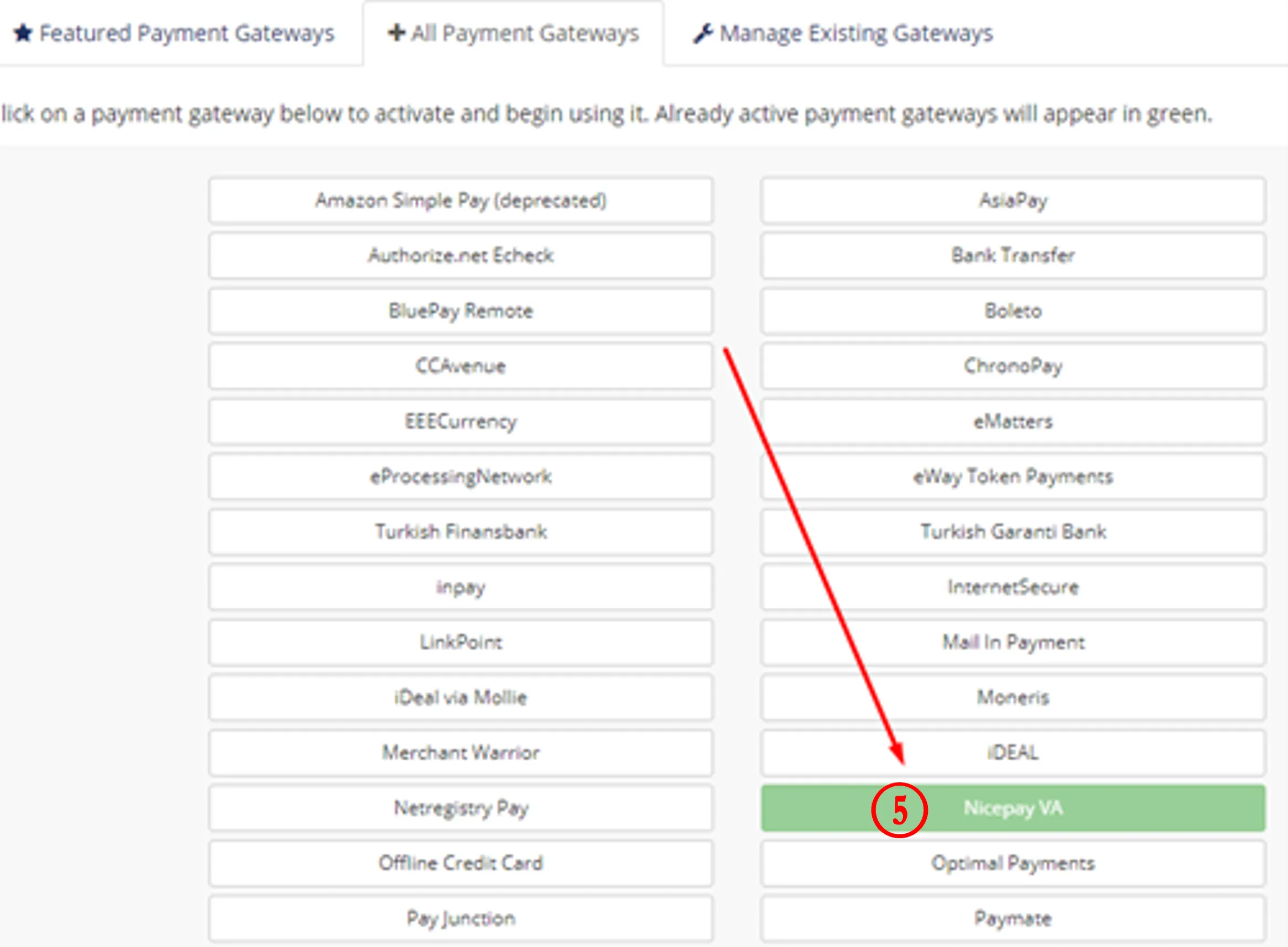
NICEPAY VA Payment Module
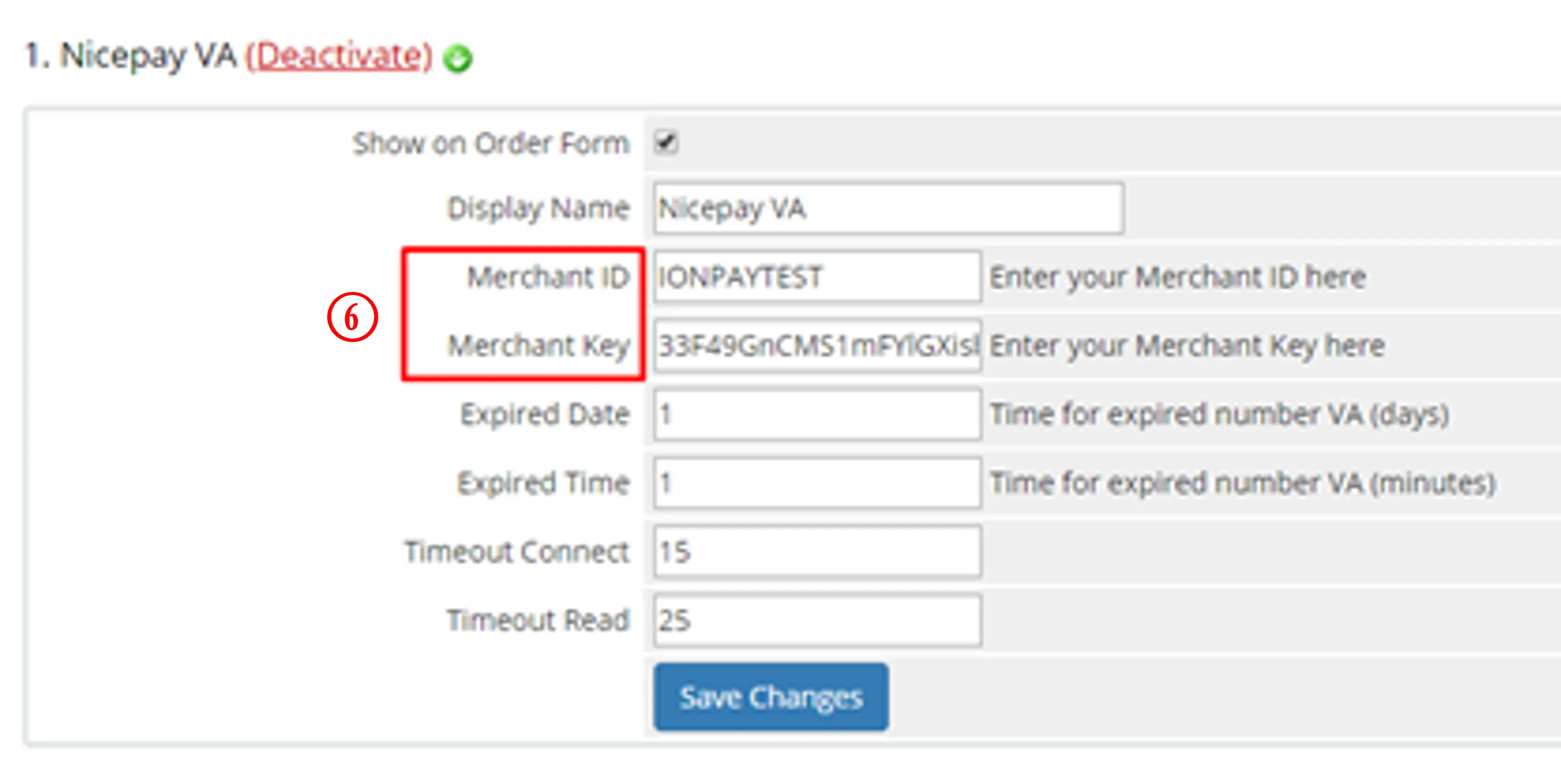
MID and NICEPAY Merchant Key
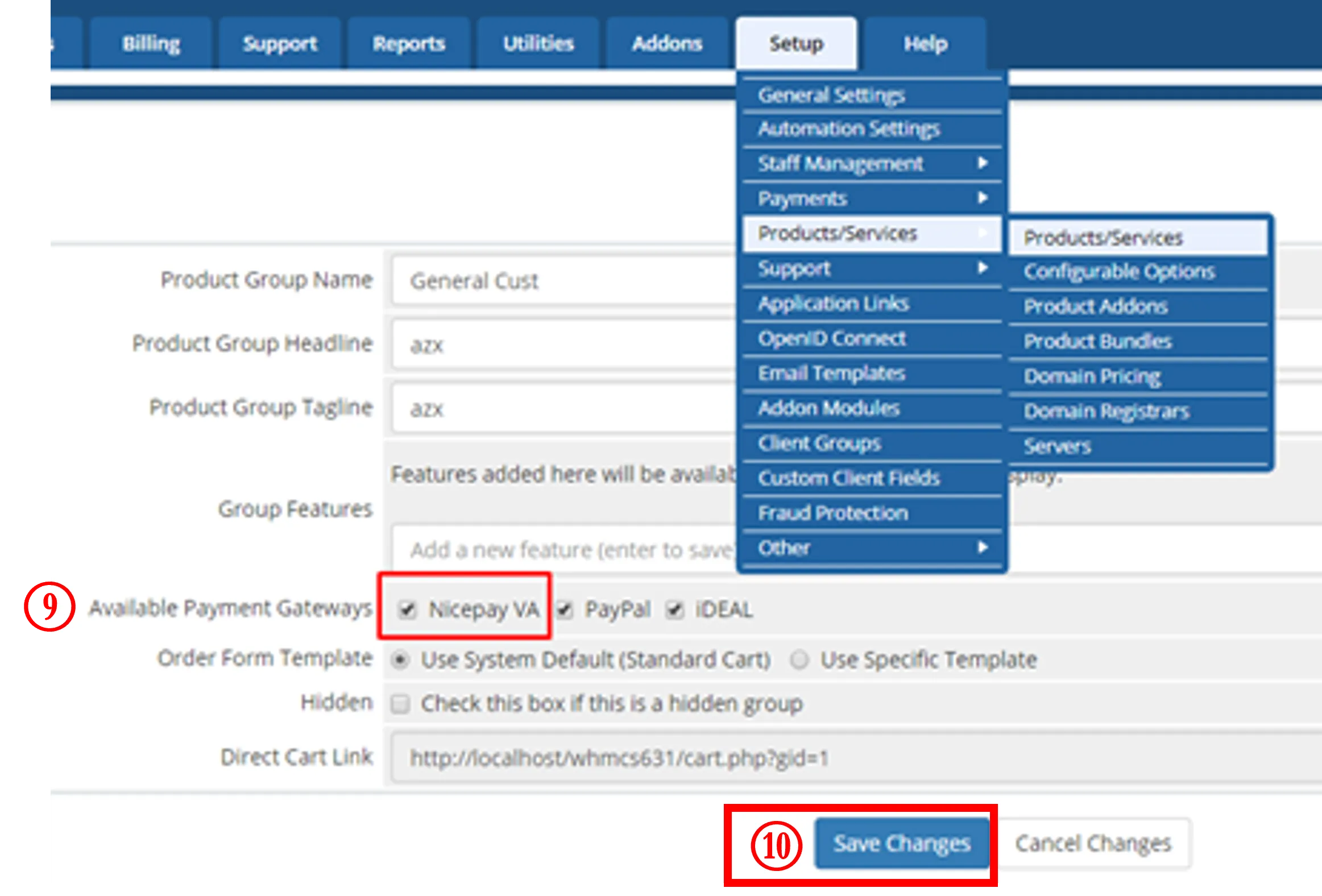
NICEPAY VA
See also
Visit the WooCommerce page to find out integration process with another platform.
Visit the FAQ NICEHub & General if you want to find out frequently asked questions related to NICEHub and integration.