Dashboard
The Dashboard menu on the MMS aims to display Merchant transaction information summaries in certain categories and period of time. This page is divided into 3 sections; Transaction Summary, Transaction Chart, and Transaction Widget Chart.
Transaction Summary
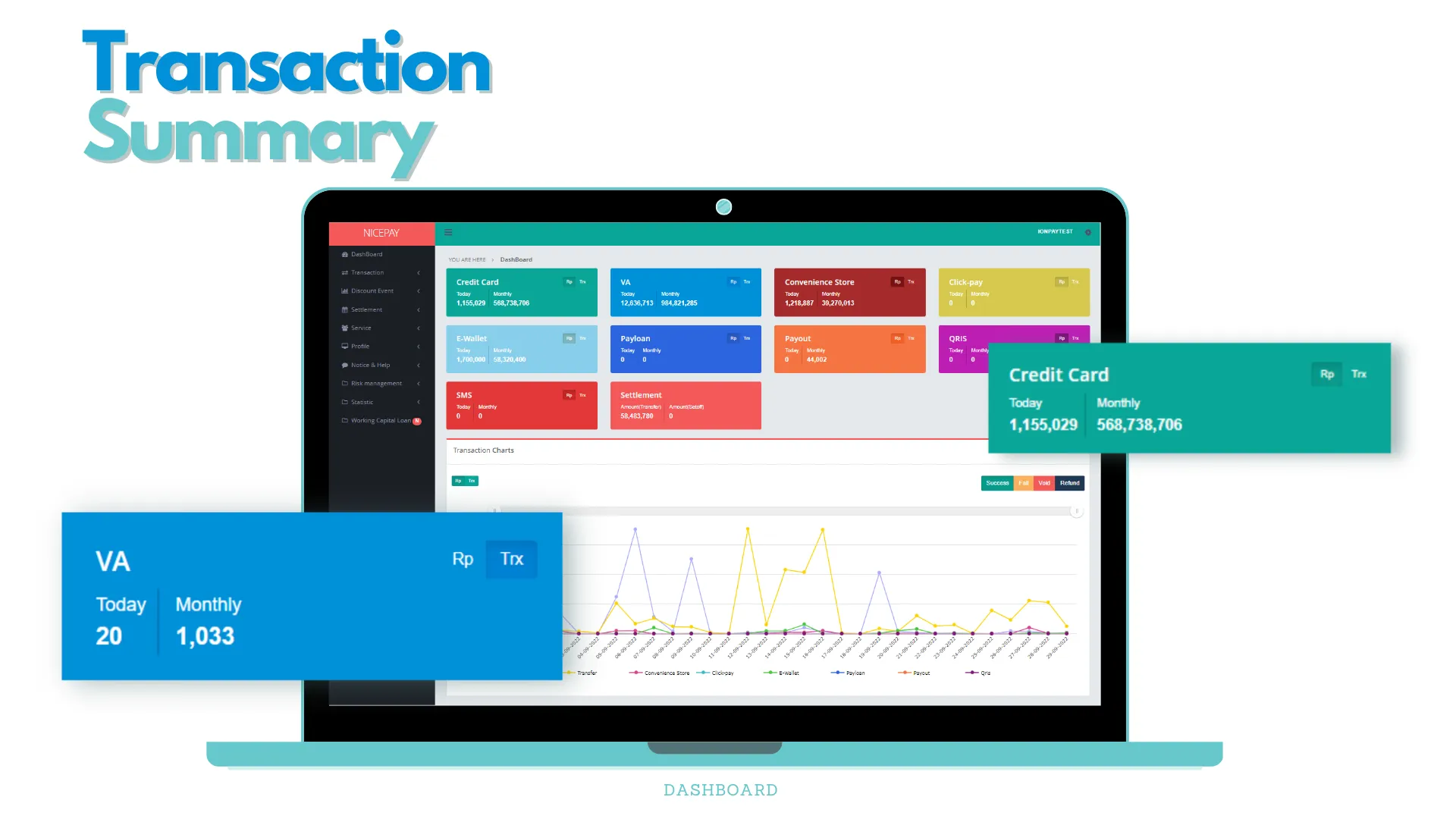
The Transaction Summary section is a section that displays transaction information for each payment and Settlement method in the card format with different colors. Transaction Summary divides into 2 types of categories, Payment & Message Channel and Settlement.
Payment & Message Channel
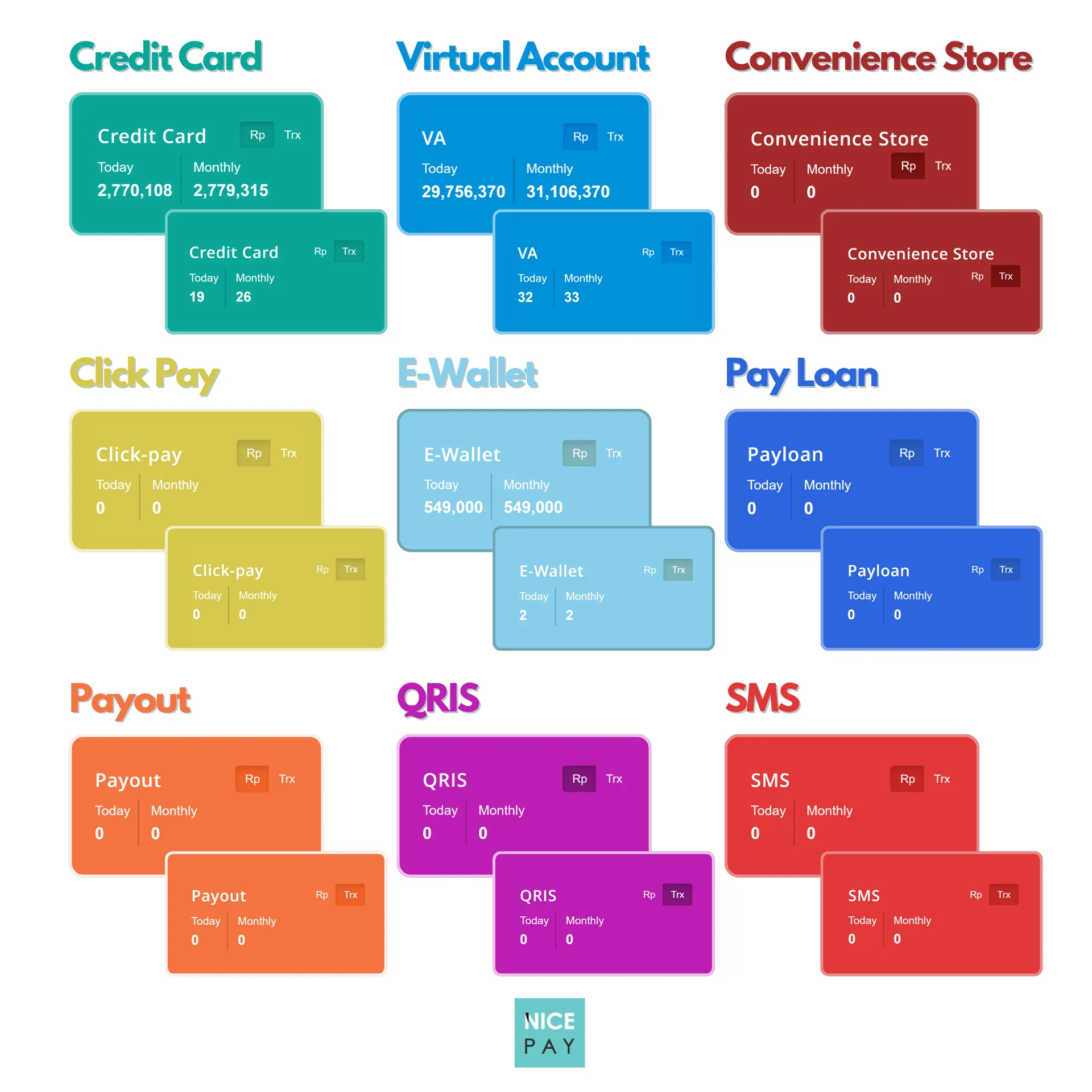
Payment & Message Channel is a transaction summary of payment methods and messaging services owned by NICEPAY and displayed in card format.
There are 8 payment methods and 1 messaging service displayed on the Dashboard, which are as follows:
- Credit Card
- Virtual Account (VA)
- Convenience Store
- Click Pay (Direct Debit)
- E-Wallet
- Paylater
- Payout
- QRIS
- SMS
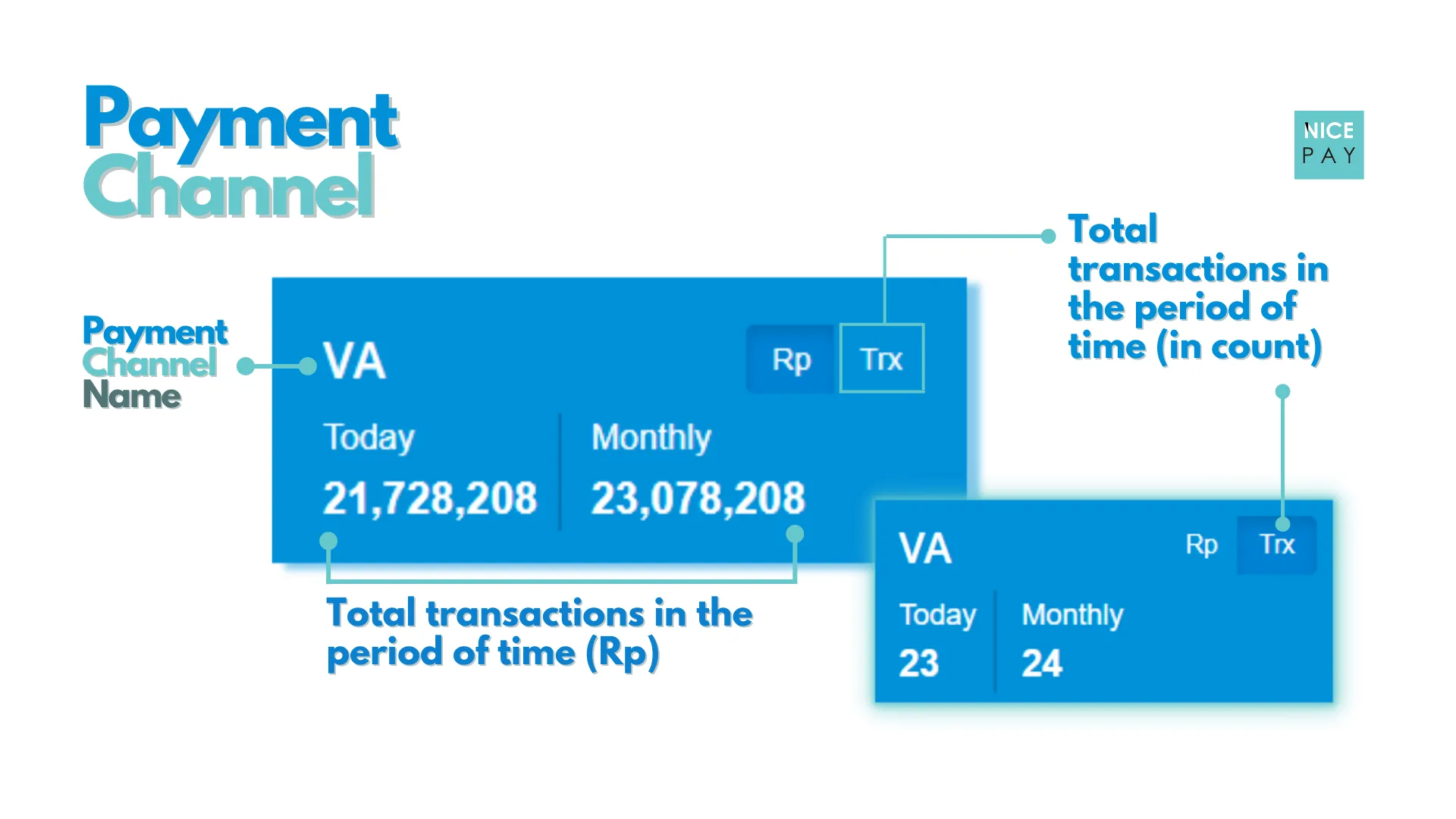
Information categories displayed on each card are the number of transaction and the total nominal value of transactions. Each category divides into 2 parts, including today and this month.
Settlement
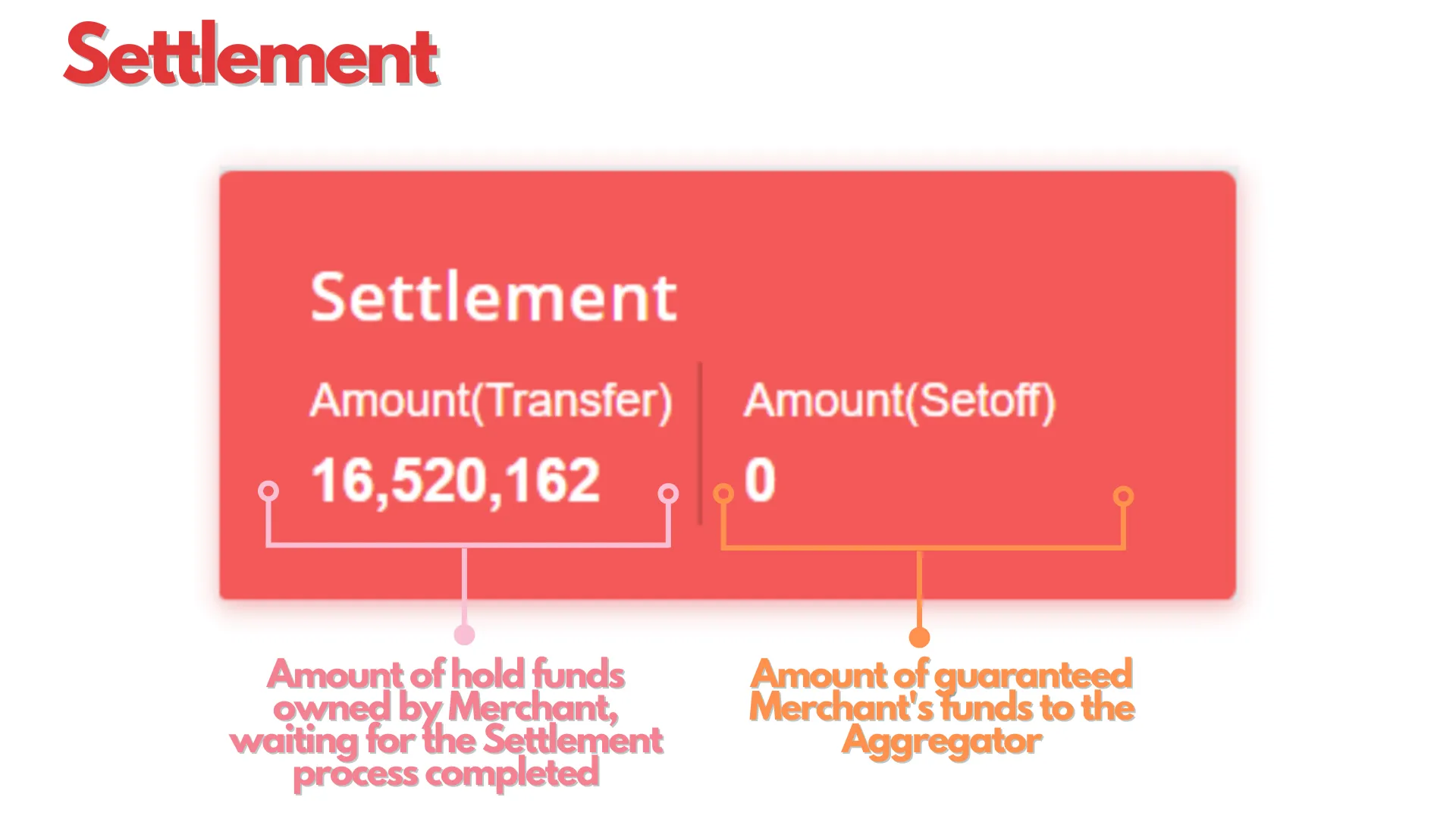
Settlement is a summary of the Settlement process owned by NICEPAY displayed in the card format. The information displayed on the Settlement card is Amount(Transfer) and Amount (Setoff).
Transaction Chart
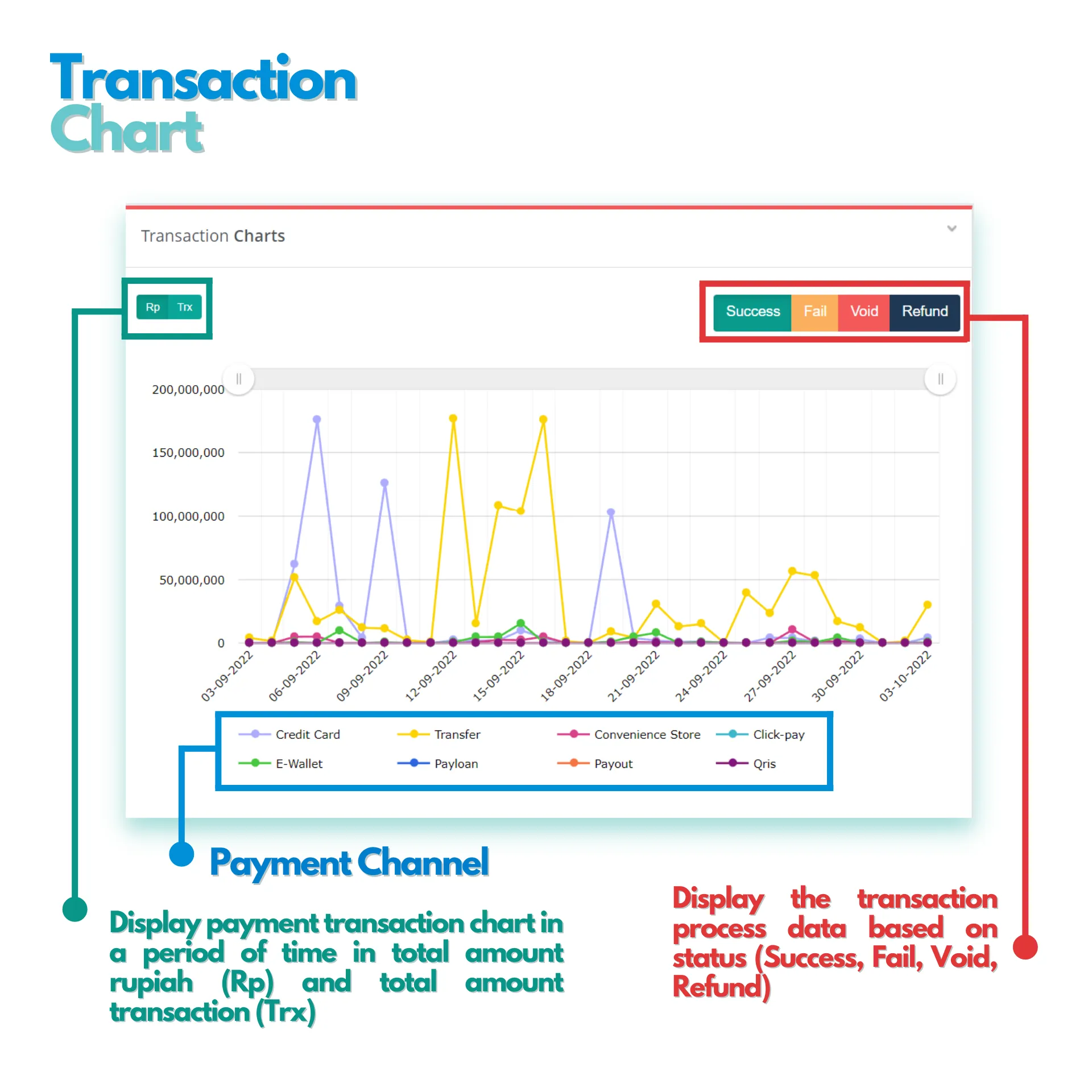
The Transaction Chart section is a section that displays transaction movements in the form of line charts for each payment method divided into several categories. Merchant can view the transaction movement based on transaction status (Success, Fail, Void, and Refund), then divided into 2 parts (the nominal amount of the transaction and the total amount of the transaction).
Transaction Widget Chart
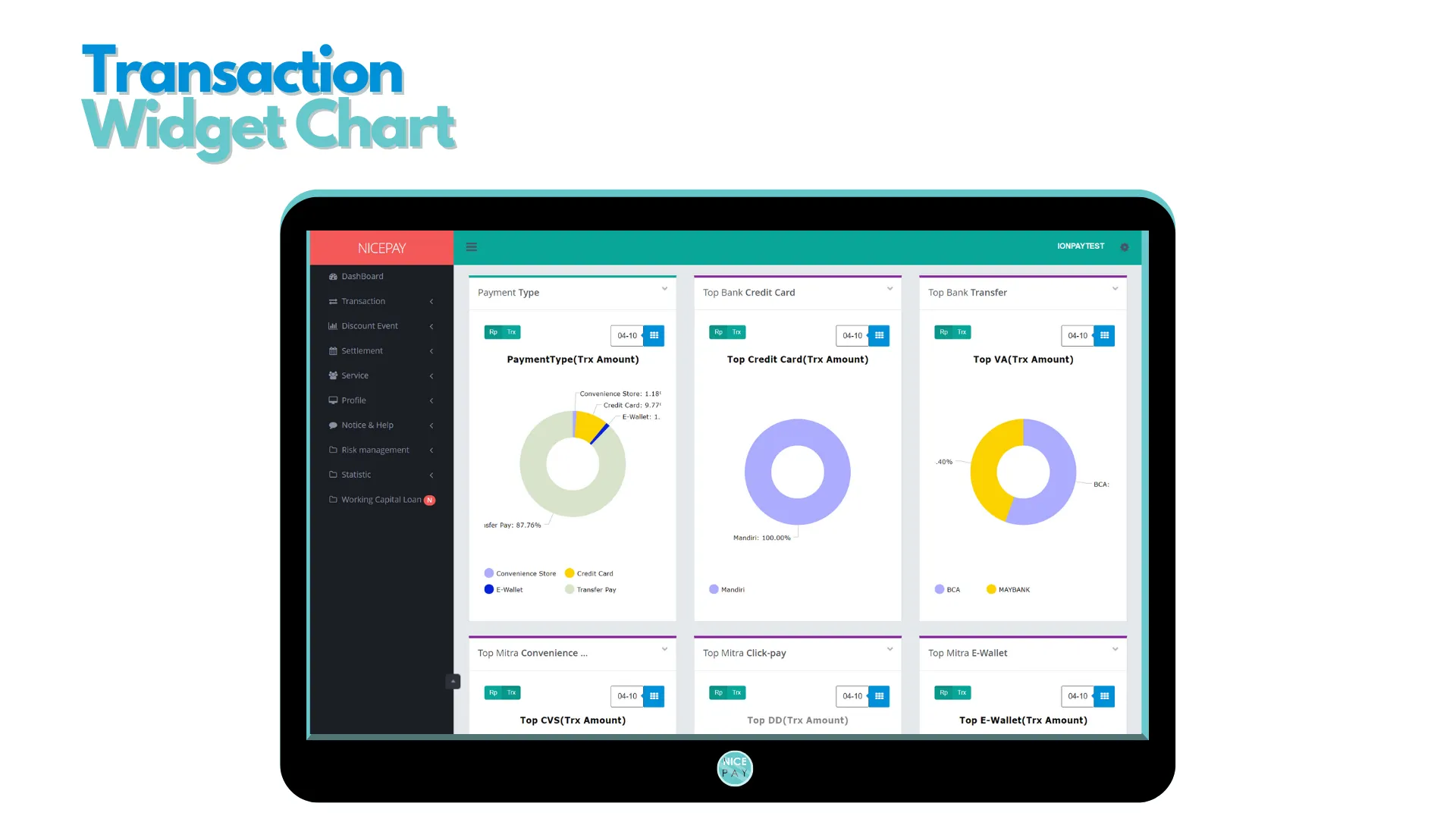
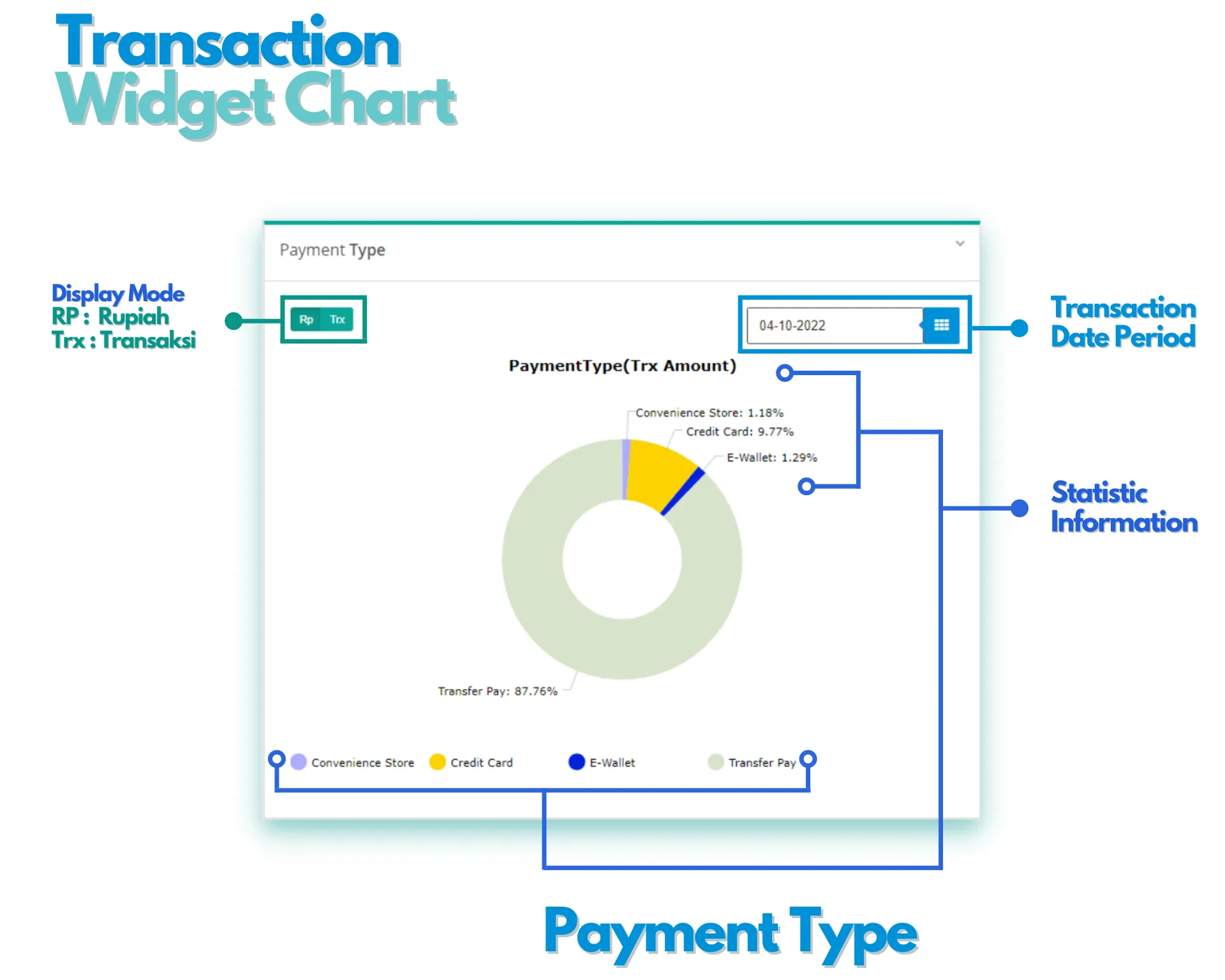
The Transaction widget chart section is a section consists of several focus widgets displaying a daily summary of the transaction process in the form of a pie chart for each type of payment. Each widget has several filters; transaction date, transaction nominal amount, and total transaction amount. The detailed information on each widget displayed in percentage form.
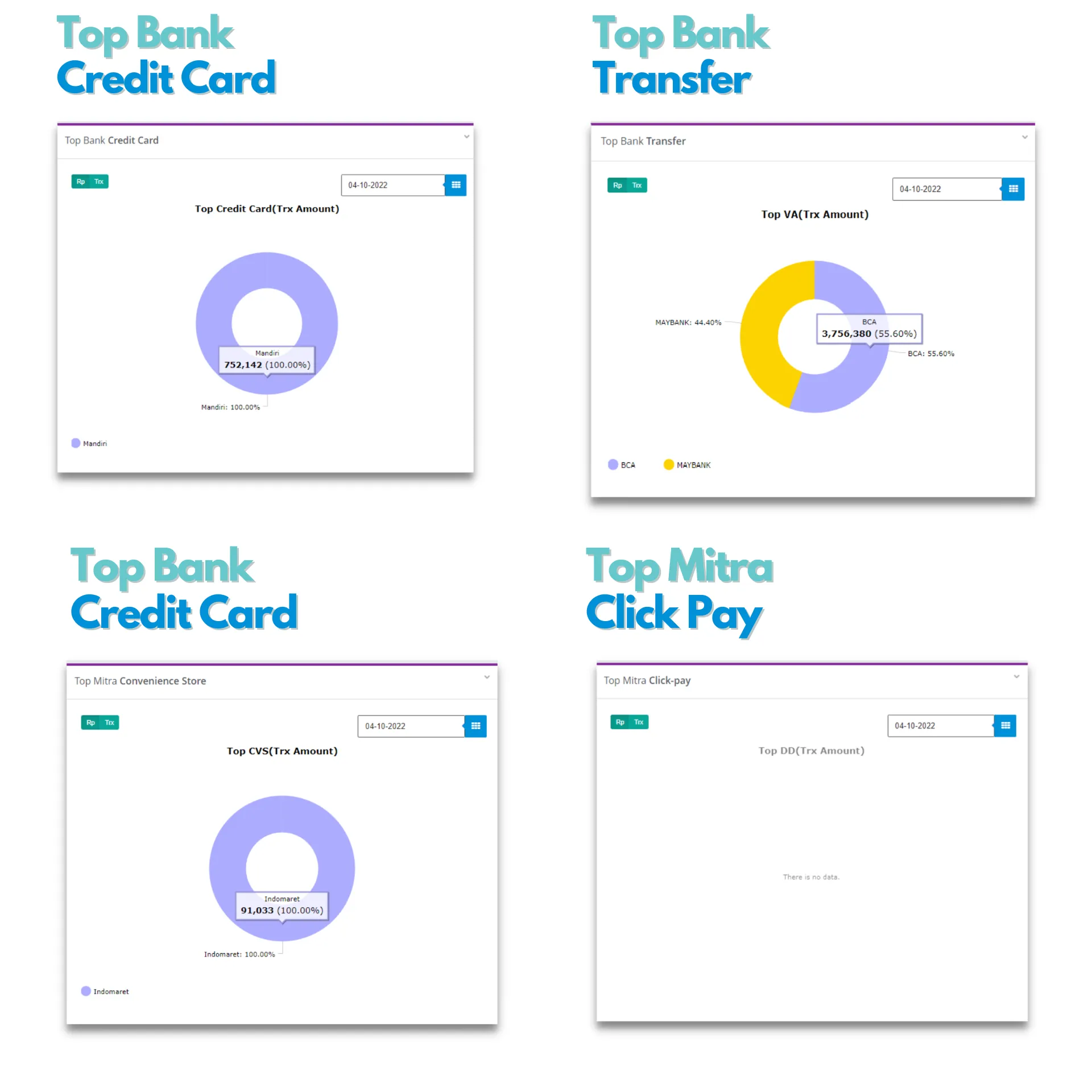
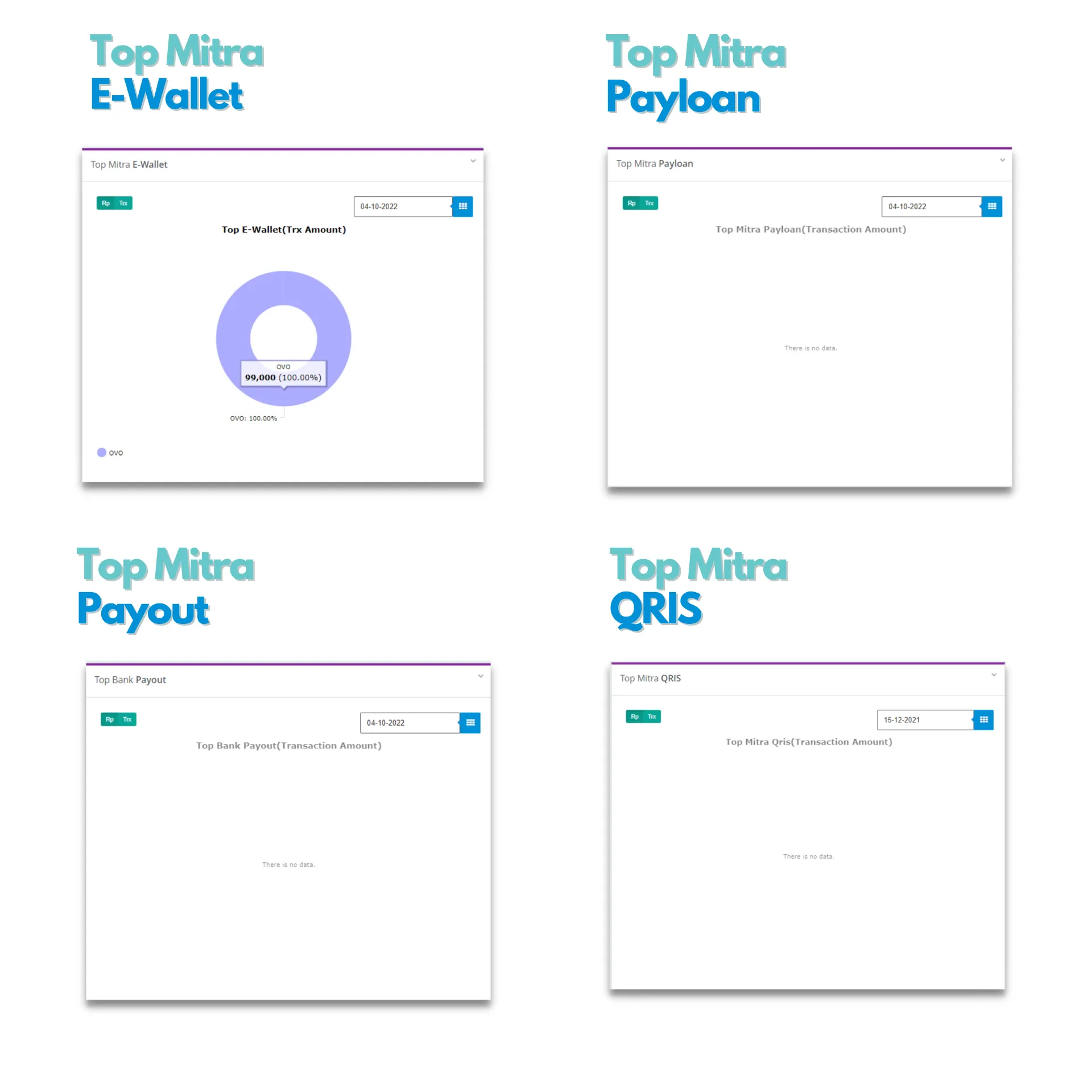
Part Transaction Widget Chart consists of 9 chart widgets that focus on displaying different data. These widgets include:
- Payment Type, displays statistical information to see which payment types are the most used by Customers.
- Top Bank Credit Card, displays statistical information about the Bank that is the most widely used in Credit Card transactions.
- Top Bank Transfer, displays statistical information about Bank Issuer Virtual Account that are the most used by Customers.
- Top Mitra Convenience Store, displays statistical information about the most used Convenience Store Partners for payments by Customers.
- Top Mitra Click-pay, displays statistical information about ClickPay Partners services that are the most used by Customers.
- Top Mitra E-Wallet, displays statistical information about E-Wallet Partners that are the most used by Customers.
- Top Mitra Payloan, displays statistical information about Paylater Partners that are the most used by Customers.
- Top Bank Payout, displays statistical information about Banks that are mostly used in the Payout process.
- Top Mitra QRIS, displays statistical information about the QRIS Partners that is the most used in the Payout process.
See also
Visit the Merchant Back Office page to learn about the platform prepared by NICEPAY.
Visit the Login page to find out how to access into the platform.
Visit the Profile page to learn the particular menu for setting Merchant and User data.
Visit the Notice & Help page to find out the particular menu for announcement and assistance.