Balance Deposits
Overview
You must perform a deposit or top up the balance on Payout and SMS firsthand before using them on the NICEPAY system. If the balance is insufficient, then NICEPAY can't execute the process.
There are 2 method to perform balance deposit on Payout product, such as:
- Deposit Payout balance through VA Top-Up
- Deposit Payout balance through Settlement fund.
The deposited fund on the Payout balance can get refunded under the applicable terms and conditions agreed upon in the PKS.
However, especially for SMS, that balance could not be refunded and has an expiry date depending on the time range since deposit time and the total amount of deposits.
Deposit Payout Balance Guidelines
Through Top-Up VA
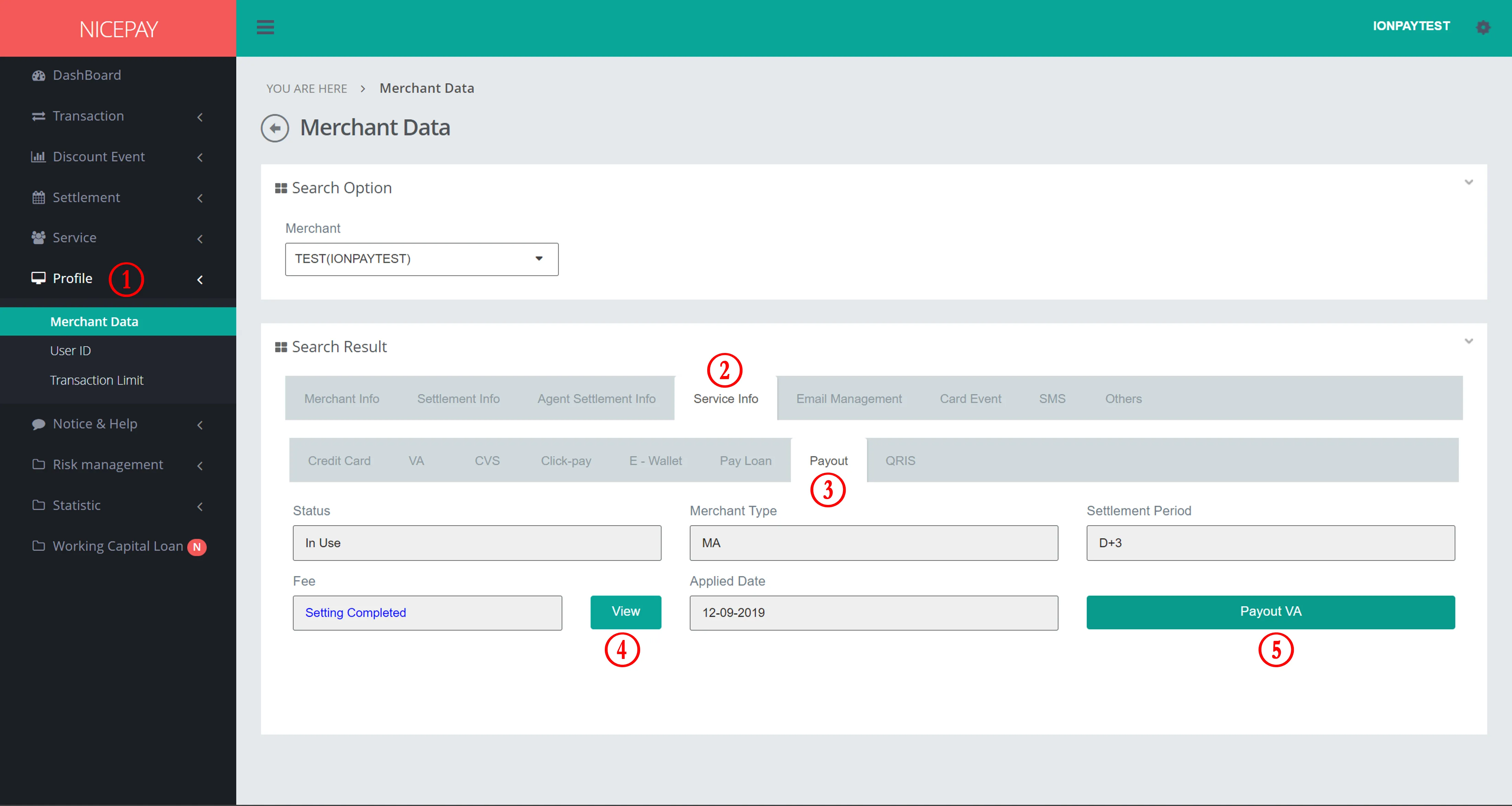
- Select Service Info - Payout tab .
- Click View button to acknowledge Payout transaction service fee.
- Click Payout VA button to acknowledge VA number which used to adding Payout balance.
- Transfer fund through one of the VA numbers listed on Merchant VA Payout pop-up.
- Fund will change into balance several minutes (maximum 5 minutes) after transaction process.
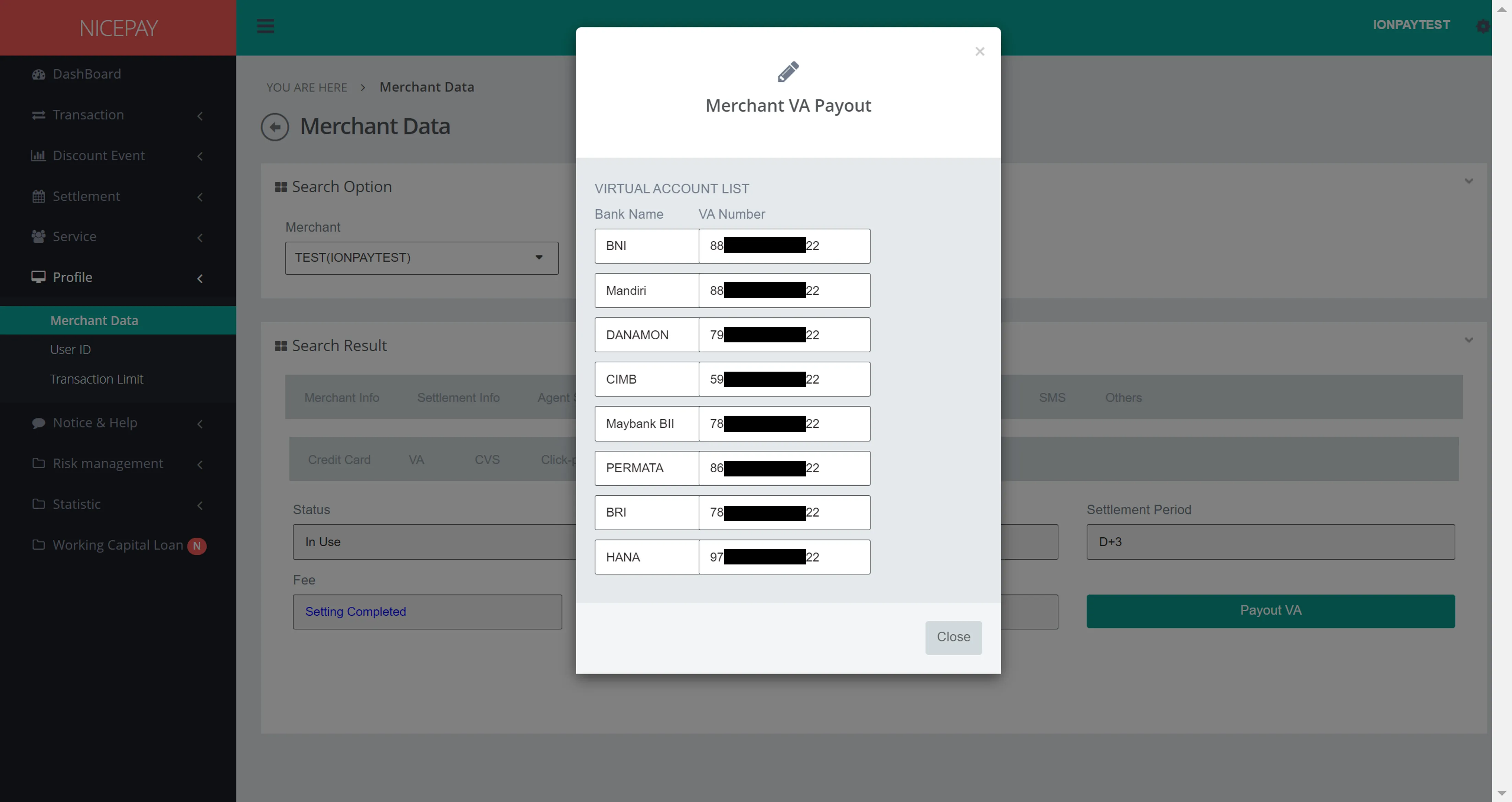
VA number can be use after merchant receive Merchant Back Office access and have the authority to perform Payouttransaction.
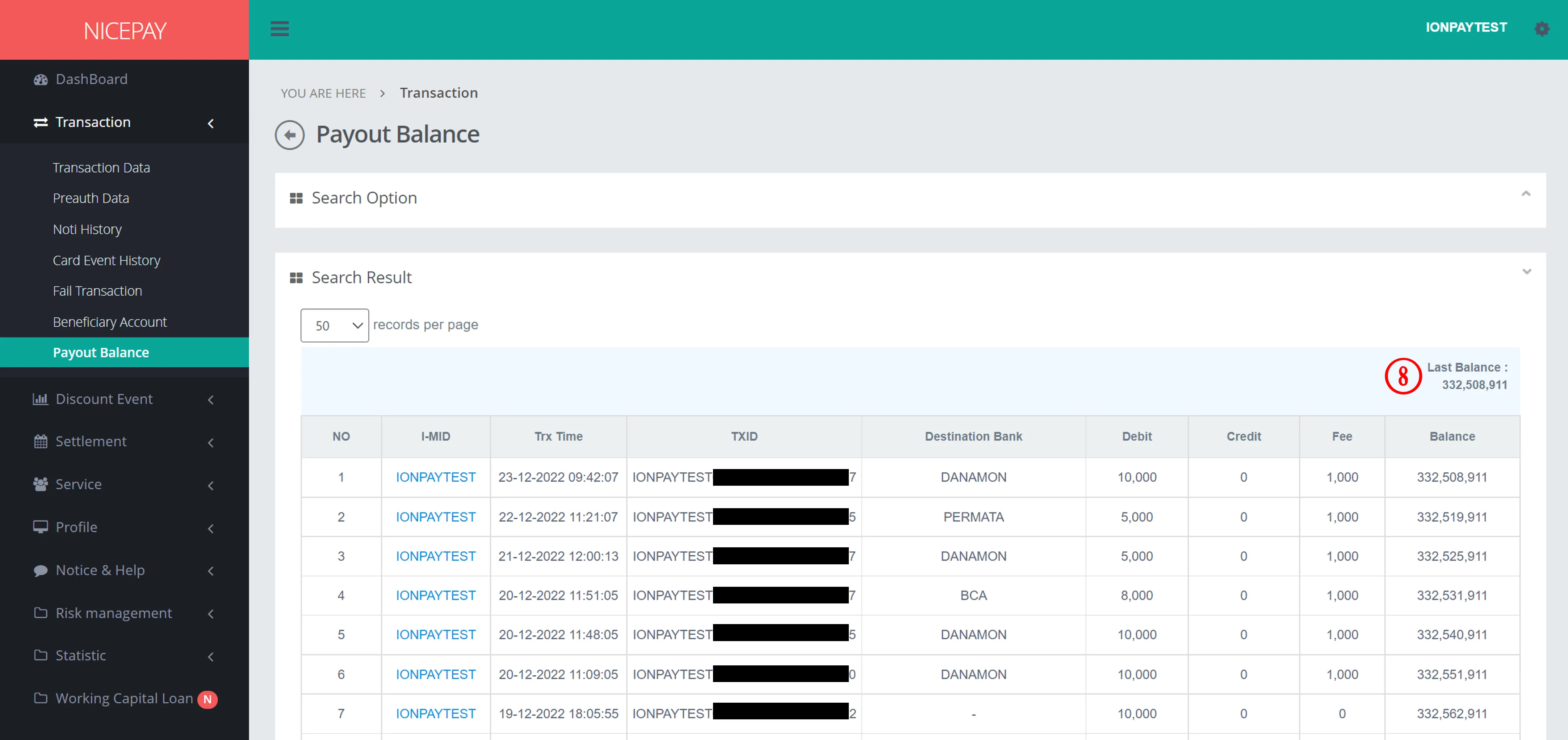
Through Dana Settlement
Merchant can top-up Payout balance automatically by convert the Settlement fund into Payout balance fund. This process ease Merchants to deposit Payout balance without require to top-up manually through VA number.
How To Deposit SMS Balance
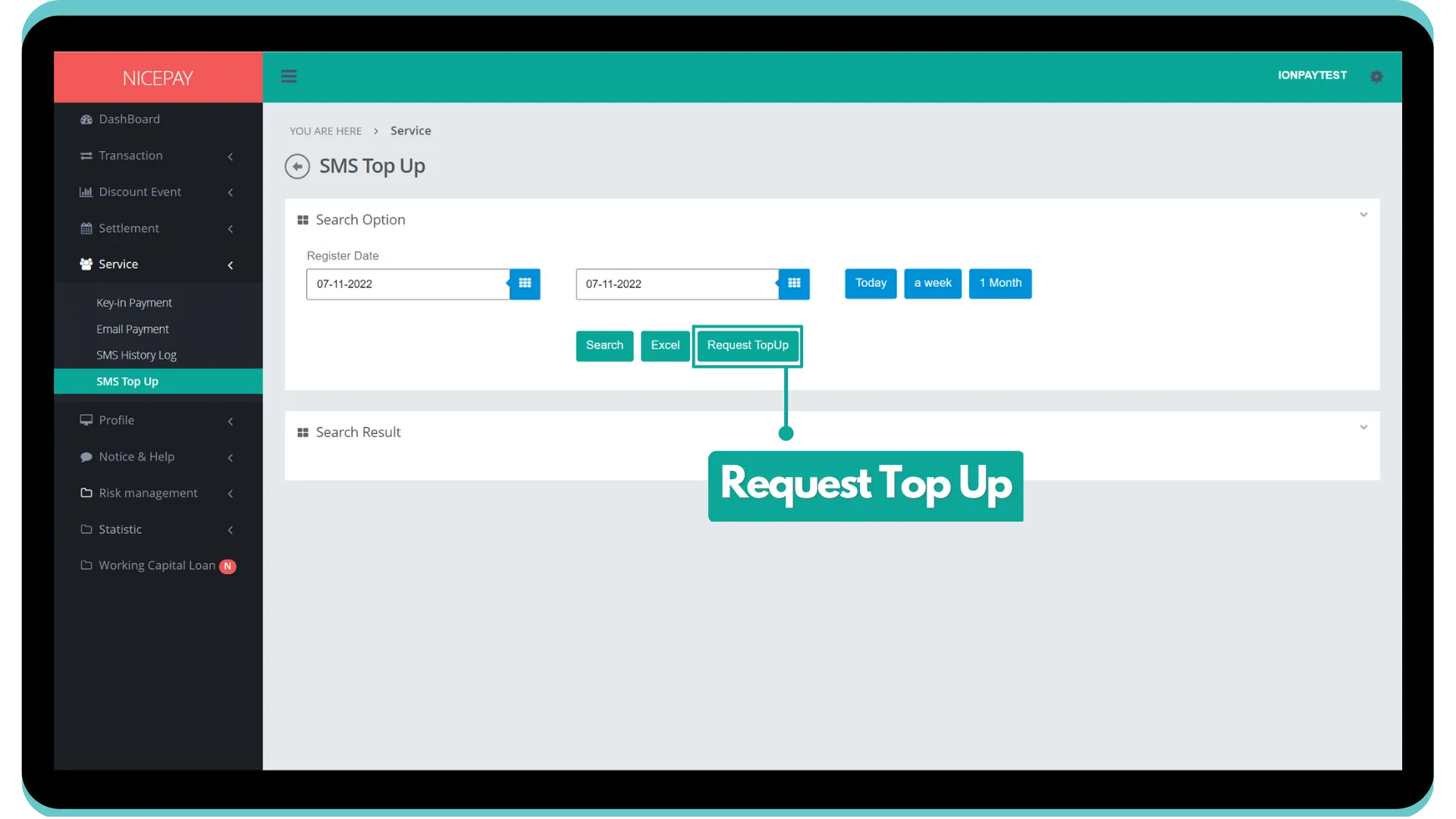
- Input ID and Email .
- Select Register Date, then click the Request Top Up button.
- Select provider and input total of token SMS you want.
- Click Request button.
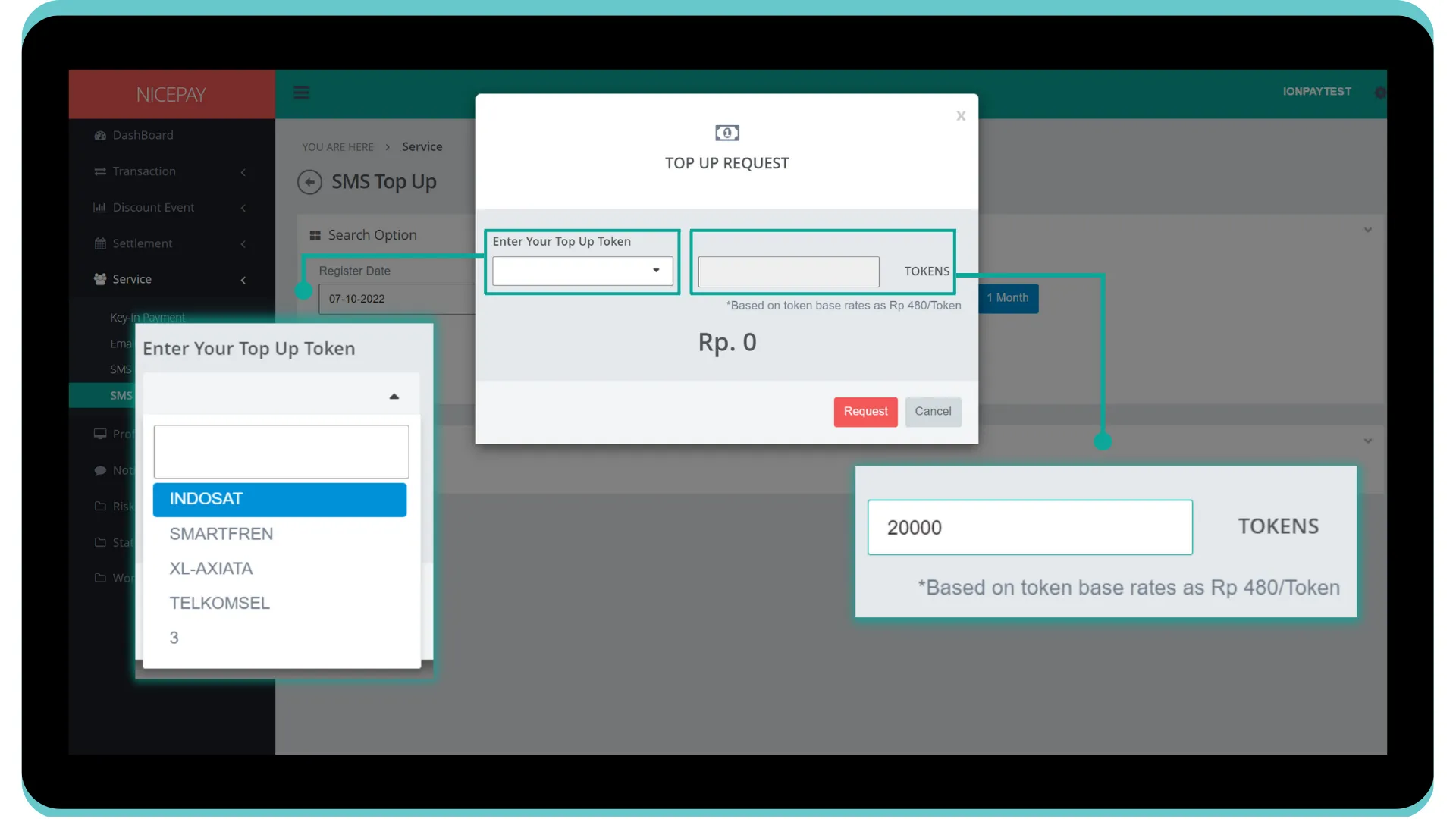
7. Click the Search button on Register Date to perform creation of Request Top Up Token SMS. Then, you will be directed to Search Result section.
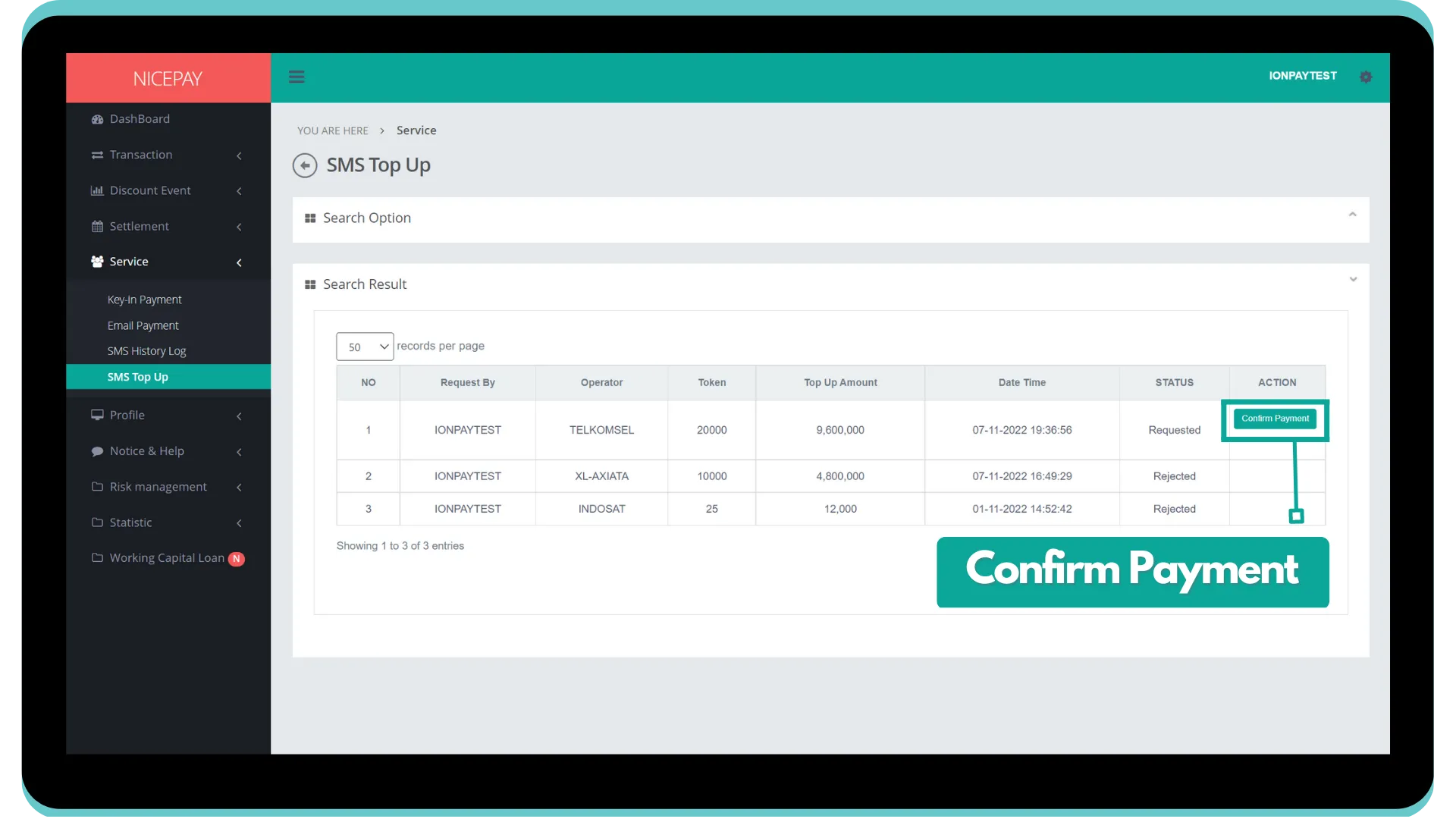
8. Click Confirm Payment to proceed Request Top Up Token SMS process.
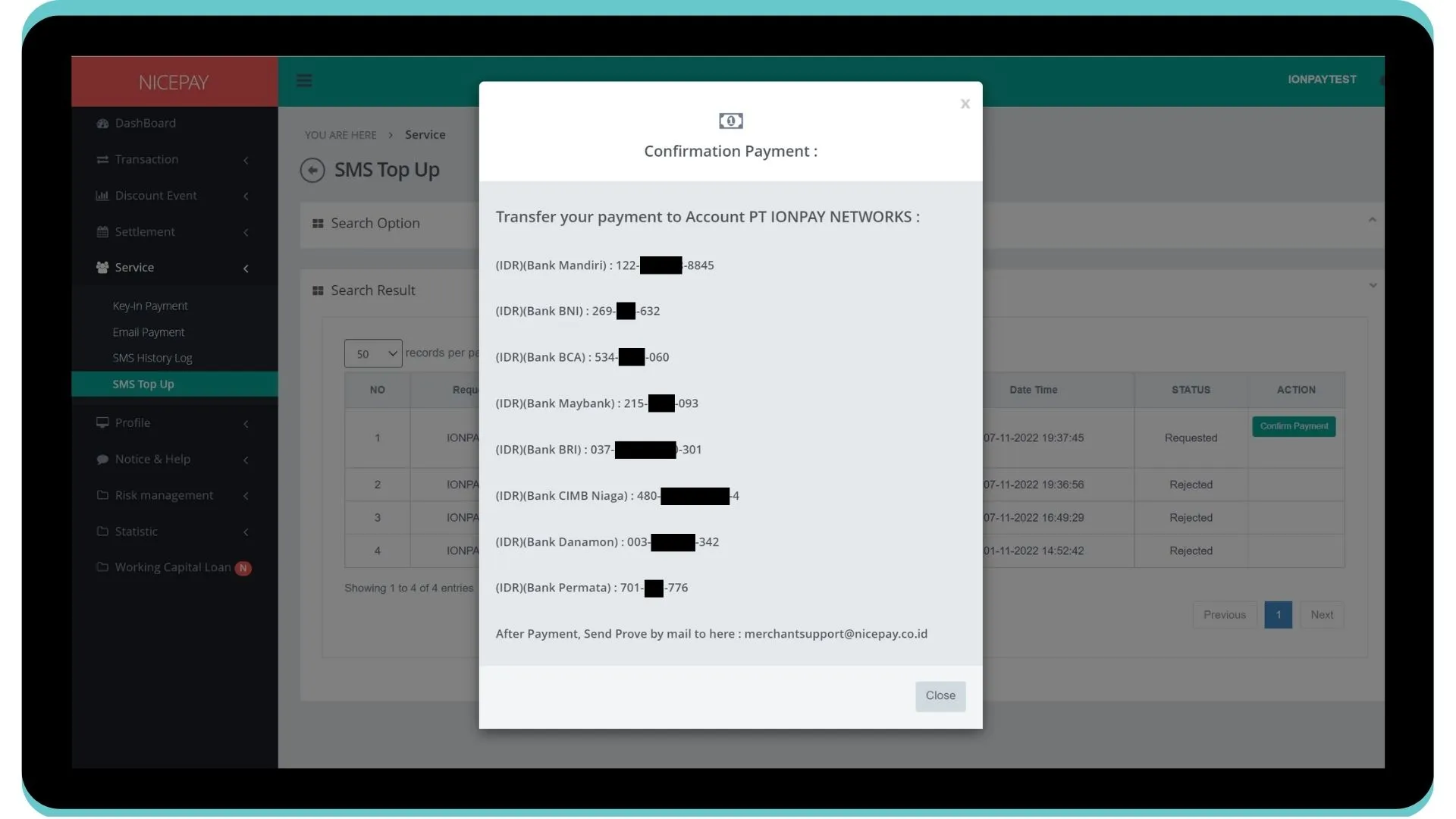
9. TheConfirmation Payment page will appear and show Bank list including its NICEPAY Inquiry Virtual Account number.
10. Proceed payment according to the desire Bank.
12. Request Top Up SMS Token will be handled further by NICEPAY team.
You also can learn more detailed information about other SMS features on Merchant Back Office through the SMS Top Up page.
See also
Visit the Product & Service Fee page to find out detailed information related to products owned by NICEPAY.
Visit the Back Office page to learn products that support Merchant business operation.
Visit the Reconcile page to find out how to check transaction data related to Merchant business operation.
Visit the Invoice & Receipt page to find out information related to payment receipt on Merchant business operation.