Notice
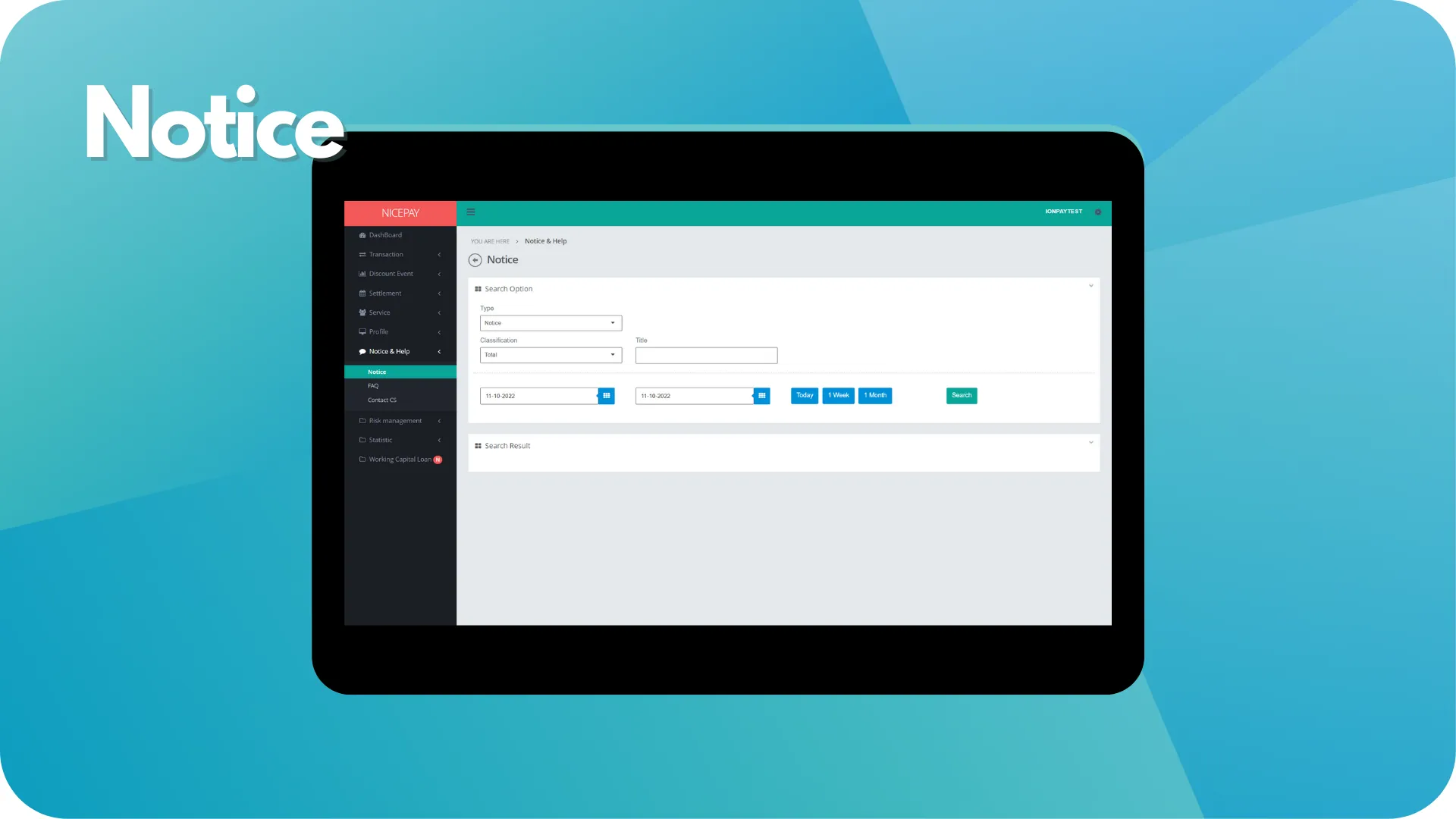
The Notice sub-menu assists Merchant to view information history that include into incident, maintenance, and other announcement category.
Notice
The Notice sub-menu page divided into 2 sections, the Search Option and the Search Result. The Search Option section is a form section used to input the search criteria. There are 3 data types; Incident, Maintenance, and Notice. The Search Result section to displays data search results based on the inputted criteria.
Notice
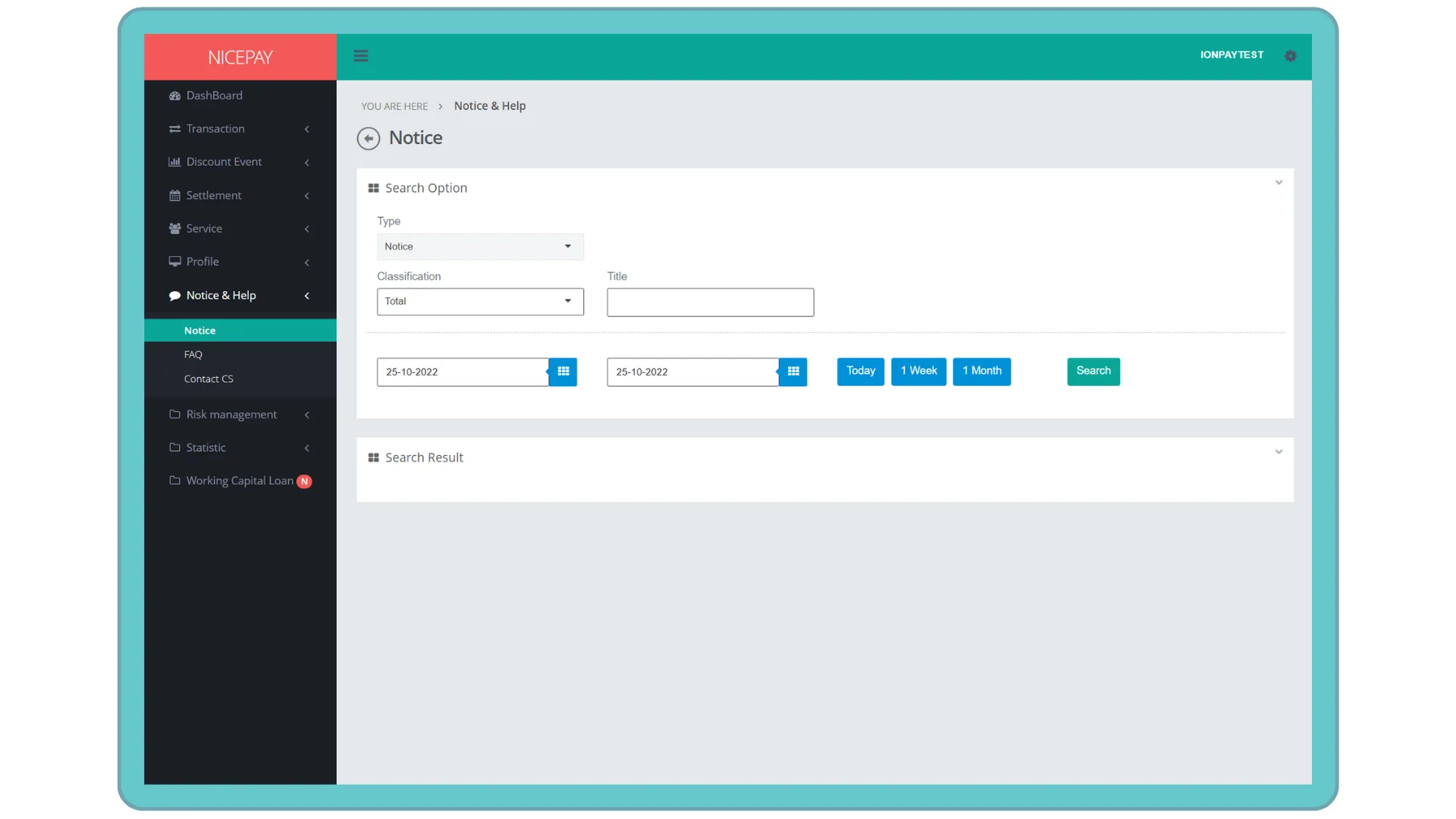
The Search Option section on Notice type consists of specific term form uses to search announcement history data. The form consists of:
Name | Description | Remark |
|---|---|---|
Type | Notice type | |
Classification | Classification of Notice type | Default: Total -> all classification Dropdown list:
|
Title | Notice title | |
Time | Notice time creates in date and hour format. Time settings can be directly determined between today, 1 week, or 1 month | Default selection Default setting: today's date and 24 hour time interval |
Search | Button to process the keywords entered by the Merchant to search for data | Data search results will be displayed in the Search Result section |
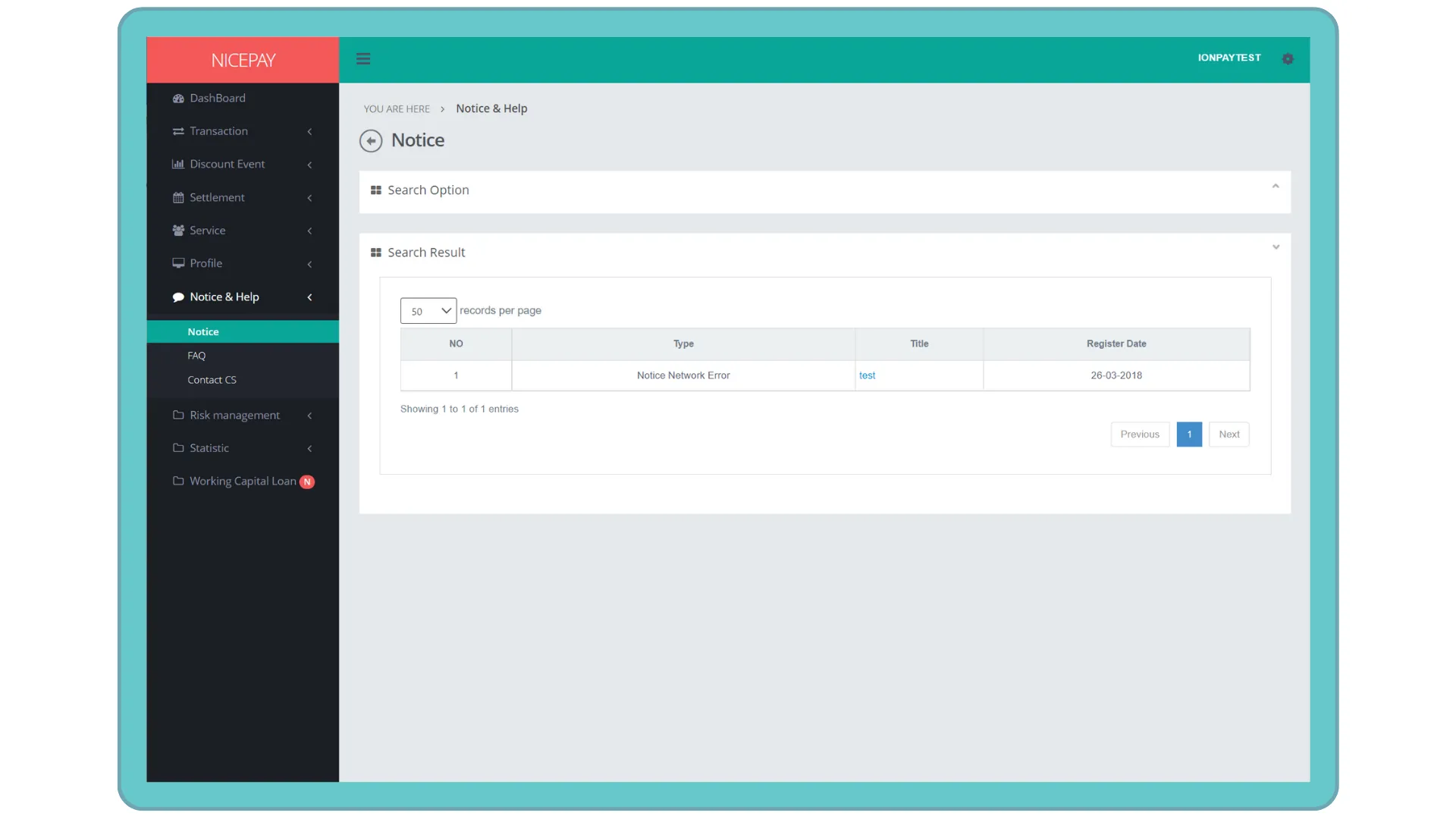
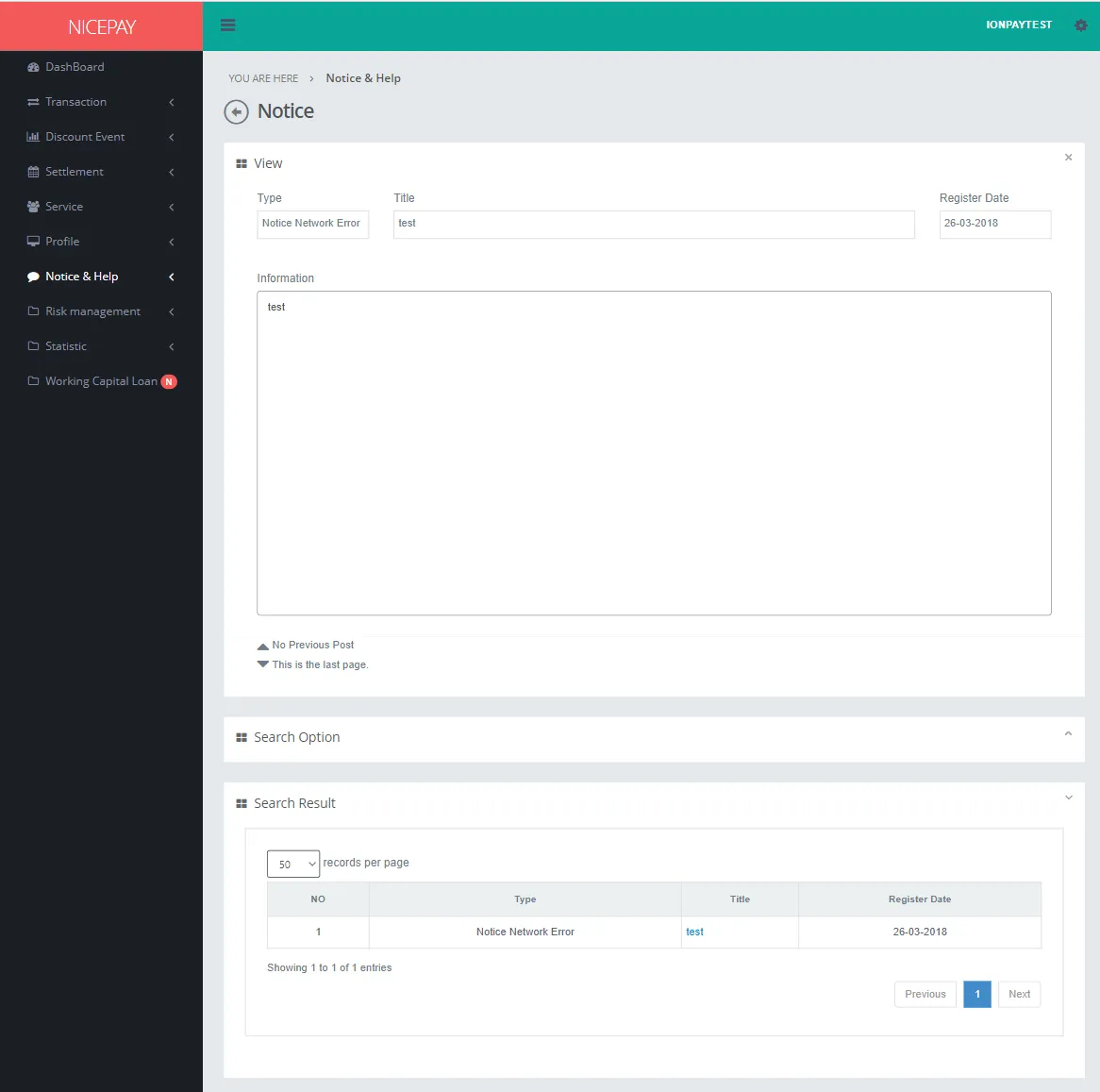
The Search Result section on Notice type displays Notice data history on Merchant. Merchant can view Merchant information detail from hyperlink in the Title column.
Incident
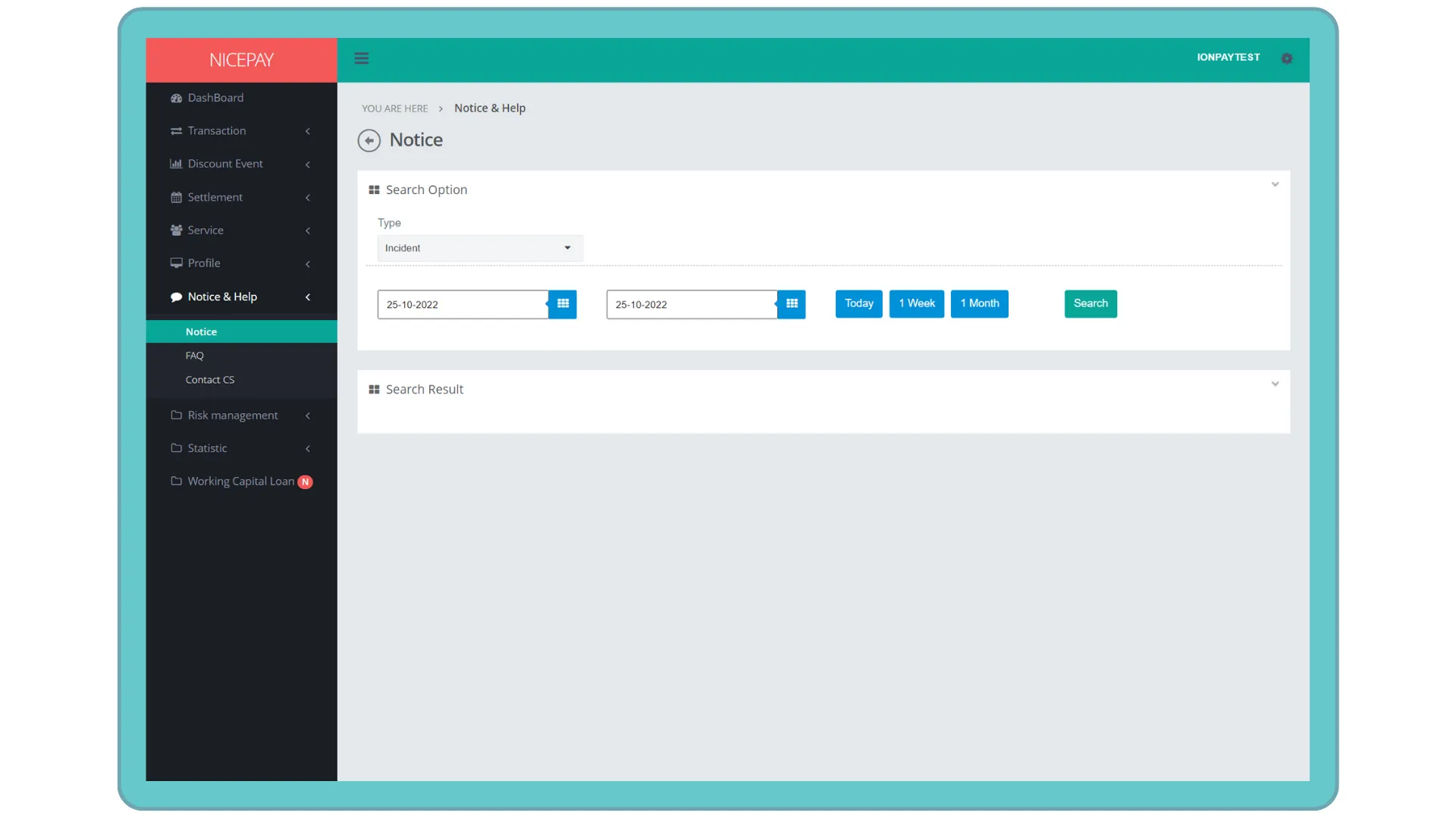
The Search Option section on Incident type consists of specific term form used to search problem history occurring on the system or transaction process had internal issues. The form consists of:
Name | Description | Remark |
|---|---|---|
Type | Question type | |
Time | Incident information time creates in date and hour format. Time settings can be directly determined between today, 1 week, or 1 month | Default selection Default setting: today's date and 24 hour time interval |
Search | Button to process the keywords entered by the Merchant to search for data | Data search results will be displayed in the Search Result section |
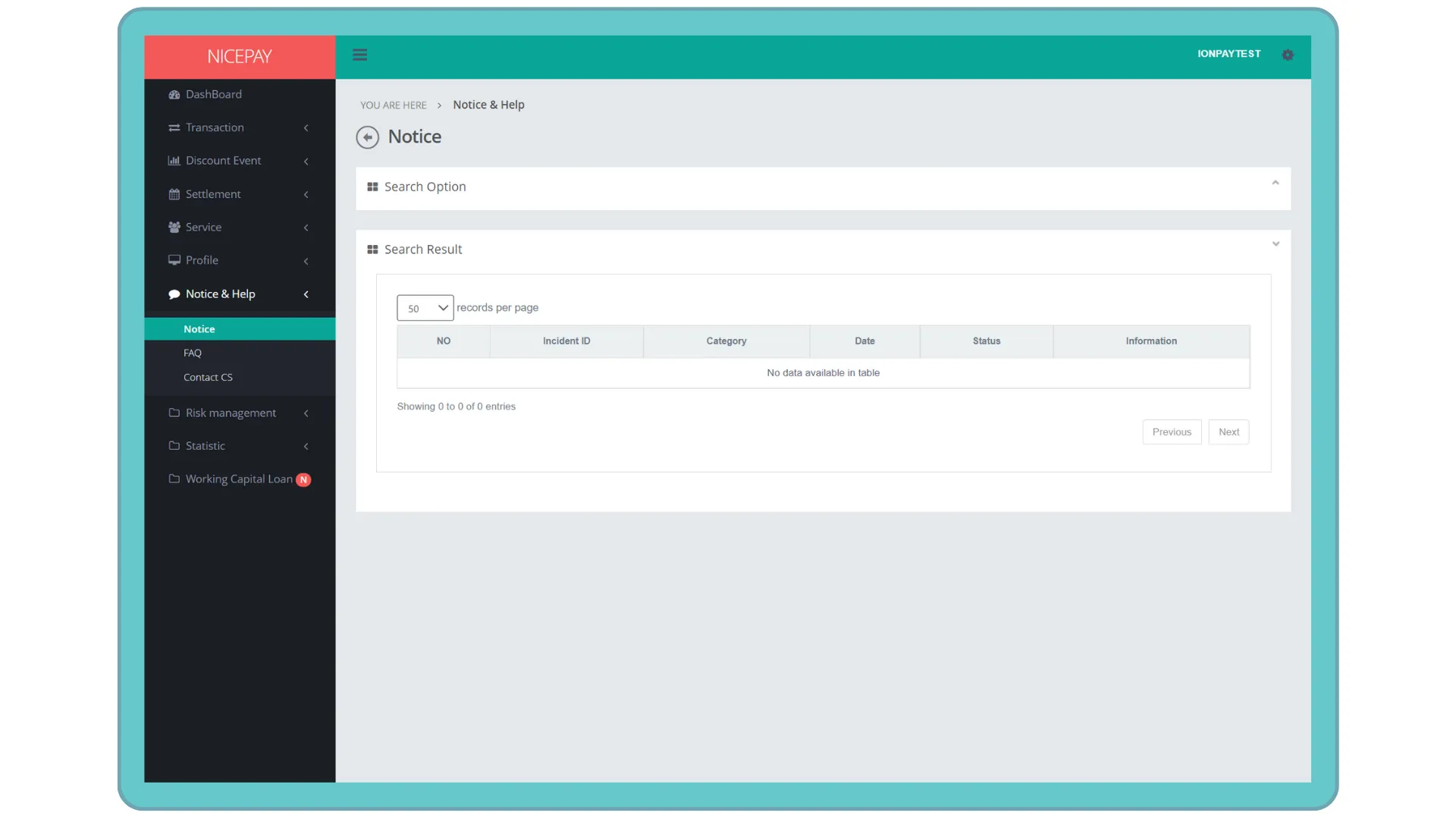
The Search Result section on Incident type displays Notice data history on Merchant. Merchant can view information details related to Merchant from the hyperlink in the Title column.
Maintenance
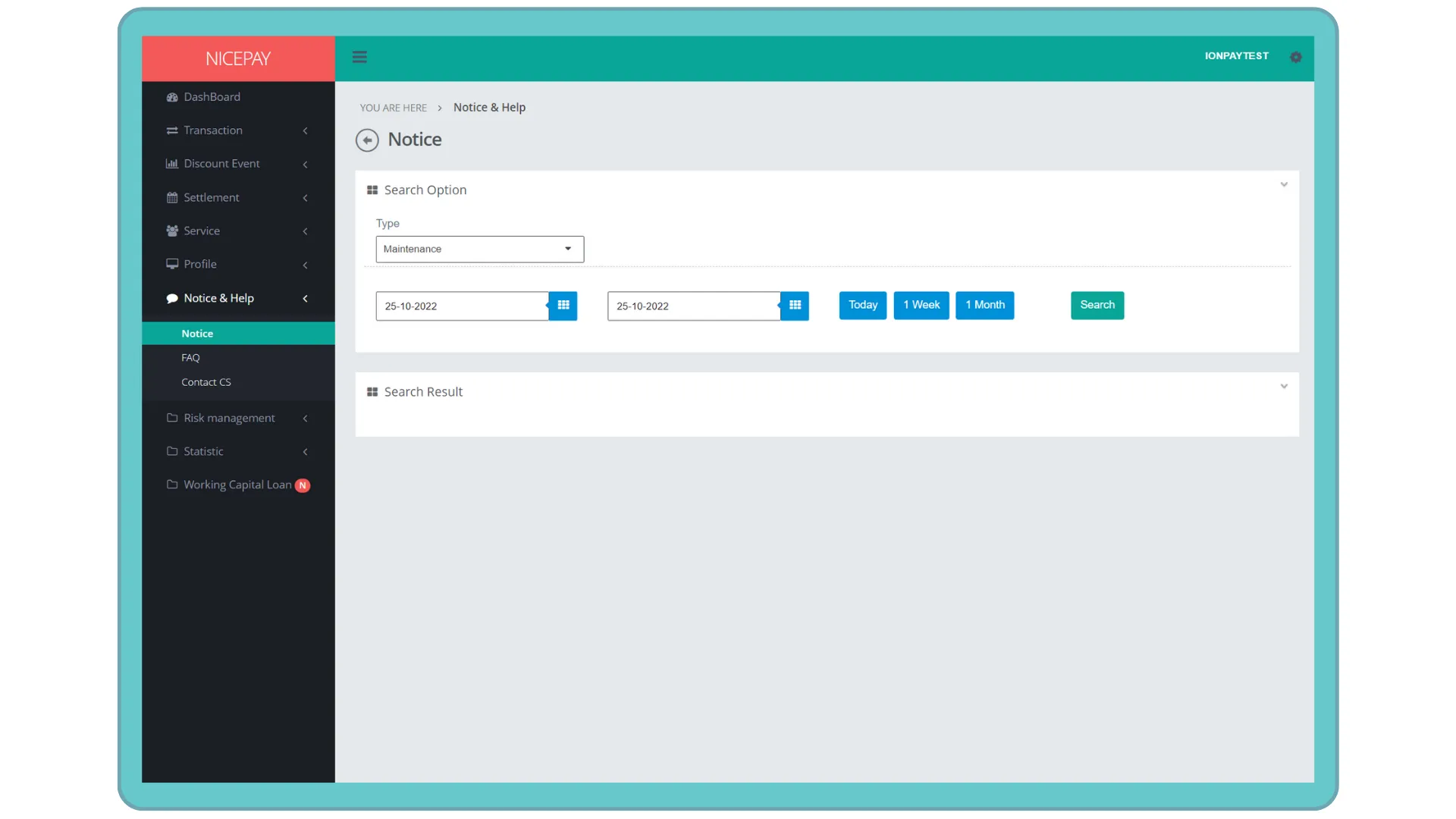
The Search Option section on Maintenance type consists of specific term form used to search transaction repair process history. The form consists of:
Name | Description | Remark |
|---|---|---|
Type | Question type | |
Time | Maintenance information time creates in date and hour format. Time settings can be directly determined between today, 1 week, or 1 month | Default selection Default setting: today's date and 24 hour time interval |
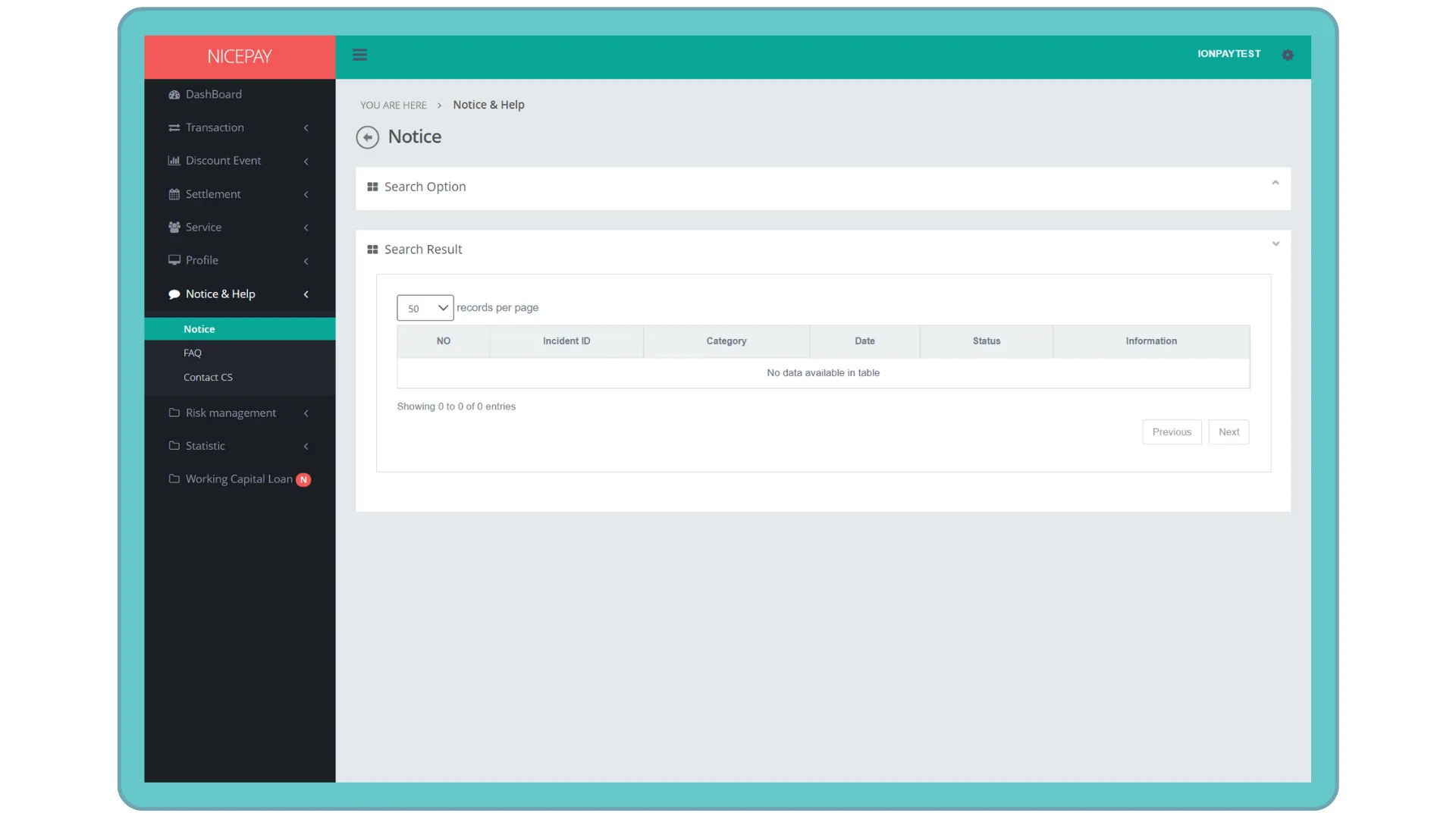
Search | Button to process the keywords entered by the Merchant to search for data | Data search results will be displayed in the Search Result section |
Tutorial
Search Notice, Incident and Maintenance Data
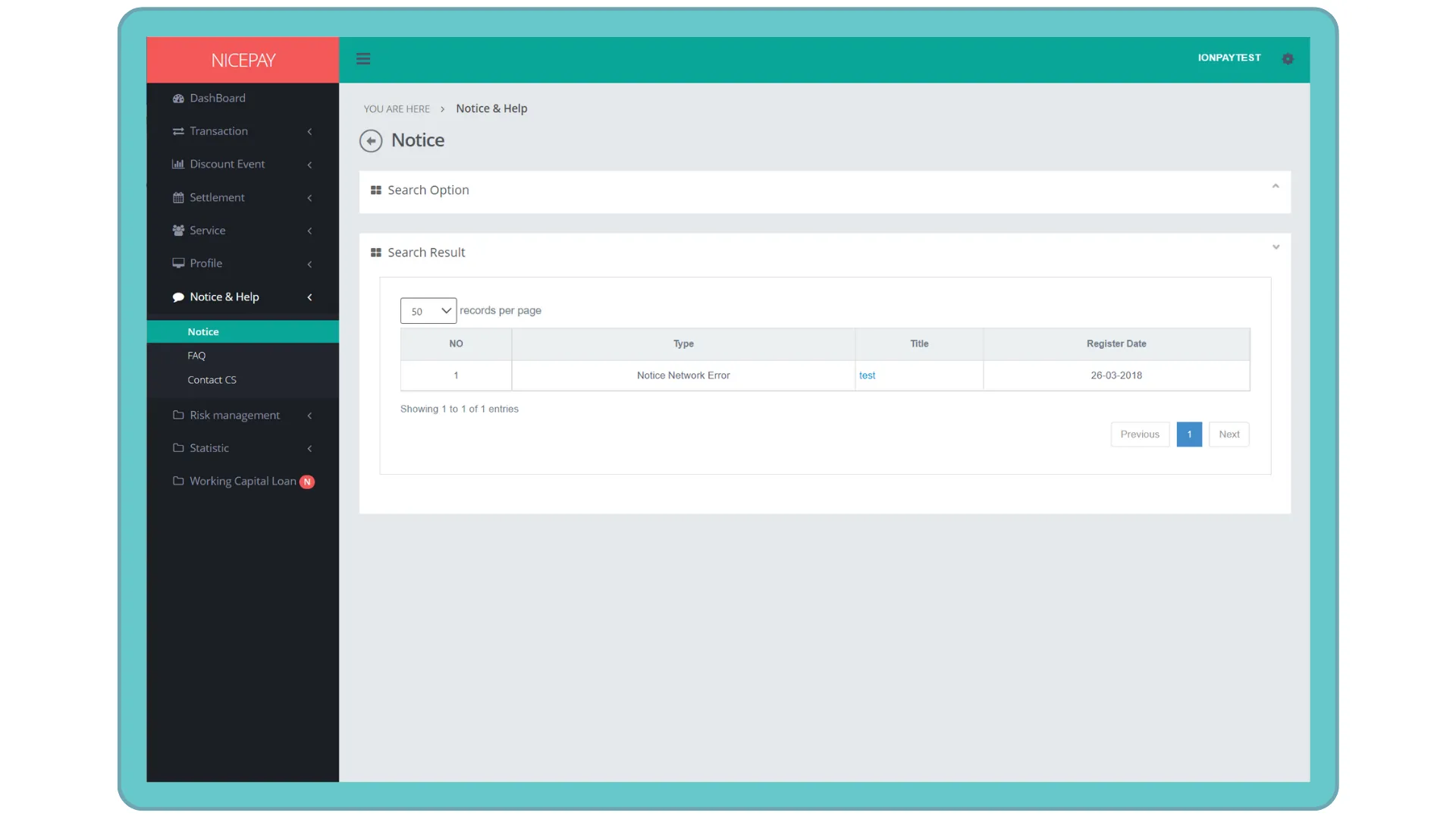
Here’s guidance for searching Notice data.
- Select the Notice & Help menu.
- Select the Notice sub-menu.
- Input the search term in the Search Option section.
- Select the Notice type wishes to be found also input other search criteria on the form.
- Press the Search button to perform data searching process.
- The searched data will appear in the Search Result section.
View Notice Detail Information
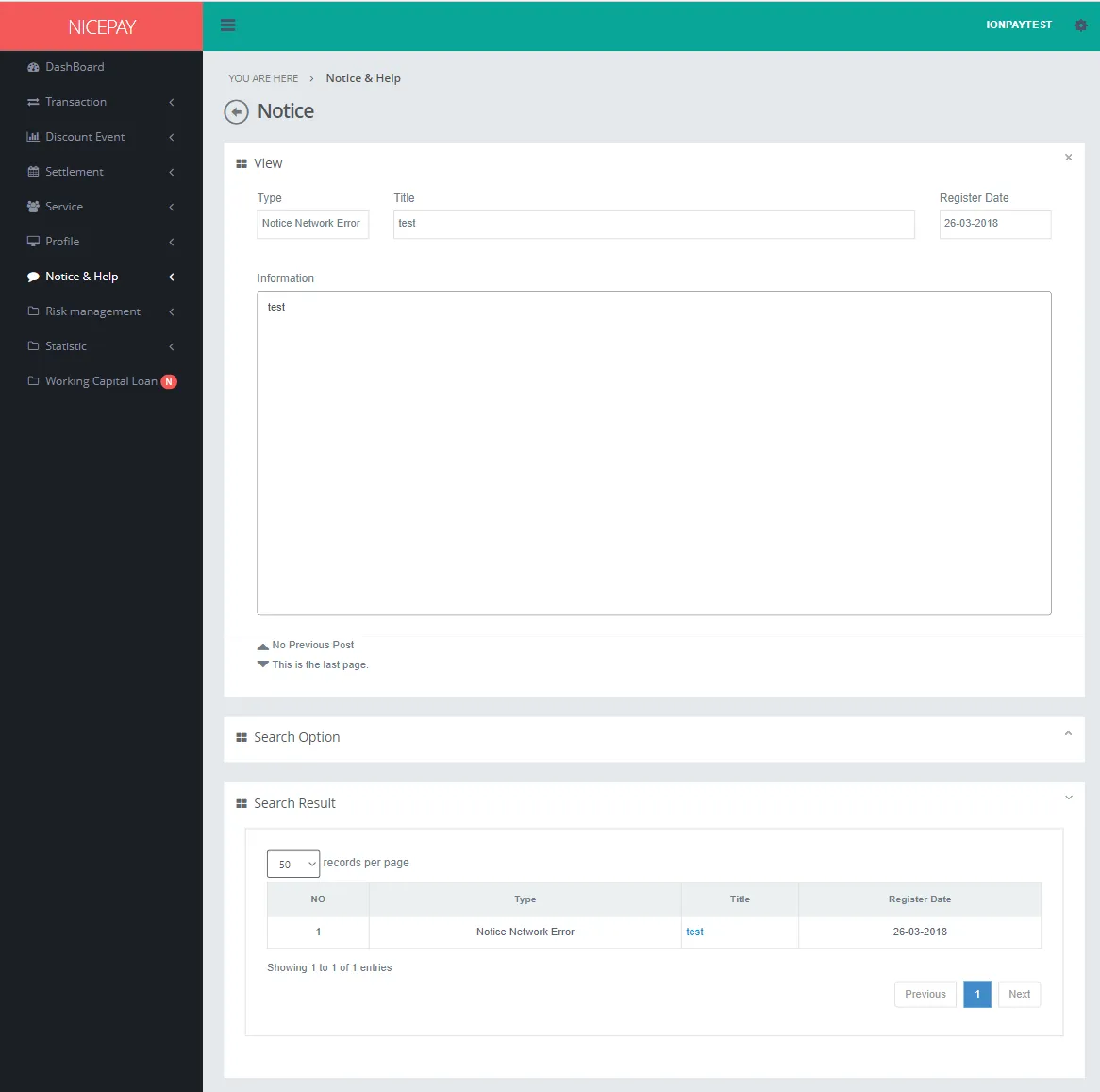
Here’s guidance to search for Notice data.
- Open sidebar.
- Select the Notice & Help menu.
- Select the Notice sub-menu.
- Input the search term in the Search Option section.
- Select the Notice type wishes to be found also input other search criteria on the form.
- Press the Search button to performs data searching process.
- Searched data column will appear in the Search Result section.
- Press the hyperlink on the data row inside the Title column.
- The View section will appear above the Search Option section.
See also
Visit the FAQ page to find out how to search answer for the general question.
Visit the Contact CS page to find out how to contact CS.